
ngmlmeaknfjiomiklcdjmoajhdompmii
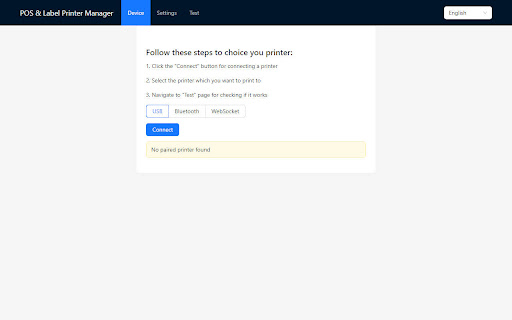
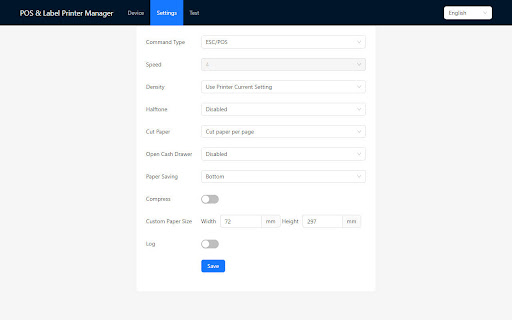
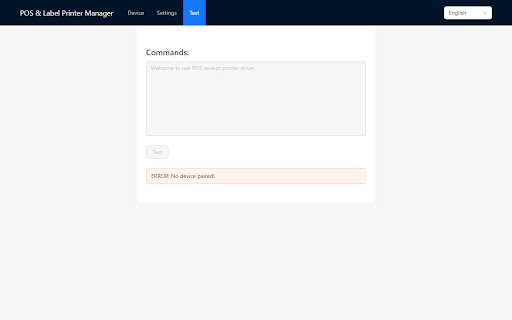
Chrome Extension for POS and label printers. This is a POS&Label printer driver for Chromebook. NOT for Chrome browser on Windows. v0.2.5, optimized the printing quality for landscape printing. This is a POS&Label printer driver for Chromebook. NOT for Chrome browser on Windows.

ESC POS Bridge
Capture receipts from the browser and print via local POS printer This extension lets you print receipts directly from web-based POS systems to ESC/POS printers. Just install this extension along with a lightweight native app to enable fast, reliable, one-click receipt printing straight from your browser—no manual downloads or copy-paste steps required.

Shipping Printer
The printer helper Shipping printer is an app dedicated to printing shipping labels. It connects to the printer via bluetooth of the mobile phone and works. It has rich functions, and users can create labels of different sizes and shapes according to their own needs. It has rich templates. You can easily print shipping labels from various e-commerce platforms and express delivery platforms. Start using it now!

Print Extension
Users can connect to a thermal receipt printer via USB and network port for printing.

POS+
Embed best-in-class payment features into any cloud application in minutes with this browser extension. Rapidly integrate payment acceptance features into any cloud-based software for FREE with this easy-to-use Chrome extension. No need for traditional API coding and processor certifications, which can take months if you can even get them. This secure solution isolates sensitive card data, simplifying PCI compliance, and reducing data breach risks. POS+ is completed in just a few clicks, leveraging AI to set up integrations faster, and FIX integrations on its own if they should break. It's ideal for payment professionals needing quick, current payment acceptance features into softwares where they are currently blocked. Users leverage AI to map transaction fields, including amount, invoice number, and customer information, and set post-approval actions, like updating customer history or emailing a receipt so the payments fully reconcile in the software. Accordingly, POS+ looks and feels like a native integration without the headache. 1. In-person: Accept EMV, swipe, and contactless payments via tap, insert, or swipe of a card, mobile wallet, or wearable device. 2. Digital invoices: Send “pay-by-link” requests via email and text for immediate payment, or embed a “pay-by-link” on the merchant's website 3. Telephone orders: Enter payment data into a terminal or form and send a secure pay-by-link request. 4. Recharge a customer: Use an existing customer’s card or bank account for new purchases. 5. Recurring payments: Automate future payments with securely captured payment info and authorization. 6. Refunds: Process hassle-free transaction refunds. 7. ACH Processing: Accept secure bank-to-bank transfers with real-time funds availability. 1. Fast and Easy Integration: Add payment features to any cloud software in minutes using pre-built components and AI. 2. Simple and Intuitive: Launch payment processes via a Chrome extension with a point-and-click interface. 3. Increased Efficiency: Automate tasks, boost productivity, and reduce manual errors without extensive coding. 5. Secure and Compliant: Simplify PCI compliance and reduce exposure to data breaches. 6. Stay Current: Automatically activate new features and enhancements via real-time updates.
