
jddajbmajdcilhpebgimfjebdbhkecmd
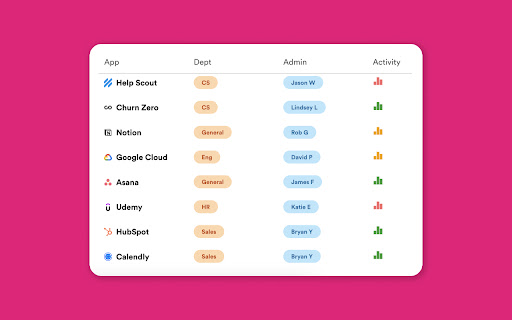

Get more out of your SaaS tools. Hapstack helps your company keep track of which SaaS tools (e.g. Notion, Slack, HubSpot) you and your colleagues are using. It ensures that you're all using the best applications and that no money is being wasted on duplicate tools. Please note that Hapstack only tracks browsing data for common SaaS providers. All other browsing data will remain on your device. We only track whether an application was used or not, up to once per day - no other data or content is collected.

QRCode Helper
Read and generate QRCode Read and generate QRCode

Substly Extension
Substly helps your company manage subscriptions to digital services. Elevate your understanding of your company's digital work environment with Substly's browser extension. This powerful tool provides invaluable insights to help you optimize operations and ensure compliance. Stay on top of licensing requirements effortlessly and uncover shadow IT within your organization. Key features of the browser extension include: - Shadow IT Detection: Our browser extension goes beyond the surface, actively identifying and managing shadow IT instances. Uncover unauthorized applications and services to strengthen your security posture and maintain a robust digital infrastructure. - Unsanctioned Usage: Detect and address instances where employees access services they shouldn't, enhancing security and compliance measures. - Usage Rates: Track how often and to what extent a service is utilized, allowing you to make informed decisions about your digital tools. - Unused User Accounts: Identify and manage underutilized or inactive user accounts, streamlining user access and improving resource allocation. Enhance your digital workspace management with Substly's browser extension and take control of your company's digital ecosystem.

Save Me A Click
Summarize any link with a right-click A ChatGPT-powered chrome extension that lets you get to the point of a clickbait article without even clicking its link. It can be used both to answer clickbait titles or summarize informative articles. Makes the browsing experience less annoying. Open source, check it out on github: https://github.com/marksverdhei/save-me-a-click-chrome-extension For a first time setup, you will need an OpenAI api key. Here are the steps to obtain one if you don't have one already: 1. Create an account at https://openai.com/ 2. Register your account as a paid account https://platform.openai.com/account/billing/overview (free trial does not work) 3. Create a new API key at https://platform.openai.com/account/api-keys (copy it and save it somewhere) This currently only works for paid accounts (ass opposed to free-trial accounts) Now that you have obtained the api key, simply click the icon of the extension in the top right corner of your browser, and paste in the key, then click save. For your own usage, save me a click should be very cheap in terms of api costs, but we recommend setting a hard limit of your usage costs here: https://platform.openai.com/account/billing/limits (e.g. of $1)

Pico
A helper extension for SMC students Pico is a browser extension designed to enhance the SMC student experience. It provides important information about professors and courses, making it easier for students to make informed decisions about their course selections. Install Pico and take the guesswork out of course selection!
