
jclaaifancfpocjhadhbnlladjibpnba
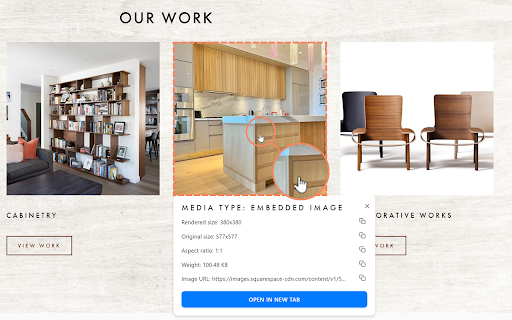

Get detailed information about any image on the web. View dimensions, file size, type, and more with a single click. The extension displays the webpage image information on mouse hover with to possibility to pin and copy image information. You can also open any image in a new tab and download them. Image information are: - Image type: embedded, background, base64 - Image rendered size - Image original size - Image aspect ratio - Image weight - Image URL and download - Image information caching - Detect IMG and PICTURE tags - Handles all image formats: JPG, PNG, GIF, WebP, AVIF How to use it? Install the extension and pin it (recommended for a quick access). Click on activate and make mouse hover or click on images to pin the image info. The extension is only active in a single tab, to use in several, just activate it on different tabs. The extension has no impact on browser performance if it's not activated by using the "activate" button in the popup. Perfect for: ✓ Web developers ✓ Designers ✓ Content creators ✓ SEO specialists ✓ Anyone working with online images Streamline your workflow and gain valuable insights into web images effortlessly. Download Get Image Info now and transform how you interact with online visuals!

Image-Details
Adds a context menu entry to open a popup window with some image details. This extension adds a context menu entry that will show image details in a popup window. It will work on images that use the HTML tag and on most images that are included using the CSS background-image property. Shown details are: - File name - File type/extension - MIME type - File size - Image dimensions (width + height on page, natural width + natural height, scaling) - Date (if available) - Description / Alternative text - Title - Image URL - Source page URL The image viewer lets you examine the image using its drag and zoom capability. And you can download the image by clicking the little save icon on the right end of the file name. If you encounter bugs or have a feature request please send me an email. And if you like this extension please consider a donation. Thank you! See https://ht0.de/image-details.html for more information.

Image info
Select any image on a page, including background images, to view its detailed information, a full-size preview, and easy download. Select an image using the "Image info" icon in the toolbar, and a popup will open, showing information about the image and a button to download it. • Supports background images, local images and SVG images. • Allows to select which image to inspect when several images are stacked. • Lets you decide which information to show: - Image source/address - File name - File type - File size - File date - Image dimensions - Image title - Image description - Full image preview • Allows to quickly show or hide all the information from the list above 🚫 No data is sent, nothing is tracked or recorded. Only your preferences are saved on your computer v1.23.9.10: • Upgraded to Extension Manifest version 3 and updated code structure accordingly • Improved the detection and calculation of the images size, date and dimensions

Image Data
Show image resolution, file type, and file size on mouse over Features: - Display an image's: resolution, scaled resolution, file name, file type, file size, alt text, mime type, domain, pixel total, modification date - Works with images on a webpage, in a new tab, and even local files - 6 position settings: over, before, or after the image, fixed, follow cursor, or tool tip - Keyboard shortcuts and toolbar button to easily enable or disable the add-on - Display of data fully customizable with CSS Permission: Access your data for all websites - Used to read and display image data on a web page.

Image Info - View Image Dimensions
Right-click any image to instantly view its dimensions, file size, type, and more. Download or open images in new tabs. Get the information of any image on the website by right-clicking it. Information provided are: actual size, rendered size, file type, and file size. You can also download or open it in a new tab.
