
jbpccogeinmmmkhpcnnoglekfkancmlf


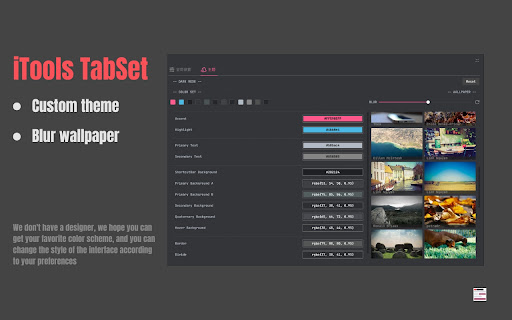
Be the best tab manager, Efficiently manage workspaces, Not just OneTab. **Be the best tab manager, not just OneTab** Efficiently manage tabs with iTools - TabSet. The enhanced version adds memory release and workspace saving features that can be completed with just one click. Support for group management allows you to quickly organize tabs and groups across multiple workspaces. Using it to manage tabs and groups helps you focus on your work without being distracted by cluttered tab bars. Enable assistant features to help you automatically clean up tabs that haven't been accessed for a long time and filter out duplicate tabs. You can reopen closed tabs anytime from the recently accessed history list. - Optimized user experience, improved interface responsiveness - Enhanced smart grouping algorithm for better accuracy - Improved workspace sync functionality for better data stability - Fixed known issues for overall stability improvements - Added keyboard shortcut support - Added extension popup control panel - Added tab annotation feature, allowing you to customize display titles, descriptions, and tags

Tabit
Manage your browser tabs in groups and archives. Tabit helps you manage your chrome tabs. It provides a clean UI for tab management and organizes browser tabs under named groups for various usage (e.g., Dev, Latest, Some Project, Regular Visits). By saving opened browser tabs in a named group you can reopen them later quickly, and thus you may close those opened tabs to reduce browser memory. You need not worry about closing the browser mistakenly. More ways to save tabs. You can save all opened browser tabs to a new group on Tabit Page, and you can also do it for the active tab or multiple selected tabs in the browser window to a specific group with the extension popup window. Home and Archive. There are two workspaces on Tabit. One is the Home page for regular or daily use of tab groups, and the other is the archive page with tab groups for future use. Home page displays tab groups in card view and supports dragging groups and tabs as you like. You can save the latest working or most used browser tabs in a group and archive or delete them to make your home page clean. Searching for tabs. By clicking the top search icon you can search browser tabs. Besides, Tabit provides a group box to manage groups, with which you can filter and select groups you want to display. On the group box, you can merge, archive and delete them in batch. Export and import of tab data. On Tabit you can export all the tab data to a JSON file and import it later. Now tabit supports dark mode relying on the operating system preference. Set your operating system to dark theme to activate it.

Tab Manager
Your tab manager: save, restore, organize, search, switch, close browser tabs & sessions easy. All tab in one saver management tool Declutter Your Browser, Restore Your Focus 🚀 Too many open pages become inconvenient, making you worry about losing important work if Chrome crashes? Maybe you have 50 or 100+ important and necessary tabs, but do they slow down the browser or add cognitive stress. We have created tab manager for you, the simple, intuitive, and reliable solution for superior browser item management. We make managing your digital workspace easy. Our chrome extension manager helps you save pages chrome instantly, organize entries into clear sessions, and restore pages exactly when needed. Use session saver for organization today Tab manager provides crucial features in a minimalist, efficient package. It's the chrome browser manager that respects your workflow. 💾 Instant Save: One-click saving for all or selected open pages. Our fast save tabs function captures your browsing state. 🛡️ Auto-Save Protection: Work confidently. Tab Manager automatically saves your current browsing state periodically, a safety net against crashes. See "Last autosave" status clearly. 📥 Seamless Import: Easily import from our extension and SessionBuddy. Switching your management tool is smooth. 🔍 Quick Search & switch tabs: Instantly find any currently open webpage across all windows or within your saved sessions. Lost something specific? Hover, click the arrow, jump straight to that page! ✨ Popup-First Design: Access everything directly from the browser toolbar popup. No extra page needed! We prioritize quick workspace management. 🖱️ Drag-Select Items: Select multiple entries for saving by dragging your mouse – faster than clicking one by one. Efficient content management streamlined. 💻 Works Privately: All session data stored securely locally. We have NO access to your information. Your browser session is confidential. 📄 Easy Backup/Export: Export all to a file anytime. Your management data is portable. 📌 Smart Pinned Tab Handling: Intelligently separates your pinned items (like Email or Calendar) from your working session. This feature of the chrome tab manager that also closes pinned tabs, ensuring you only save what you need. Tired of Toby's limits and look for tab managers like toby? Worried about data loss in OneTab or Session Buddy? Tab Manager offers a simple, reliable, honest approach. Save unlimited sessions locally, import data easily, enjoy a clean interface without aggressive paywalls. We're the chrome plugin manager focused on the sweet spot of what you love. 1️⃣ Click the icon: See your current open pages. 2️⃣ Select (Optional): Click entries or drag-select. 3️⃣ Save: Click "Save Items". 4️⃣ Name (Optional): Auto-name ready, or type your own. ➤ Click icon, switch to "Your Sessions". ➤ Find session. ➤ Click "Restore" or expand to open individual pages. - List & Grid Views: Switch between layouts for better session overview. - Theme Switcher: Toggle dark/light mode for comfortable viewing. - Flexible Search: Find by session names or search across all entries within your saved collections. - Customizable Interface: Adjust what appears on your main screen – hide pinned items or entries from other windows for a cleaner view. - Fullscreen Mode (for those who find it more convenient and familiar): Optional full-page view with drag-and-drop organization. - List Density Control: Adjust view density in Settings. - Tooltips: Minimalist icons include helpful tooltips. - Import/Export: Manage your data via Settings for complete control. - Privacy is Key Use our extension manager for secure content saving. We help you manage pages safely. ❓ Is Tab Manager free? 💡 Yes! Core saving, restoring, organizing, import/export, and auto-save are free. ❓ Crash recovery? 💡 Yes! Autosave restores your sites after unexpected browser closures or crashes, keeping backups every 5 minutes for the past hour and daily for the last 7 days — choose any to reopen all windows. ❓ Is data private? 💡 Absolutely. All local. Your browser session info stays yours. Install Tab Manager – the clean, reliable session organizer you need. Ideal for efficient workspace management, managing items for work, or just less browser clutter. Click "Add to Chrome" for effortless content saving! Master browser management.

TheTab - OneTab Alternative | Tab Manager
Frustrated with OneTab changes? Save all tabs with one click, undo mistakes, stay private. Free forever. No account. Works offline. Save all tabs instantly with one click. The modern OneTab alternative with undo, dark mode, side panel, and privacy-first design. Free forever, no account needed. Frustrated with OneTab's recent changes? TheTab brings back the simplicity you loved: the classic one-click tab saving experience without the bloat. Turn tab management into an achievement-hunting adventure. Earn XP, unlock 19 achievements, track streaks, and level up through 10 progression tiers while freeing up gigabytes of RAM. The only tab manager that makes productivity rewarding. - Save all open tabs with one click (Ctrl+Shift+1) - Automatic grouping by date and browser tab groups - Undo tab deletion instantly (feature OneTab still doesn't have!) - Restore tabs individually or all at once - Quick access without leaving your current page (Ctrl+Shift+2) - View and manage saved tabs in a convenient sidebar - Drag-and-drop organization while browsing - Toggle open/close instantly with keyboard shortcut - Powerful search across all saved tabs and history - Find any tab in seconds with keyword filtering - Type "tt" in the address bar to search without leaving your page - Unlimited storage: save thousands of tabs without errors - Export/import tab lists as JSON backup - See how your browsing connects pages together - Track which websites you use most with domain analytics - Activity charts and heatmaps show productivity patterns - See exactly how much RAM you've saved (real calculations) - Automatic tracking of recently closed tabs - Restore tabs closed weeks ago with one click - Choose retention period (1–30 days) - Visual timeline shows your browsing path - Earn XP points every time you save tabs - Unlock 10 levels and 19 achievements - Build daily streaks to stay consistent - Track your tab-saving milestones - 100% local storage: all tab data stays on your device - No cloud sync, no account required - Anonymous analytics only (PostHog) — no personal data, no tab URLs, no browsing history is ever collected - GDPR-friendly: your tabs, your business - Lightweight and fast: works even with 100+ tabs - Works 100% offline: no internet required - Side panel for quick tab access (Ctrl+Shift+2) - Dark mode support with instant toggle - Clean, intuitive interface with multi-page navigation - Statistics dashboard with 30-day activity charts and weekly heatmaps - Domain analytics: track browsing patterns across unique websites - Folders, tags, and starred favorites for advanced organization - Available in 27 languages: Arabic, Bengali, Czech, Danish, German, English, Spanish, Finnish, French, Hebrew, Hindi, Indonesian, Italian, Japanese, Korean, Dutch, Norwegian, Polish, Portuguese, Romanian, Russian, Swedish, Thai, Turkish, Ukrainian, Vietnamese, Chinese Chrome may warn that TheTab can "read your browsing history." Here's why: The "tabs" permission lets TheTab read tab titles and URLs so it can save them — this is the core function. Chrome categorizes any access to tab URLs as "browsing history," but TheTab only reads your tabs when you click Save. It does not monitor or record your browsing activity. - tabs — Read tab titles/URLs to save them, close tabs after saving - activeTab — Access only the focused tab during right-click actions - storage — Persist saved tab groups in local browser storage - unlimitedStorage — Save thousands of tabs without hitting the 10 MB limit - tabGroups — Preserve tab group names and colors when saving/restoring - sidePanel — Provide the side panel interface (Ctrl+Shift+2) - contextMenus — Add 7 right-click save options - alarms — Schedule background tasks (auto-cleanup, statistics) - notifications — Notify when tabs are saved successfully - bookmarks — Enable "Save as bookmarks" export feature Anonymous analytics: TheTab uses PostHog to track anonymous feature usage (button clicks, extension version, browser language). No tab URLs, no personal information, no session recordings, no cookies. Full details: [thetabextension.com/privacy-policy](http://thetabextension.com/privacy-policy) 🆚 Better Than the Competition - Modern UI with dark mode - Undo button (OneTab still doesn't have this!) - Side panel for quick access - Gamification: 10 levels, 19 achievements, streaks - Statistics dashboard with domain analytics - Recently closed tab tracking (1–30 day retention) - 27 languages (vs 5) - Unlimited storage - Active development - Free forever (no $60/year paywall) - Side panel access - Unlimited storage - Gamification system - Advanced search with address bar integration - Domain analytics - 27 languages - Recently closed tab tracking - Faster and cleaner interface - More intuitive navigation - Side panel - Gamification (10 levels, 19 achievements) - Streak tracking - Tab history visualization - Browsing insights 🎯 Perfect For - Researchers managing dozens of reference tabs - Developers juggling documentation and Stack Overflow - Students organizing study materials and research - Professionals managing multiple projects - Anyone overwhelmed by tab clutter - Former OneTab users seeking a better alternative - Data enthusiasts who love tracking productivity metrics - Users who need tab recovery beyond browser's basic "recently closed" - Privacy advocates seeking full offline functionality - Multilingual users needing native support (27 languages) - Power users who want quick side panel access while working Works seamlessly on Chrome, Brave, Edge, Opera, and other Chromium browsers. Also available on Firefox with dedicated builds and native sidebar support. 1. Install TheTab 2. Click the icon (or press Ctrl+Shift+1) 3. All tabs saved instantly 4. Open side panel anytime (Ctrl+Shift+2) 5. Restore anytime with one click Unlock achievements, track statistics, and level up your productivity. All features available immediately — no premium upgrade, no setup, no account, no hassle.

Flow - Tab Manager
A new way to manage chrome tabs and windows easily. Flow is your ultimate solution for managing tabs and windows in Chrome. Whether you’re a power user or just someone who wants to keep things tidy, Flow streamlines your browsing experience. Here’s why you’ll love it: Effortless Tab Management • Create Sessions: Start fresh by initiating a new session. A dedicated Chrome window opens, marking the beginning of your focused browsing journey. • Automatic Saving: Flow takes care of your tabs in the background. Close a window without hesitation; your tabs are securely saved. • Resume Seamlessly: Reopen any session whenever you need to pick up where you left off. • Unsaved Windows: Add any open window to your sessions directly from the ‘Unsaved Windows’ section. Boost Your Workflow with Additional Features • Main Session: Designate a session as your ‘Main Session.’ When you launch Chrome, all other windows close, leaving only your essential workstream active. • Backups: Create local backups of your sessions. Flow auto-generates a backup before deleting any session, ensuring you never lose your work. • Dark Mode: Enjoy a sleek dark mode that’s easy on the eyes during late-night browsing. • Resizable Interface: Customize the extension’s size by simply dragging the bottom right corner to fit your screen and preferences. • Simplicity: Flow keeps things straightforward. • Speed: It’s fast and reliable. • Organization: Say goodbye to tab overload. Give Flow a try and experience a clutter-free browsing environment. Your feedback is invaluable in making Flow even better! What's new? 1.2.8 • Added session badge • Removed the unsaved window popup 1.2.7 • Added sessions details to view tabs and move tabs between sesssoin • Added move tabs to session in chrome context menu • Added permission view to review optional permissions for certain settings 1.2.5 • Now Discarding tabs after title is load to improve search and visibility. • Clicking on the open sessions will bring them to front. • Bug fixes. 1.2.1 • Organizing settings and added a few more settings in additional settings • Bug fixes 1.1.0 • Sessions can be opened in the current window. • Project is open source now. see about us in extension settings for more info. • Pinned tabs will be saved now. • Alert will be shown if a window is not saved as session. • Performance improvements.
