
jbhglhmfhghlfdbbcpbihelgbnigggha
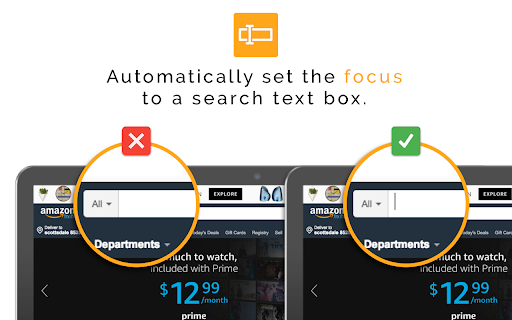
Automatically set the focus to a search text box when the page loads You no longer have to manually click a text box before searching! Useful on websites where searching is the first thing you want to do (ex. Amazon). Your cursor will automatically be placed in the first visible text box once the website loads. Be sure to "pin" this to the URL bar to adjust settings (specifically, which sites it should be disabled on).

Link Controller
The icon shows in which tab links will open, click it for options to toggle it for the current tab or for all tabs.

Mouse Pointer Highlighter
This extension will highlight your mouse cursor and your mouse clicks. This is a very simple plugin that will highlight your cursor in chrome and indicates click actions. It should simplyfy screen sharing sessions and help your screen sharing participants comprehend your actions.

Cursor Highlighter
Add a visual indicator to your mouse cursor for better visibility Add a customizable visual indicator to your mouse cursor on any website. Whether to assist those who are visually impaired or for presentation/education purposes, this will make your cursor stand out! Select one of the default colors, or use the built-in color picker to choose your own unique color to fit your personality!

Search Box Focus
Press Tab to quickly access the main search bar or search field of any website. No need to use your mouse! Autofocus available! You hate taking your hand off the keyboard all the time only to access the search bar of the website you’re visiting? You’d love to simply press Tab or a custom shortcut to focus the search field and start typing right away without ever using your mouse? “Search Box Focus” solves exactly these problems. It also comes with an “Autofocus” feature which allows you to access the search bar automatically without pressing any shortcuts. Simply activate it for websites where you do a lot of searching like Amazon or online dictionaries. Whenever you load a website that has “Autofocus” enabled or when you switch to it from another tab, you’ll find that the cursor is already in the search bar ready for you to start typing. The extension is completely free and open-source which means, no tracking or data collection. No ads! After installation, make sure to reload/refresh all open tabs before using the extension! Feel free to suggest new features, report bugs, and so on at: https://github.com/gignupg/Search-Box-Focus Credits: “Search Box Focus” mainly uses the search box detection code of this Github repository: https://github.com/CodeRevver/Focus-First-Input The extension icon can be found at: https://icons8.com/icon/48167/google-web-search
