
jbcllagadcpaafoeknfklbenimcopnfc

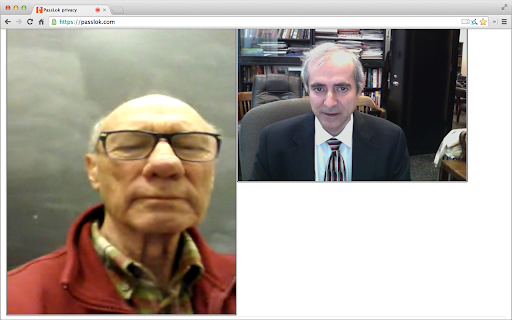
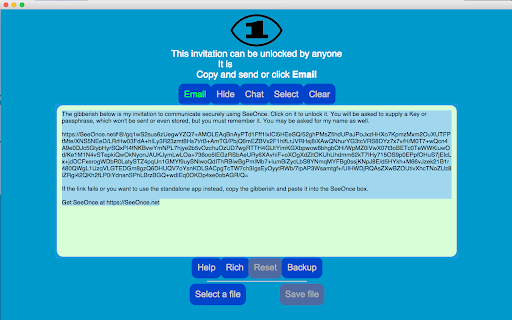
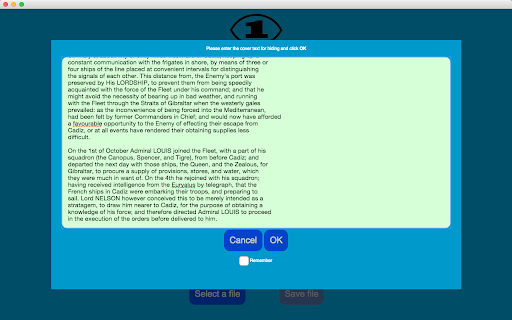

High strength end-to-end encryption with perfect forward secrecy for your favorite email, plus real-time secure chat ⚠️ NOTICE: THIS EXTENSION HAS EVOLVED INTO PRIVACY BAR ⚠️ This legacy standalone tool is no longer actively maintained. The exact same functionality has been integrated, upgraded, and fully secured inside our flagship extension: Privacy Bar. Looking for pure Symmetric Encryption? Privacy Bar handles it entirely offline. Looking for Read-Once payloads? Privacy Bar generates self-destructing messages out of the box just like SeeOnce, and can handle several recipients at once. Looking for Page Isolation/Sandboxing? Privacy Bar features an enhanced, isolated "Safe Space" tab. 👉 Search the Chrome Web Store for "Privacy Bar" or visit privacybar.net to upgrade to the complete, modern suite. SeeOnce encrypts your email messages so they self-destruct after the recipient has read them. It does this without involving any servers or forcing you to make an account anywhere. You can keep using your preferred email. All other apps and extensions store your private content somewhere. SeeOnce does not do this; instead, it achieves forward secrecy by changing encryption keys with every message. This way, you don't have to trust anybody. When you get a locked message, just paste it into the extension and it will open automatically. Then you can reply directly from within the extension. Your friends don't need to have this extension. Messages open in a webpage just by clicking them. They can do this on an Android smartphone if necessary. Some people live in places where using encryption is itself compromising. This is why the extension can disguise its output so it looks like normal text. Just supply a sufficiently long cover text after the message is locked. Disguised messages also unlock as soon as you paste them in. If you find yourself exchanging a lot of emails, SeeOnce allows you to switch to real-time chat, which can involve text, files, audio, or even video. Just click the Chat button to make a secure invitation that only your correspondent can open, and then only once. The extension uses 255-bit standard elliptic curves, which have been vetted against weaknesses by experts. On top of that, it uses 256-bit XSalsa20 encryption and 512-bit hash functions to complete the locking process. XSalsa20 is a high-performance, open source cipher, which has been scrutinized by experts for nearly a decade without any practical weaknesses being found. This is the Chrome extension version of SeeOnce, essentially identical to the web version, except that it syncs its data seamlessly between machines. The following is to check the authenticity of the web version:

Tanuki Utilities
Provide useful utilities for GitLab users. * Change the GitLab favicon to a project icon; you can easily distinguish many GitLab tabs. * Move "Copy reference" button on top bar; the button is always shown for your easy access. This extension tries to change favicons in the **all** sites by default. You can specify which GitLab site (e.g. gitlab.com or your self-hosted site) you would like to change favicons. #### Change the GitLab favicon to a project icon

PassLok for Email
High security encryption for email. PassLok is in no way associated with Gmail, Yahoo, or Outlook. ⚠️ PASSLOK FOR EMAIL IS DEPRECATED: PLEASE UPGRADE TO PRIVACY BAR ⚠️ Due to continuous, unannounced layout changes by email providers like Gmail, Yahoo, and Outlook, maintaining reliable embedded toolbars has become unsustainable. Recent interface updates have permanently broken the integration for this extension. To ensure your secure communications are never interrupted again, we have migrated all core features of PassLok for Email into our actively maintained flagship extension: Privacy Bar. Privacy Bar gives you the exact same serverless, battle-tested encryption, but interacts with your browser through a stable interface that email providers cannot break. It is fully backward-compatible with your existing Lock collection, which you can read from sync storage. 👉 Search the Chrome Web Store for "Privacy Bar" or visit privacybar.net to upgrade. TAKE PRIVACY INTO YOUR OWN HANDS Easy, end-to-end secure encryption for email, plus real-time chat, that does not rely on servers and is therefore immune to hacking or government intervention. Right now PassLok for Email supports Gmail, Yahoo mail and Outlook online. If you need any other emails right away, check out PassLok Universal, which is also more resistant to changes in the services. --PassLok for Email is incredibly easy to use-- To encrypt a message or file, just click the PassLok icon at the bottom of the Compose or Reply box. A popup will take your private message and encrypt it with the click of a button. Then you can send it out like any other message, or as an attachment. To decrypt it, click the PassLok icon at the top of the encrypted message. A popup will show the decrypted message or file immediately, or will tell you if there is any problem. PassLok asks you for your Password only once. It can be anything you want, so you can actually remember it. PassLok will evaluate its strength and compensate for its weakness by lengthening the computations. It won't be stored or sent anywhere, and PassLok will forget it after five minutes of inactivity. If you want to change your Password, go ahead and start using a new one when PassLok asks you for it. You may be asked for the old Password if PassLok can't decrypt something, but otherwise that's all you'll have to do. You can use either of these two encryption modes, by just clicking a button: 1. Signed mode: encrypted messages can be decrypted again, so long as the recipients supply their authentic passwords. Recipients are also assured that the message was encrypted by the sender. 2. Read-once mode: after a few encrypted messages have been exchanged they can no longer be decrypted by anyone, even if they supply the correct passwords. In addition, you can make encrypted chat invitations which, when decrypted by the recipients, open a webRTC real-time chat session where participants are directly connected to one another. The chat session includes text, files, audio, and even video. PassLok for Email allows you to encrypt files and images as well. Just load them with a toolbar button. You can also encrypt them separately and load them as regular attachments. You can also communicate with users of services not supported by PassLok for Email. They can use PassLok Privacy (also in the Chrome store), which has a special mode fully compatible with PassLok for Email. For the very paranoid (and who isn't these days?), PassLok for Email includes four special features: 1. Encrypt to image: the message is encrypted into an image you supply and then attach to your email, so the presence of a hidden message cannot be detected even by computer analysis. 2. Concealed mode: the encrypted message does not look encrypted, but actually looks like normal text. PassLok still detects it and decrypts it normally, though. 3. Invisible mode: the encrypted material cannot be seen at all. It is hidden in the space between the lines of an otherwise normal message. 4. Hidden msg: there is a hidden message in addition to the regular message, and it is encrypted by a separate key. The hidden message is completely undetectable to those who don't know it exists. Images also can contain hidden messages. --State-of-the art security-- PassLok is based on the NaCl encryption engine, which uses 255-bit standard elliptic curves vetted against weaknesses by experts. On top of that, it uses the 256-bit XSalsa20 symmetric cipher, a high-performance, open source algorithm, which has been scrutinized by experts for nearly a decade without any practical weaknesses being found. The image-encryption part of PassLok, developed in-house but open-source, has recently been shown to be much harder to detect than F5, the champion steganography tool until now. PassLok does not use servers that might eventually compromise your private data. All encryption is done client-side. All data sent to the email server is encrypted, and they don't have the password that decrypts it. With PassLok, you can actually SEE that that your messages have been encrypted. You can also see the code. PassLok hides nothing from you. PassLok for Email is now in public beta testing. To report any bugs or suggest improvements, please submit them as "Issues" at this GitHub page:

d-chat
Highlights: * Free * Open Source * No registration * Private & group chat * End-to-end encryption * Offline messaging * Image/video/audio uploads * Decentralized with over 20k nodes (https://nscan.io/) Permissions: - storage: We need to save your chats, and your profile, in local storage. It doesn't leave your browser. - unlimitedStorage: Don't want to run out of storage space for your chat histories. - notifications: For when you receive messages.

AIN Wallet
A chrome extension for AI Network AIN Wallet is a browser extension for the AI Network. **Manage your assets on AI Network** AIN Wallet helps users create and manage AI Network accounts, and displays the assets owned by those accounts. The assets include not only AIN, the native token of the AI Network, but also AINFT that will be supported in the near future. **Connect to AI Network Blockchain** AIN Wallet also injects web3 API for the AI Network into the webpage, allowing developers and users to communicate with the AI Network. Users can prove their identity for DApps by signing a specific message, and they can easily verify the transaction before rejecting or approving it when DApps attempt to send transactions to the blockchain.
