
ipaeingdbackopmfikbocgkhhpecanpo
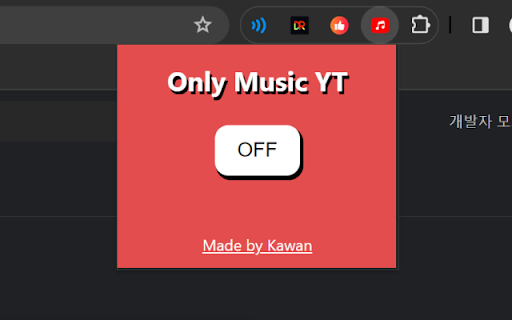

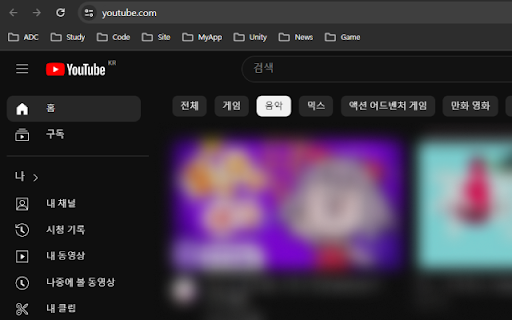
It makes only music appear in your YouTube… It makes only music appear in your YouTube recommendations. Since only subscribed videos and music are displayed, it naturally reduces your viewing time, allowing you to focus more on your own work! 1. 추천 영상 제거 - Remove the recommended video 2. 추천 영상에 음악만 표시되도록 설정 - Set to display only music in recommended videos. 3. 쇼츠 버튼 제거 - Remove the Shorts button.

Music Only for YouTube
Version 2.0 is a major upgrade focused on control, stability, and a better listening experience. Version 2.0 is a major upgrade focused on control, stability, and a better listening experience. A brand-new popup lets you turn Music Mode ON/OFF per tab with a single switch. Clear status messages tell you whether Music Mode is active or if you need to open a YouTube tab. Quick access to Settings via the gear icon at the bottom of the popup. ⚙️ New Settings Page Fully redesigned Options page with granular controls. Hide end screens and player gradients Hide comments and recommendation sidebars All settings are saved and synced automatically. Music Mode now survives YouTube’s page navigation (no reload needed). Reduced visual noise for a cleaner, music-first interface. Optional removal of thumbnails, avatars, Shorts, and overlays. Ideal for focus, background listening, or low-distraction browsing. Added a Buy me a coffee button in the popup for users who want to support ongoing development ❤️ Fixed issues with disappearing controls and duplicate UI elements. Improved compatibility with recent YouTube updates. Cleaner internal architecture for faster fixes and future features. The Music-Only Mode Chrome extension enhances your YouTube experience by temporarily disabling video playback and displaying "music only." This extension allows users to enjoy audio content without the visual distractions, making it ideal for background listening or focusing on other tasks. Video-Free Playback: The extension hides the video display on YouTube, letting users listen to the audio content without any visual elements, perfect for those who want to concentrate solely on the music. Simple Activation: With a single click, users can easily switch YouTube to music-only mode, allowing for a seamless transition between watching and listening. Improved Focus: By eliminating video distractions, the extension helps users stay focused on their tasks while still enjoying their favorite audio content. Resource Efficiency: Disabling video playback can help save bandwidth and reduce device resource usage, making it a practical choice for users who prefer to listen without consuming additional data. With its user-friendly design and functionality, the Music-Only Mode Chrome extension offers a streamlined way to enjoy audio on YouTube, providing a distraction-free listening experience without the need for complex settings or additional software.

PYCUI for Youtube
Enjoy watching YouTube videos and comments comfortably together! When you set videos to default view, the comments will appear in a fixed UI on the right side. You can view videos and comments simultaneously, and comments load instantly.

Open in Youtube Music
Adds GUI functionality to open the current youtube video in YouTube Music

VoyceeTube
Enjoy YouTube with your voice Have you ever thought of controlling YouTube with voice!! control YouTube while you exercise, Drive, If you are specially abled and cant operate YouTube with your hands. Here's an extension for you!!. With this you can enjoy YouTube with voice just by simple voice commands given below : 'sam Hello' : This will wish hello messages to user, 'sam mute' : Wil mute video, 'sam unmute' : Will unmute video, 'sam play' : Play video, 'sam stop' : pause video, 'sam pause' : Pause video, 'sam next' : Next video would be played, 'sam previous' : Previous video would be played,, 'sam show captions' : Enable captions, 'sam hide captions' : Disable captions, 'sam (show) description' : shows video description, 'sam mini player' : Play video in miniplayer, 'sam movie (mode)' : Play video in theaterMode, 'sam default (mode)' : Play video in defaultMode, 'sam full screen' : FullScreen, 'sam vminimize' : Minimize video, 'sam like' : like video, 'sam dislike' : dislike video, 'sam subscribe' : Subscribe channel, 'sam (scroll) down' : scrolldown, 'sam (scroll) up' : scrollup, 'sam unsubscribe' : unSubscribe, 'sam search (for) *text': search for anything on YouTube with voice, 'sam skip (ad)' : skipAd, 'sam visit ad' : visitAd, 'sam join (channel)' : join, 'sam trending (videos)' : show trending videos, 'sam speed *tag(x)' : speeds video by argument you pass eg:- "speed 1.5" : This will speed up video by 1.5x "speed 2x" : This will speed up video by 2x 'sam volume 25%' : change volume to 25%, 'sam volume 55%' : change volume to 55%, 'sam copy (video) (link)' : copies video link, 'sam (my) liked videos' : Shows your liked videos, 'sam (my) subscriptions' : Shows your subscriptions, 'sam watch later (videos)' : Shows video added to watch later, 'sam library' : goes to library, 'sam history' : shows history, 'sam expand' : expands miniplayer to default player, 'sam share' : copy, 'sam save (to watch later)' : save video to watchlater, 'sam autoplay (on)' : autoplay on, 'sam autoplay (off)' : autoplay off, 'sam visit channel' : visit channel, 'sam go to music' : shows music, 'sam go to gaming' :shows gamming, 'sam go to movies' : shows movies, 'sam go to news' : shows news, Note: Round brackets in voice commands are not mandatory while saying commands. You can Ignore them.
