
dcoopjjnhnlllfiklggkeafanfnllfnf
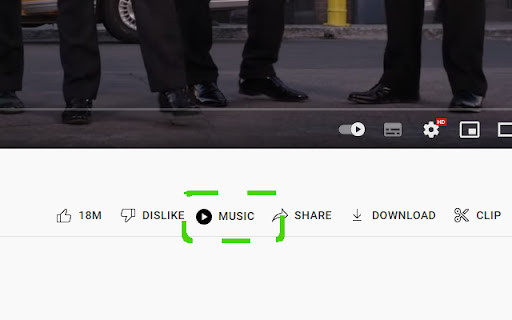
Adds GUI functionality to open the current youtube video in YouTube Music

Floating Video Player for Youtube™ Videos
Floating Video Player for Youtube™ Videos allows you to watch videos while browsing the web with Picture-in-Picture mode. Watch videos in a floating window while browsing other sites and applications with our software extension. Features: - Resume watching from the last stopped position - Videos are always on top - Supports Youtube playlist How to use the extension: Open the video on the video site and start playing the video Click the extension icon and activate floating mode. A miniplayer appears and you can continue watching the video. Please note that the original tab with the video stream should remain open while you browse the Internet. We are not affiliated with YouTube or an official extension. This extension is independently developed for use with Youtube YouTube is a trademark of Google Inc. Use of this trademark is subject to Google Permissions.

YouTube No Playlist!
Open YouTube playlist videos without the playlist in a new tab. This extension adds a context menu item specific to YouTube video links that include a playlist ID, that allows you to open the link in a new tab as standalone videos without the (autoplaying) playlist. This is a port of the Firefox extension of the same name created by Klemens Schölhorn.

YouTube Live
YouTube Live is a Chrome extension that shows your favorite YouTube LIVE channels in a popup.

Simple YouTube Windowed Fullscreen
⚠️ ALERT: The extension MAY no longer work as well as it used to due to recent YouTube changes. 😢 I have no idea if/how I can resolve the issue on my end. If you have ANY idea, please open an Issue/Pull Request in the GitHub! ⚠️ It will ATTEMPT to use the original system, but if that fails, it will fallback to just a regular YouTube URL/video in the specialized window (but it should remove all distractions using custom CSS, just won't be as nice as the original/embedded method). Simple YouTube Windowed Fullscreen is an extremely simple extension (only 14 lines of code) that allows you to open YouTube videos in their own pop-up windows. This is great if you're watching a long video or movie and want to multi-task. Or, you just like being able to see your taskbar and to easily manage the YouTube video's display. Activated either by clicking on the extension's icon in the toolbar or by using a customizable keyboard shortcut (default is Ctrl+Shift+W). Please report any bugs or suggest new ideas through the GitHub page below! GitHub (source code): https://github.com/srnyx/simple-youtube-windowed-fullscreen LEGAL DISCLAIMER YouTube and all associated YouTube images are copyright of Google, LLC. Simple YouTube Windowed Fullscreen is not affiliated with YouTube or Google, LLC.
