
iojgbjjdoanmhcmmihbapiejfbbadhjd
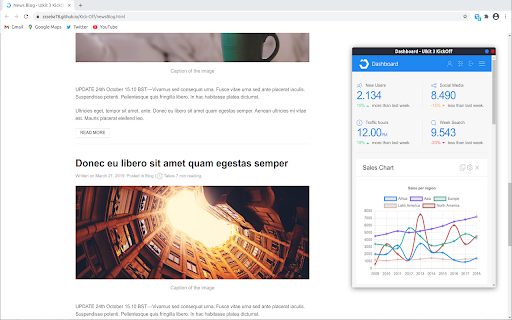


TabFloater allows you to multitask by moving browser tabs into floating windows, similar to “Picture-in-Picture” on TVs. At TabFloater, we're on a mission to empower users like you by simplifying multitasking and enhancing productivity through seamless tab management. TabFloater improves your productivity by providing "Picture-in-Picture" functionality to your tabs on any website, making it an indispensable tool in every digital workspace. - Coding in Visual Studio while referencing APIs on GitHub? - Designing in Figma with inspiration from Behance? - Juggling emails in Outlook alongside client briefs in Google Docs? - Trying to watch your favorite Netflix show while entering data in Excel? TabFloater allows you to keep important information, from any website, Always on Top and at your fingertips. To take advantage of all that TabFloater offers, you must install the companion software on your computer. Once you install TabFloater, we'll guide you through the process. (Don't worry, we're NOT selling your data. Check out our privacy policy at https://www.tabfloater.io/privacy if you don't believe us.) For more information, visit our website at https://www.tabfloater.io/ !

Site History Express: Quick Navigate
Quickly access recently visited pages on the current site. When you're on a website, simply click the extension icon to view your browsing history for the current website. Pin the extension icon to your browser for quick and easy access. If you click the extension icon on a new tab, it will show your complete browsing history across all websites. Use the keyword search to quickly find specific pages in your history. Keyboard shortcuts for super-fast navigation: • Previous: ArrowUp • Next: ArrowDown • Jump Up: Shift + ArrowUp • Jump Down: Shift + ArrowDown • Open: Enter • Open in New Tab: Shift + Enter • Toggle Filter Scope: Tab Set a custom keyboard shortcut to instantly open your history: 1. Go to chrome://extensions/shortcuts 2. Find Site History Express 3. Set your shortcut (e.g., Ctrl + Shift + 8) "Site History Express" is the new name for "Fiteprint". This is an open source project: https://github.com/site-history-express/site-history-express

Smart TOC
Displays a table of contents for any website, making it easier to read and navigate long articles, documentations, and online books. - Auto detects article and headings, with our smart algorithm - Highlights current heading - Click to jump to heading - Expand/fold headings, or to specified level - Floating panel, drag, resize, or dock to side - Mouse hover while holding Alt/Option key to glance - Copy to clipboard - Clean user interface - Only runs when you use it The Pro version offers extra features: - Dark mode, automatically - Up to 6 heading levels (free version capped to 3) - Quickly go to headings, with full-keyboard support Click the browser button to toggle table of contents for the current site Any website that conforms to the HTML standard and uses HTML heading tags properly (e.g. Wikipedia.com). You can also enable Smart TOC for local html in the extension settings.

RSSHub Radar
Easily find and subscribe to RSS and RSSHub. - Discover and subscribe to the RSS feeds associated with the current page effortlessly. - Explore and subscribe to the RSSHub supported by the current page promptly. - Easily identify the RSSHubs supported by the current website quickly. - Supports one-click RSS subscription for various platforms including Follow, Tiny Tiny RSS, Miniflux, FreshRSS, Feedly, Inoreader, Feedbin, The Old Reader, Feeds.Pub, Local Reader... Made with ❤️ by DIYgod

Douban Book+
Only 1-click from Douban to your favorite ebook platforms
