
ioimfefhpfjpifdfijgjnbiojlneeiac


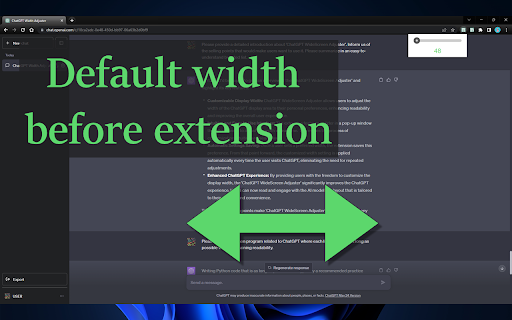
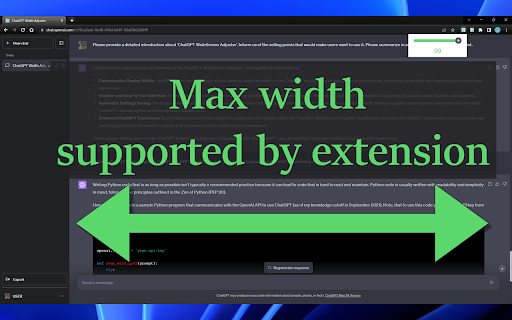
Adjust your ChatGPT display width freely. Say goodbye to narrow text fields, and improve readability. "ChatGPT WideScreen Adjuster" is an extension that allows you to freely adjust the width of the display area in ChatGPT. You can customize the width of the display area, which was previously fixed, to your preferred reading width. The main features include: * Freely adjust the width: You can freely adjust the width of the ChatGPT display area to your preference. * Easy operation: By moving the slider in the popup, you can instantly adjust the width of the display area. * Save settings: Once you've adjusted the width, it is automatically saved and applied from the next time onwards. With "ChatGPT WideScreen Adjuster", enjoy a more comfortable ChatGPT experience. ※ If you encounter any bugs or have any concerns, please open an issue on the following GitHub repository and we will address it. https://github.com/masachika-kamada/ChatGPT-WideScreen-Adjuster

ChatGPT Bulk Delete
A Chrome extension to bulk delete ChatGPT conversations This Chrome extension is designed to help users quickly and efficiently delete conversations in the ChatGPT’s left sidebar. With the extension installed, users can add checkboxes to each conversation in the sidebar, select multiple conversations to delete or archive, and accomplish this with just a few clicks. Hold Shift and click to select multiple conversations for efficient bulk actions. This extension is particularly useful for users who frequently use ChatGPT and need to manage their conversations efficiently. Instead of deleting conversations one by one, users can remove multiple conversations at once, saving both time and effort. Additionally, this extension now offers a “bulk archive” feature for a one-time fee of $0.99 USD. This paid feature allows users to archive multiple conversations simultaneously, further enhancing the tool’s utility and convenience. The extension popup includes a small advertisement labeled “Ad” in the footer, linking to TubeVocab (https://www.tubevocab.com/), a third-party language-learning product. This ad helps support the continued development and free distribution of ChatGPT Bulk Delete. Clicking it is entirely optional and does not affect any of the extension’s core functionality.

CollapseGPTMessages
Easily collapse and expand ChatGPT messages for faster navigation. Save your scroll, focus on what matters. CollapseGPTMessages keeps threads tidy by letting you collapse and expand individual messages — just like sections in a document. Features 1. Collapse/expand any ChatGPT message with one click 2. Persistent state: remembers your collapsed/expanded messages across refreshes 3. Keyboard shortcuts for speed: a. Expand all: Ctrl + Shift + E b. Collapse all: Ctrl + Shift + C Clean UI that blends with ChatGPT Whether you’re reviewing long code blocks, research notes, or multi-step reasoning, CollapseGPTMessages reduces scrolling and keeps you focused on what matters.

BearGPT - Chatgpt Enhancer
a better experience in chatgpt with table of questions, customize content width and so on Take your ChatGPT experience to the next level! BearGPT is a powerful enhancement tool designed for ChatGPT power users. It solves the pain points of navigating long conversations, limited content display area, and non-visual technical diagrams. Key Features: 📑 Question Navigation Sidebar Automatically extracts all your questions from the conversation into a clean sidebar One-click jump to any question — no more endless scrolling Shows total question count to track conversation progress Collapsible design with auto-saved state 📏 Custom Content Width Break free from ChatGPT's narrow default content area Adjust width from 10% to 100% — make the most of your widescreen display Settings persist automatically across page refreshes 📊 Live Mermaid Diagram Rendering Automatically detects Mermaid code blocks and renders them into visual diagrams instantly Supports 15+ diagram types: flowcharts, sequence diagrams, class diagrams, Gantt charts, state diagrams, ER diagrams, mind maps, and more Built-in toolbar: zoom in/out, drag to pan, fullscreen mode, toggle between code and diagram Perfect dark mode support Perfect For: ✅ Long technical discussions where you need to quickly revisit specific questions ✅ Widescreen users who want ChatGPT content to fill more screen space ✅ Viewing flowcharts, architecture diagrams, and sequence diagrams generated by ChatGPT — see the visual output, not just code ✅ Developers, product managers, and technical writers who want to boost productivity Why BearGPT? 🔒 Privacy First - Runs entirely locally, no data collection ⚡ Lightweight - Zero latency, no impact on page performance 🎨 Native Look - Seamlessly blends with ChatGPT's UI, auto light/dark mode 🔄 Remember Settings - All preferences auto-saved

ChatGPT Widescreen
Enhances ChatGPT with wide/full/tall-screen + spamblock modes. Also works on poe.com #2 UX Product of the Week on Product Hunt! ⚡ Works with: chatgpt.com + poe.com 💻 Programming code — Improves readability by preventing single lines from wrapping and obfuscating code 📃 Multi-step instructions — Keeps more steps on ONE page for easier review 📙 Long recipes — Allows you to cook without getting mouse or trackpad greasy from having to scroll • Taller Chatbox: Expand the chatbox vertically • Wider Chatbox: Expand the chatbox horizontally in Wide Screen mode • New Chat Button: Show New Chat button in chatbox • Hidden Footer: Hide site footer • Hidden Header: Hide site header • Mode Notifications: Show notifications when toggling modes/settings • Spam Block: Hide spam banners from cluttering the page • One-click button access to browse more AI extensions NOTE: Settings auto-sync to other tabs for the same site (e.g. activating Hidden Header on chatgpt.com will apply to all chatgpt.com tabs, but poe.com headers will remain visible)
