
inglelmldhjcljkomheneakjkpadclhf
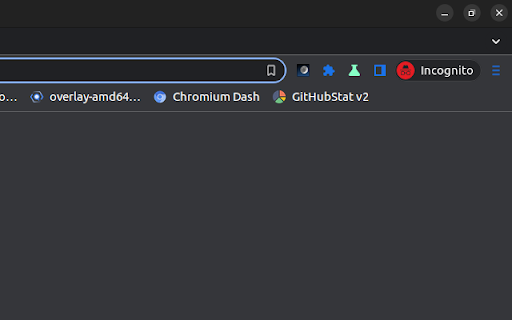
Chromium/Chrome extension to override system power-saving settings. ------------------------------------------ This extension makes it easy to temporarily disable power management on Chrome OS. It adds an icon in the upper-right corner of the browser that can be clicked to switch between modes where the screen is kept on (sun icon), the system is prevented from sleeping (sunset), or power-saving settings are left unchanged (moon). * Will this extension prevent a Chromebook from suspending when its lid is closed? No, but if an external display is connected, recent versions of Chrome OS will remain awake when the lid is closed. * What's the difference between the "screen is kept on" and "system is prevented from sleeping" modes? When the system is prevented from sleeping (sunset icon), network connections will remain active; this may be useful if using e.g. the Secure Shell app. The screen will still dim and turn off eventually, though. In the "screen is kept on" mode (sun icon), the system will avoid sleeping and the display will additionally remain on. * What do the icons mean? The sun icon means that the screen will be kept on. The moon icon means that the system will behave the same way that it would if the extension were not installed. The sunset icon is a middle ground: the system will avoid sleeping (as described above) but the screen will still turn off. | Release notes for version 1.9.1 (1.9.0 was never published): - It was updated to Manifest Version 3. - Updated the manifest.json file with more values. - Added more icon image sizes. | Release notes for version 1.8 (1.7 was never published): - Removed windows.onCreated hack added to work around http://crbug.com/222473 on Chrome OS.

Keep Awake
This extension makes it easy to temporarily disable power management on Chrome OS. It adds an icon in the upper-right corner of the browser that can be clicked to switch between modes where the screen is kept on (sun icon), the system is prevented from sleeping (sunset), or power-saving settings are left unchanged (moon). * Will this extension prevent a Chromebook from suspending when its lid is closed? No, but if an external display is connected, recent versions of Chrome OS will remain awake when the lid is closed. * What's the difference between the "screen is kept on" and "system is prevented from sleeping" modes? When the system is prevented from sleeping (sunset icon), network connections will remain active; this may be useful if using e.g. the Secure Shell app. The screen will still dim and turn off eventually, though. In the "screen is kept on" mode (sun icon), the system will avoid sleeping and the display will additionally remain on. * What do the icons mean? The sun icon means that the screen will be kept on. The moon icon means that the system will behave the same way that it would if the extension were not installed. The sunset icon is a middle ground: the system will avoid sleeping (as described above) but the screen will still turn off. Release notes for version 1.8 (1.7 was never published): Release notes for version 1.6: Removed scary "tabs" permission. (Technical details: There's a bug where Chrome doesn't notify extensions after the user logs in on Chrome OS. This extension loads its saved state whenever a window is created instead. The chrome.windows API is documented as requiring the "tabs" permission but listening for window creation appears to work without it.) Release notes for version 1.5: This version fixes a bug where the previous mode would not be correctly restored after logging out and back in. Note also that only the "keep the screen on" and "unchanged" modes are available in Chrome 26. In Chrome 27, the "prevent the system from sleeping" mode is also available.

Cloudy Calculator
The beloved Cloudy Calculator Chrome extension is back — rebuilt from scratch to work entirely offline, with improved unit handling, better plural recognition, and fixes for mixed-unit arithmetic. This update preserves the original’s simplicity and power while modernizing its internals for accuracy and reliability. Whether you’re doing quick everyday calculations, converting obscure units, or running scientific computations or currency conversion, Cloudy Calculator delivers instant, accurate results with zero privacy trade-offs. About this Update • Based on the original Cloudy Calculator, now fully offline • 100% pass rate on all 423 comprehensive tests from comprehensive_tests.html • Enhanced unit parsing: recognizes plurals and aliases (liters, lbs, meters, hours, etc.) • No dependency on online services for math or conversions • Runs locally — no data ever leaves your browser Features • Mixed-unit math: 10 lb - 2 kg in g, 2 cups + 500 ml in liters • Unit conversions for length, area, volume, mass, time, speed • Temperature conversions: 32 F to C, 100 C to K • Number base conversions: binary, octal, hex, decimal • Math functions: sin, cos, log, sqrt, pow, factorial, • Constants: pi, e, c (speed of light), phi, • Plural & alias handling: litres, lbs, meters, minutes, • Currency conversions This version has been verified with the original 423-case comprehensive test suite, achieving a 100% success rate. Tests cover: • All supported units & aliases • Temperature & currency conversions • Mixed-unit arithmetic • Base number conversions • Math function evaluations • Constant resolution • Robust error handling for invalid inputs Privacy • No tracking • No telemetry • No analytics • All calculations happen entirely in your browser • No user data is ever stored or transmitted I typically aim to identify and fix issues within 24–48 hours while balancing school and other commitments. However, Google’s approval process can take 3–5 days and is outside my control. This is a free tool that I maintain in my own time, and I do my best to keep it reliable for everyone. If you prefer to use a different extension in the meantime, that’s completely understandable — you should use whatever works best for you. That said, I would ask you to keep in mind that reviews have a lasting impact, while bugs are usually temporary and already in the process of being fixed.

Thorium Scrollbars
A simple scrollbar Cascading Style Sheets theme for the Thorium Browser. - Alex313031

Chromium Vector Icon Painter
Draws vector .icon files in the Chromium repository as SVG images. Extension which can draw .icon files locally, as well as in the Chromium repository at https://chromium.googlesource.com/chromium/src.git
