
cnlndebkegcfnbiknohgneobakigplhf
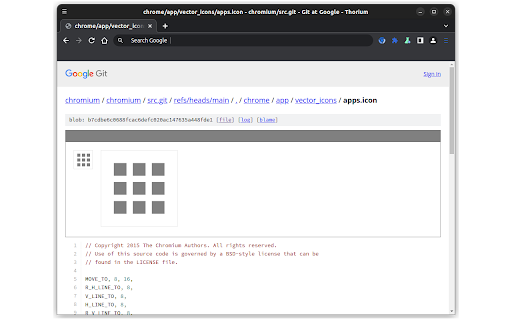
Draws vector .icon files in the Chromium repository as SVG images. Extension which can draw .icon files locally, as well as in the Chromium repository at https://chromium.googlesource.com/chromium/src.git

Thymeline
Add events to your timeline the easy way Keep track of everything important about your projects all in one place. Meet Thymeline, the free Chrome extension that will magically transform your project chaos into an organized masterpiece. Created for Project Managers. Here is how Thymeline saves you time. No APIs. No integrations. As simple as copy & paste. Easily copy relevant information from any of your existing tools or apps without any hassle. Once you download the chrome extension... Step 1: Visit any website. Step 2: Highlight any text. Step 3: Click on the Thymeline Chrome extension Step 4: Add to existing Thymelines. That’s it! Thymeline can handle as many projects as you’re juggling. Create as many Thymelines as you need! Multiple projects, multiple Thymelines, we can handle it. Keep track of it all in a simple interface. Share with others Share your Thymelines with others on your team with view or edit privileges, keeping everyone on the same page. Want to keep it private? You can do that too.

Chromium Open IDE
Link remote source.chromium.org code path to your local chromium src. `COI` gives you a context menu for opening files in your editor (`VSCode`) on [Chromium Code Search](https://source.chromium.org), [Chromium Code Review](https://chromium-review.googlesource.com) , [Google Git](https://chromium.googlesource.com) and [webdiff-for-coi](https://pypi.org/project/webdiff-for-coi). Install this [Chrome Extension](https://chrome.google.com/webstore/detail/chromium-open-ide/oodolphplfmnljcohclgdikkoljjambi)/[MSEdge Extension](https://microsoftedge.microsoft.com/addons/detail/chromium-open-ide/ggfoollpnfolfaejalpiihpobcpbegkl) and related [VSCode Extension](https://marketplace.visualstudio.com/items?itemName=FangzhenSong.chromium-source-opener). - For [Chromium Code Search](https://source.chromium.org): \ right-click on line number and select `Open My Editor`, it will open the file in your editor at the selected line. - For [Chromium Code Review](https://chromium-review.googlesource.com): \ right-click on code block and select `Open My Editor`, it will open the file in your editor at the selected line. - For [Google Git](https://chromium.googlesource.com): - click on the line number (optional). - choose and right-click on any code block. - select `Open My Editor`. It will open the file in your editor (at the selected line). - For [webdiff-for-coi](https://pypi.org/project/webdiff-for-coi): \ right-click on code block and select `Open My Editor`, it will open the file in your editor.

CrunchBangPlusPlus Scrollbars
Scrollbars for the CrunchBangPlusPlus Linux theme. Scrollbar theme for Crunchbangplusplus Linux. Extracted from the /skel directory of a fresh install, with manifest updated, scrollbar width increased, and icons fixed. - Alex313031

Picture-in-Picture Viewer
Watch video using the Picture-in-Picture API. A simple Chromium Extension to enable the Picture-in-Picture Web API in Chromium. It is a fork of https://chrome.google.com/webstore/detail/picture-in-picture-extens/hkgfoiooedgoejojocmhlaklaeopbecg with some fixes, and removed Google Analytics tracking.
