
infppggnoaenmfagbfknfkancpbljcca

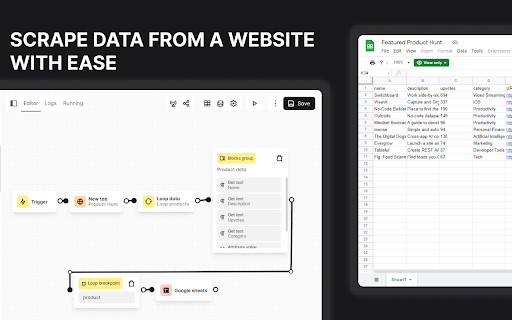

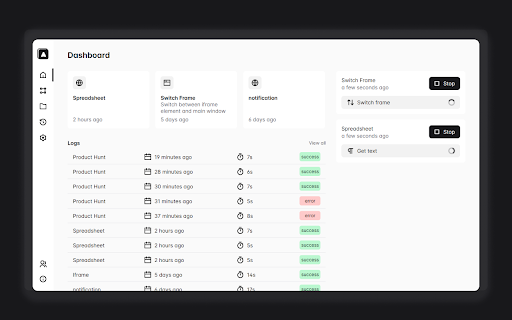
From auto-fill forms, doing a repetitive task, taking a screenshot, to scraping data of the website, it's up to you what you want… From auto-fill forms, doing a repetitive task, taking a screenshot, to scraping data of the website, it's up to you what you want to do with this extension. And you also can schedule when the automation will execute. If you have a question or want to report a bug, feel free to open an issue in automa GitHub repository.

Ui.Vision
Task and UI test automation with Computer Vision/OCR. Ui.Vision combines browser automation and desktop automation. Ui.Vision is an open-source automation RPA software that combines classic browser automation with modern computer vision and OCR: Ui.Vision's computer vision commands make automating tasks inside the web browser easy. Existing Selenium IDE scripts can be imported. Conversion help for iMacros scripts is provided, too. (2) Desktop Automation for Windows, Mac, and Linux Beyond web browser automation, Ui.Vision can interpret images and text on the desktop, executing actions like clicking, moving, dragging and dropping the mouse, and simulating keyboard inputs. This desktop automation requires installing the free Ui.Vision XModules, available for Windows, Mac, and Linux. These modules provide Ui.Vision with the necessary capabilities for desktop interaction. The AI commands allow you to automate complex tasks with a single line of code that would traditionally require hundreds of lines of classic commands. For example, you can teach Ui.Vision to play TicTacToe with just one short "Play this game..." prompt. Ui.Vision can be controlled from the command line. Thus it can be used from, and combined with, any programming or scripting language, such as Windows batch files, Linux/Mac shell scripts, Python or PowerShell. Ui.Vision is Open-Source. The source code is available on Github. The software does not send any data back to us or any other place. Everything, including image recognition and OCR processing, is done locally on your machine. The only exception to the "all data is processed locally" rule is if you select the optional AI commands. But these cloud-features are disabled by default. The default computer vision (image recognition and OCR) runs 100% locally on the machine. For questions and suggestions, please visit the Ui.Vision community forum at https://forum.ui.vision.

Tapicker - A Web Automation Data Scraper
Simple no-code browser RPA tool for web automation and data entry, with easy web scraping and website data export to Excel. Tapicker is a powerful no-code browser RPA tool designed for web automation, data scraping, and data extraction. With an intuitive visual editor, you can automate data entry, web monitoring, image downloads, email extraction, and more—no coding required. Tapicker helps you streamline repetitive tasks, scrape website data, and automate workflows effortlessly. Whether you’re an entrepreneur, freelancer, or business professional, this browser extension enhances productivity by simplifying complex tasks. • No-code visual automation – Drag-and-drop interface for easy workflow creation • Flexible data scraping – Extract structured data from web pages, including iFrames and Shadow DOM • Smart form automation – Auto-fill forms, select options, and submit dynamically • Advanced process control – Supports loops, conditions, branching, and delays • Parallel task execution – Automate multiple pages and tabs simultaneously • Web monitoring – Track website updates and extract real-time data • Intelligent navigation – Supports infinite scrolling, pagination, and randomized access • Data transformation & export – Save extracted data in XLSX, CSV, JSON, and XML formats • Automated element interaction – Click, hover, and navigate without manual input • Batch image download – Collect and save images from web pages automatically • Email extractor – Extract email addresses from websites for lead generation • Automate UI testing by building test workflows • Scrape social media data for marketing and business insights • Extract customer data from legacy systems for data entry automation • Monitor competitor pricing by scraping e-commerce websites • Gather recruitment data from job portals for resume collection • Train AI models using large-scale industry data collection • Extract email lists for business outreach • And more… Start with our free public automation recipes—simply copy and modify them to learn how Tapicker works. Upgrade anytime to unlock advanced web automation features. Explore the infinite possibilities of Tapicker and make data extraction, web scraping, and browser automation effortless!

Midscene.js
Open-source SDK for automating web pages using natural language through AI. Midscene.js lets AI be your browser operator 🤖. Just describe what you want to do in natural language, and it will help you operate web pages. This Chrome extension is completely open - source. You don't need to worry about the security problem of tokens. You can also build your own Chrome extension. Github repo: https://github.com/web-infra-dev/midscene

Douban Book+
Only 1-click from Douban to your favorite ebook platforms
