
indnfjmeljkadejlppckkdnligfbhfji
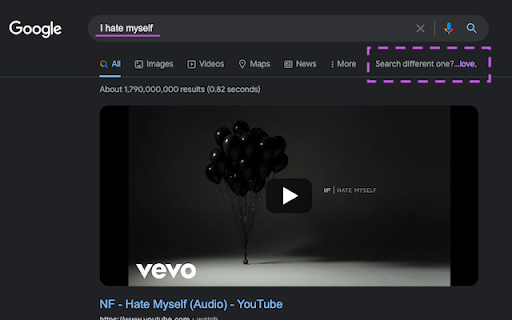

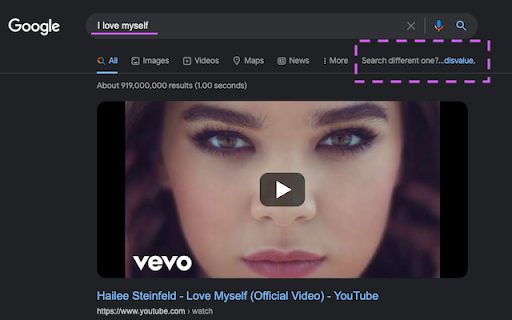
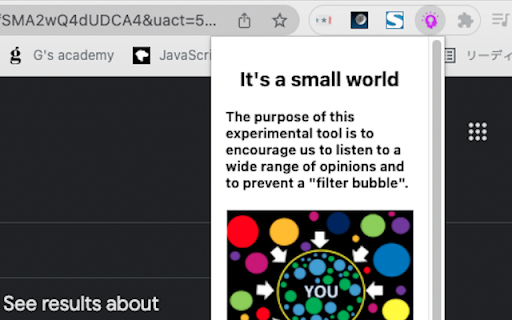
The tool shows us the opposite words of the keyword we search for on Google and encourage to see a wide range of opinions. When you search on Google, the extension will sometimes show you the opposite word(s) of the keyword you search for, in the lower right corner of the search box. The purpose of this experimental tool is to encourage us to see a wide range of opinions and to prevent a "Filter Bubble". *This tool extracts one word from your search terms on Google and shows you the opposite word(s) . For example, If you search "I hate spider", the extension shows you "love" with the url of the result page of "I love spider". Antonyms are retrieved in order from the front of the sentence.

Jumpstick
Jumpstick Chrome Extension for easy exploration and discovery of treasures on the internet. Explore & Discover the hidden treasures of the internet in a serendipitous way. Adventure through the internet on your own terms. We give you the power to explore the internet's treasures via your interests. Discover new interesting websites, videos, and images by simply clicking the jump button. Who knows what you will find?

Huey
Easily pick any color on the screen, view a history of picked colors, and copy or clear them with a single click. A simple color picker extension. Easily pick any color on the screen, view a history of picked colors, and copy or clear them with a single click.

Catloaf, where are we?
Ask the loafing cat where you are and he'll meow the page title at you. Tabs can get narrow and their titles become unreadable. Sometimes the top of the browser is cluttered with open tabs and the title is obscured by clouds or whatever. If you ever wonder where you are while browsing and need to confirm the name of the active web page in your browser, just click on the extension icon and a cat in a loafing posture will tell you the tab title.

Web Cursors
Don't feel alone on the internet anymore and add realtime features to any websites and pages Navigate on the internet and meet the people that are on the same website as you. You will be able to see their cursors, chat with them, and participate in fun activities 🎉. Have a glimpse of current features: • Chat 💬: Enjoy small-talks or great discussions, or just be a lurker. • Cursors 👀: Interact with others and play cat and mouse games. • GIFs 🎇: Too limited to express yourself? Send GIFs to others! • Notes 📝: Write small notes on pages for others to enjoy. • Tune ⚙️: Choose how and where to load the extension. And take a look at the coming ones: • Reactions 👌: Broadcast your mood in realtime and react in front of everyone! • Treasures 👑: Hide treasures on the internet for others to find! • Games 🕹: Engage with others in chaotic small games and be the best strategist. ❖ How is my data stored? Your data only transits on the servers at the moment it is sent and broadcasted to everyone. Nothing is stored. ❖ How can I disable the extension on some pages? If you don't feel comfortable sharing your presence on a website, you can click on the extension icon at the top-right and it will disable it globally. Or you can also add a blacklist of domains in the settings. ❖ How can I propose new features? Scroll down and you'll have a list of the upcoming features, however, if your idea is not in the list feel free to reach out to me on Twitter at @halftheopposite, or by email at contact [at] halftheopposite.dev.
