
diglalbiemiiapebfblemllfmfglglaf

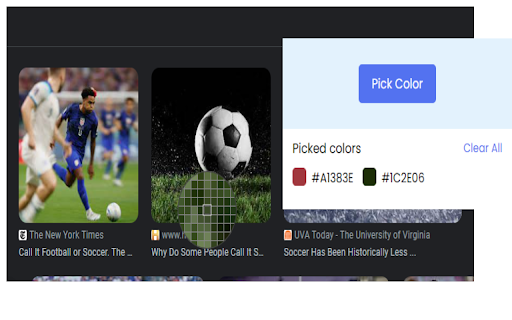
Easily pick any color on the screen, view a history of picked colors, and copy or clear them with a single click. A simple color picker extension. Easily pick any color on the screen, view a history of picked colors, and copy or clear them with a single click.

Custom Scrollbar
Choose or make your own custom scrollbar Choose or make your own custom scrollbar. Get a scrollbar with your favorite colors, sizes, and designs.

Chrome Filters
Customize your chrome with css filters Customize your chrome by applying css filters like brightness, blur, sephia and many more.

Jumpstick
Jumpstick Chrome Extension for easy exploration and discovery of treasures on the internet. Explore & Discover the hidden treasures of the internet in a serendipitous way. Adventure through the internet on your own terms. We give you the power to explore the internet's treasures via your interests. Discover new interesting websites, videos, and images by simply clicking the jump button. Who knows what you will find?

ZenToons - Online video filter
This extension helps prevent overstimulation in children when they are viewing YouTube, Netflix, and other platforms. It's worth noting that intense colors and stimulating visual experiences can impact children's behavior, similar to the effects of drugs on the brain. ZenToons - Online video filter allow for the application of custom filters to online videos, offering a gentler visual experience on popular platforms like YouTube, Netflix, and many others. - Natural Colors: Reduce vibrant colors for a soothing viewing experience. - Low Saturation: Colors less saturated than "natural colors" profile. - Night Mode: Prepare your child for sleep with dimmed and calming colors, while reducing the blue light, which can help promote better sleep. - No Filter: Disable filters when not needed. 1. Install ZenToons - Online video filter from the Chrome Web Store. 2. After installation, click on the extension icon in your browser's toolbar. 3.Pin the filter to the toolbar using the pin icon 4. Select your preferred filter mode from the dropdown menu. Enjoy safer and more child-appropriate video content. The filter may deactivate after refreshing the page or restarting the browser, but this can be advantageous, especially if a child shares the computer with an adult.
