
ilfckacnmnjlcboodahhojdnllfailhl
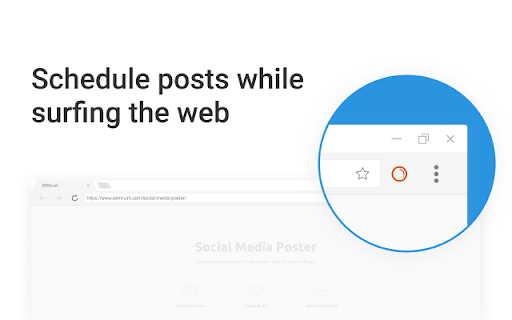

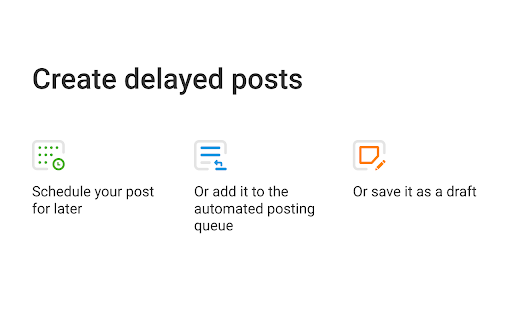
Share content on social media with just one click while you browse the web Found something share-worthy while surfing the web? Schedule a post to Facebook, Twitter or LinkedIn from anywhere on the internet in just one click using the Social Media Poster extension, and the tool will make it live the moment you need it. Social Media Poster is an automation tool designed to help you easily reach your audience and manage your content in all major social networks from one tab; it lets you plan, schedule and publish posts, and analyze your social media performance. + Post across multiple social channels with just one click via Semrush Social Media Poster + Retweet any post in Twitter or schedule it for later by clicking on the extension’s icon below a tweet + Schedule and publish posts to LinkedIn, Facebook personal and business pages and Twitter + Schedule posts to Instagram and use smart reminders to publish them at a given time + Share an image by hovering over and clicking it + Use hotkey ‘Alt+S’ to share any webpage To use the extension, you need to be registered with Semrush and have at least one active project for which you’ve set up Social Media Poster. Can I use it for free? Yes, you can. You can schedule 10 posts for one social profile with the free Semrush account, and 1000 posts in all paid plans. Semrush is a leading digital marketing toolkit for SEO, PPC, SMM and content marketing professionals worldwide. With over 25 tools within the software, search data for 140 countries and seamless integration with Google services, Semrush provides solutions for in-house marketing teams and agencies working with clients in any industry.

RiteTag
Get hashtag suggestions for images and texts on any site (great for Instagram, Pinterest, Twitter, Facebook, LinkedIn). 1) GENERATE HASHTAGS FOR IMAGES Right click any image on any website and select "Get hashtag suggestions for image" or click Upload icon in the RiteTag bar to get hashtag suggestions for an image from your computer. 2) GENERATE HASHTAGS FOR TEXTS Type a hashtag and hit space to get instant hashtag suggestions (works on any website). Alternatively, select any text on the page (eg. text of your post), right click it and choose "Get hashtag suggestions for text". 3) COLORS INDICATING THE HASHTAG STRENGTH GREEN = use this hashtag to get seen now BLUE = use this hashtag to get seen over time RED = do not use this hashtag, your posts will disappear in the crowd GRAY = do not use this hashtag, very few people are following it **ADDITIONAL FEATURES** + Mouseover any hashtag in the bar to see brief recommendation + Click any hashtag in the bar to add it to the post + Click Copy button to copy all suggested hashtags to your clipboard + Click Compare to compare stats of hashtags currently shown in the bar + Click the RiteTag browser button to show/hide the RiteTag bar + Turn off extension for specific domains

Link Research SEO Toolbar
Enjoy looking at the most advanced SEO metrics while you search the Web. You can use the Link Research SEO Toolbar to customize your searches in Google, Bing and Yandex. You can also enable it as a page toolbar, so you look at advanced SEO metrics for every page. Here’s what you can do with the Link Research SEO Toolbar: • See the Power and Trust of a domain or page • Discover great places to get links from • See how successful a page is on social media • Understand user engagement • See the strongest pages by Keyword Ranking • Spot drastic changes in the number of links • See how many backlinks a page has. All this is possible by looking at a set of powerful SEO metrics: • LRT Power*Trust for domains • LRT Power*Trust for pages • Buzz - social media signals • Impact - long-term user engagement metrics • Keyword Ranking • Link Velocity Trends • Number of Backlinks Why LRT Power*Trust? Because LRT Power*Trust is a precise, reliable and stable metric built by LinkResearchTools shortly after the first Google Penguin update in 2012, as a result of many years of research and calculations. Forget about Google’s Toolbar PageRank. Google stopped updating it many years ago and completely removed it from their toolbar in April 2016. You can think of LRT Power*Trust as a replacement for Google’s toolbar PageRank, but it’s so much more. LRT Power*Trust is the metric to look at when you want to assess the quality and trustworthiness of a page, domain or top domain. Why Keyword Ranking? The Link Research SEO Toolbar’s “Keyword Ranking” metric allows you to take a quick look at your competitors’ keyword rankings. By evaluating the keywords your competitors rank for, you will easily come up with new ideas for your content optimization. Why Buzz? Buzz is Impactana’s aggregate of social media signals, divided into shares and likes. By using the Link Research SEO toolbar to sort the search results by Buzz, you can quickly find out what sort of content is “HOT” on social media. You can use Google’s time filter to see only the pages indexed in the past year, month or week. Why Impact? The Impact metric helps you discover strong content that people linked to a lot and engaged with by commenting or downloading it. This metric measures user engagement for any content, not only for the one that goes viral on social media. A good article about construction will not get shared on social media, but it may get many links or comments if it’s great. Why link velocity trends? A website needs to have a steady link growth. Search engines can interpret unnatural link growth as a negative signal, which can lead to a loss in the rankings. Google uses link growth trends to detect any algorithm manipulation attempts. If your backlink profile grows too fast, you’re out. If you’re too slow, you won’t ever get on the first page. Why backlinks? Google confirmed links to be a top ranking factor. That's a very strong reason to look at links whenever you analyse the strength of a page or domain. Update 0.0.3 - Now with option to follow REL-Canonicals for Metrics of pages (requires fetch) - Loading animation Update 0.0.4 NEW: SEO Toolbar for every page with all the important metrics - three different toolbar styles mini, bulky and skyscraper - drag&drop the toolbar around where you need it - open backlink checker right from the toolbar (requires LRT account) NEW: Fetch results from SERP to resolve redirects and show real SEO metrics SERP overlay - Backlink count shown for every SERP result - Sorting by backlink count in the SERPs Update 0.0.5 - Domain exclusion feature: you can now choose to disable the Link Research SEO Toolbar for certain domains. Update 0.0.9 - Minor layout fixes and improvements. - Added knowledge graph hint. Update 0.1.2 - Fixed issues with Google reCAPTCHA Update 0.1.3 - Fixed issues with Google SERP overlay

ContentStudio - Social Media Scheduler
ContentStudio is a content marketing and social media management platform to grow your social presence and boost content marketing. ContentStudio gives you the ability to discover topic-relevant content filtered by social shares, different media types and virality. Select posts individually from your topic feeds or setup an automation campaign with your own rules to publish content automatically to your selected channels.

SocialPilot
Expand the reach of quality content—whether your own or from others—by sharing it on social media in just a few clicks! With SocialPilot’s browser extension, you can share any content from a webpage, including blogs, product listings, videos, and more, across multiple social media platforms effortlessly. You can create custom posts, use Craft with AI to generate publish-ready content, or share an image post in one click. Save posts, publish instantly, or schedule them for the best engagement. All you need is a SocialPilot account to use the browser extension seamlessly! 2) Craft with AI: Get ready-made posts with captions and visuals perfectly aligned with the content in one click. 3) Generate AI-powered captions: Manually add captions to your posts or let SocialPilot’s AI do the work. 4) Customize posts for maximum impact: Add hashtags, mentions, geotags, emojis, and image tags to get maximum reach on your posts. 5) Upload, edit, and perfect your visuals: Upload images or videos from your own repository or use media fetched along with the content, editing as you go. 6) Keep all brands organized in one place: Schedule or share the post to all the accounts under one group or belonging to a client. 7) Reshare with automation: For evergreen content, set up schedules for it to be repeatedly posted, drawing eyes and engagement to your profile. 8) Stay consistent with scheduling: Simply select the best date and time for maximum engagement while scheduling. Your content will be published automatically—no extra steps required.
