
iiojfifkpjkhcdjfgekmfobhfdohlecg
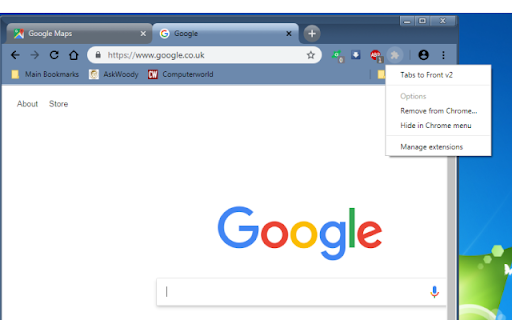
Brings newly created tabs to the foreground. New tabs open immediately instead of in the background. Update of original "Tabs to the Front!" by Abarth (2010). Chrome opens new tabs in the background and provides no option to switch to them immediately. This extension forces new tabs to open immediately. Basic, no frills, no extra features.

Open Tab Next Right to Current
This extension affects the behavior of opening new tabs. The following behaviors are affected: + New tab created from current tab open next right to current tab. + Second and subsequent new tab also open next right to current tab. + New tab created from pinned tab open next right to last pinned tab. The following behaviors are controlled so that they are not affected: + New tab created from Window open to right edge the window. + New tab created from Shortcut open to right edge the window. + New tab created from Bookmark open to right edge the window. + New tab created from Tab Contextmenu open next right to current tab. + Restore closed tab/window to original state. *This does not apply if it interferes with other extensions or settings.

Alternate Tab Order
Opens new tabs at the end, and snaps back to view the opener tab under certain conditions The video explains it best, but by default, this extension does the following: - When a new tab is opened, it is sent to the end on the far-right - If that tab was opened with a left-click, such that it is automatically switched to, closing it will switch back to the tab from which is was opened (as long as no other tab had been switched to in the meantime) What that means in practical terms is this: 1. if I have an RSS reader open, left-clicking to read a story immediately will show me an open a tab on the end of the list. Closing that story it will take me back to my RSS reader. 2. If I queue up a bunch of stories to read by middle-clicking several links, they will all open on the end of the tab list. When I go to read them by clicking on the first tab I opened, closing it will show me the next story. I recognize how incredibly small the audience is for this exact setup, but there you have it. Attributions I used to just locally comment out some code in Brad Dwyer's Modified Tab Ordering extension from https://chrome.google.com/extensions/detail/lhlppppejjiiinhklmlpfkafimagbcbe - but Chrome now considers changes to be security issues. Since Brad's extension uses a deprecated version of the Chrome extension API, I based my version off of itworks' New Tabs At End from https://chrome.google.com/webstore/detail/new-tabs-at-end/bgogjfbkjgjhonhikkkflpkgpcpfljoa

uAutoPagerize
A browser Extension for auto loading paginated web pages!!! *What's this This is an extension that provides infinite scrolling on various sites. It is a derivative of AutoPagerize. It is an extension that automatically loads and appends the "next page" in search engine, blogs, etc. * How to use When you scroll to the bottom of the page, the page will be added without your permission. When you cannot use the comment box due to the addition, click the green icon in the page to pause it. This may not work well on sites that change pages dynamically using JavaScript. In that case, right-click on the toolbar icon and select "Disable on this page".

Open bookmarks in a new tab
Make every bookmark open in a new tab — with just a left-click. ❤️ Once you try it, you’ll love how natural it feels ❤️ ❗️👇 Please, read the full description below 👇❗️ Despite its apparent simplicity, the extension uses several technical tricks to work correctly. 👉 PLEASE NOTE: it will modify your bookmark URLs after installation — this is the only way to make bookmarks consistently open in a new tab. The following prefixes will be added: - https://newtab@... - https://newtab@bookmarks-evz.pages.dev/?url=... (some special URLs) ✅ You can always revert your bookmarks to their original URLs — just open the extension options and toggle the switch into OFF. ☝️ If you're using Firefox or Vivaldi, you don't need this extension — the feature is already built-in: - Vivaldi: https://vivaldi.com/blog/tips/tip-303/ - Firefox: https://support.mozilla.org/eu/questions/1316474 ℹ️ Known Limitations 1. Some bookmarks may temporarily lose their icons. Once you click a bookmark, the icon will be restored. 2. Some websites may show a popup: "Leave site?" [Cancel] [Leave] Despite the message, you can click [Leave] — your page will be preserved and the bookmark will open in a new tab. 🗑️ Uninstall Instructions If you’ve decided to uninstall the extension: 1. Open the extension settings 2. Toggle the switch to the OFF position This will restore your bookmarks to their original state and prevent any unexpected behavior after extension removal. 🔧 Technical details Learn how the extension works behind the scenes: https://dev.to/vitalets/open-bookmarks-in-a-new-tab-by-default-easier-said-than-done-a3n ❓ Need help? If a bookmark doesn’t open in a new tab, or if you encounter any other issues, feel free to report them using the "Visit support hub" button below — or email me at: potapov.vitaliy@gmail.com. Thank you for the feedback — it really helps us catch all the edge cases!
