
kdplapeciagkkjoignnkfpbfkebcfbpb
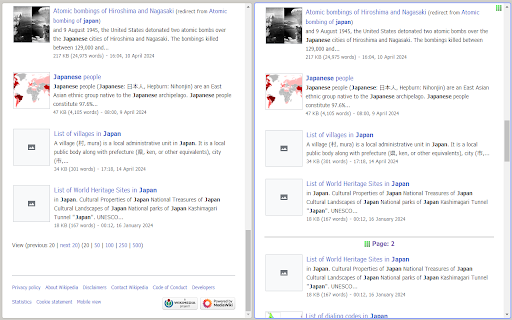
A browser Extension for auto loading paginated web pages!!! *What's this This is an extension that provides infinite scrolling on various sites. It is a derivative of AutoPagerize. It is an extension that automatically loads and appends the "next page" in search engine, blogs, etc. * How to use When you scroll to the bottom of the page, the page will be added without your permission. When you cannot use the comment box due to the addition, click the green icon in the page to pause it. This may not work well on sites that change pages dynamically using JavaScript. In that case, right-click on the toolbar icon and select "Disable on this page".

VisiOS - Tab / Bookmark Manager OS
The Legendary Tab/Bookmark Manager OS 🚀 VisiOS offers two main features: 🚀 A tab manager of epic proportions and an OS that legends are made of. 🟢 Main functions of the tab manager: ✅ Sort tabs and tab groups ✅ Search tab titles and copy tab links ✅ Directly restore 404 tabs with Internet Archive ✅ YouTube top mode 🟢 Main functions of the OS ✅ 20+ languages available ✅ 9 desktops (toggle between 2D and 3D modes) ✅ Save bookmarks from the tab list, toolbar, and HTML files ✅ Generate bookmark HTML files for all browsers ✅ Sync, add, and merge bookmarks to your browser ✅ Create folders that maintain the hierarchy of all currently open tabs or all bookmarks ✅ Password-lock desktops and folders ✅ Built-in video player (37 video sites supported, including YouTube, TED, and Spotify) ✅ Create video playlists (supports YouTube playlist URLs) ✅ Playlist lets YouTube work like an iPod, with shuffle support ✅ Free App Store (download various apps to your OS for free) ✅ Draw on desktops, apps, and folders with 2D painting functionality ✅ Code editor for developing your own apps on the OS ✅ Quicklook like on MacOS ✅ Hypersearch (search across all 9 desktops at once) ✅ Robo-sort (sort folder hierarchies all at once) ✅ Word processor (supports LaTeX for advanced formula editing) ✅ Fully customizable fonts and icons ✅ Wide range of backup and reset options ✅ Add texts and lists anywhere on your desktops and folders ✅ Infinite scrolling (desktops behave almost like Google Maps) ✅ ChatGPT and various AIs will be more easier to use ✅ Warp points (navigate directly to specific coordinates across all desktops) ✅ Sidebar OS You can save bookmarks anywhere on the 9 desktops. It's really easy to import, export, sync, and merge bookmarks. You can also install various VisiOS apps for free, including games, utilities, language learning apps, cryptocurrency tools, and more. When you first install the extension, click on the extension icon, and then select "Launch VisiOS" in the pop-up menu. (NOTE: Recommended to pin the VisiOS extension) 🚀 How to change your preferred language: 🚀 Right-click anywhere on any desktop and select “Settings” to change your preferred language.

nextpage
use SPC key to goto next page when at the bottom of a page. When reading online documents or novels, I usually use SPC to scroll page. But SPC doesn't go to next page automatically. This add-on rebinds SPC key so that it scrolls page when there is more on the page, it goes to next page when you are at the bottom of a page. You can also press n key anytime to go to next page directly. From v2.12.0, it prerender or prefetch next page link to speed up page load. From v3.2.0, on touch device, swipe up when at page bottom also go to next page automatically. nextpage is free software released under GPLv3. The source code is hosted at github. BUG Report =================== If you found a problem and would like to get it fixed, please report it here: https://github.com/sylecn/ff-nextpage/issues nextpage tries hard to not get in your way. If you find nextpage breaks your blog admin panel, some online registration form, or any kind of cool web application, please report a bug. You can also use (ignore-on "URL_REGEXP") in user config to disable this add-on on given website. Currently English, Chinese and German web pages are best supported. Most other languages work too, just not as well maintained. Submit a bug if you found something that didn't work. nextpage allows you to bind keys to some nextpage related functions. Here is the default key-bindings: SPC scroll up/next page n next page p previous page Here is the real code for this default binding: (bind "SPC" 'nextpage-maybe) (bind "n" 'nextpage) (bind "p" 'previous-page) You can disable/overwrite built-in bindings and define your own bindings easily. Read the built-in help document with the installed add-on for more information. Click help button in add-on option. For example, in user preferences page, You can bind c to copy page title and url: (bind "c" 'copy-title-and-url-maybe)

5CH STYLE FORMAT
5ちゃんねる(旧2ちゃんねる)のスレッド(記事)ページをすっきり整形&URL直リンク化、画像・レスのPOP表示等、いろいろ機能を付加します。 ▼基本機能 ・5ch.netのスレッドでのみ動作 ・CSSの書き換えによる見栄えの整形 ・リンクURLの直リンク化 ・書き込みボックスの自動フィット ・コメント番号をクリックでレス番号として書き込みボックスへ引用(引用符付き) ・右クリックから選択文字を書き込みボックスへ引用(引用符付き) ▼オプション選択できる機能(ON/OFF可) ・新着コメの読み込みボタン「▼」を設置 ・新着コメのオートリロード&スクロール ・新着コメを色分け ・記事内の画像URL下にサムネイルを表示 ・コメント内の画像URLにマウスオーバーで画像をPOP表示 ・コメント内の「h抜きURL」を補完してリンクを設置 ・コメント内にAAが含まれる時はフォントの最適化を試みる ・ユーザーIDにマウスオーバーでレス履歴をPOP表示 ・ユーザーID右横にユーザーのコメント数を表示 ・ユーザーIDをクリックで「必死チェッカーもどき」検索 ・書き込みボックスをフロートさせる(ドラッグ可) ・全件表示に自動リダイレクト ・ページ最上部、最下部へのジャンプボタンを設置 自分でニュース系スレを見るために作ったということもあってニュース以外の板はあまり検証してませんが、今後ブラッシュアップしていく予定ですのでよかったら使ってみてください。

Link Blanker
When you click a link to open in a new tab. Anyway open in a new tab. (You can also open in the background. ) And you can close tabs cluttered together. The browser 'back' how to hate, why strangers.
