
iiijhgbeciabhnlifkioikobjeibpfcn
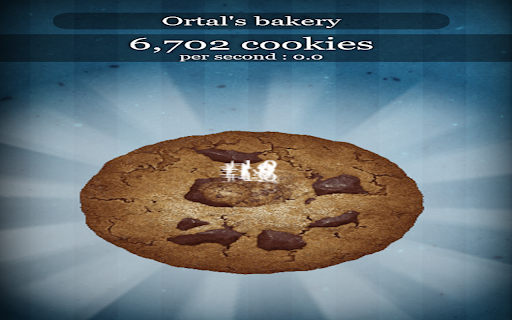
Fair Auto Clicker for Auto Clicker. Hold Mouse1 on big cookie to start clicking. Fair Auto Clicker for Auto Clicker. You MUST set clicks per second for the extension to work, and you MUST hold mouse1 on the cookie to auto click ( which is why I consider this auto clicker fair ) I do not guarantee this is fair in speedruns, because this disables the 50 cps cap ( even though I cap you to 50 cps ) This is intended to make the game easier without cheese. Works on both v1.0466 and live version. The extension has a "secret" option that enables Grandpas. This is only for me and it reduces your gameplayability.

Auto Clicker - AutoFill
AutoFill input field or auto click button or link anything anywhere.You can configure and check click speed test Need help? Chat with us on https://discord.gg/ubMBeX3 Easily fill input fields, click buttons, or interact with any link anywhere. Configure it in just a few steps and operate like a PRO. Features: ⚡Auto click / Auto fill functionality ⚡Delay before click/fill ⚡Retry in case the element takes time to load ⚡Repeat single action/group of actions ⚡URL support with regular expression matching ⚡Start time configuration ⚡Manual / auto start options ⚡Fill form values from Google Sheets ⚡Fill random values ⚡Perform operations like append, prepend, replace, and clear ⚡Copy and paste from clipboard ⚡Fetch values from query parameters ⚡Scroll page to specific element or location ⚡Trigger mouse and keyboard events ⚡Close window after job completion ⚡Run browser default functions ⚡Check within iframes ⚡Google Drive backup ⚡Notification on Discord server ⚡Check conditions before performing actions Developed with HTML, CSS, and JavaScript, you can quickly configure your tasks using XPath and operate like a PRO. Instead of leaving a bad rating, please report bugs https://github.com/Dhruv-Techapps/acf-docs/issues. Your feedback helps us improve Auto Clicker - AutoFill. Give early feedback: Let us know what you think and help make Auto Clicker - AutoFill a better extension.

Cookie Clicker Auto Clicker
A simple helper extension for Cookie Clicker players. Looking to skyrocket your Cookie Clicker game? This easy-to-use auto clicker extension is your ultimate companion! 🚀 ✅ Automated Clicking: Save time and click smarter, not harder! ✅ Customizable Speed: Adjust to match your gameplay strategy. ✅ Safe & Lightweight: Built for smooth performance without slowing your browser. Perfect for players who want to level up faster, achieve milestones, and dominate the Cookie Clicker leaderboard! 🎮🍪 👉 Install now to maximize your cookies and enjoy stress-free gaming!

GG Auto Clicker 1.2
GG Auto clicker helps you automate mouse clicks on your chrome browser and has multiple options for automation. Note- ALL THE BUGS IN EXTENSION HAVE BEEN RESOLVED. IT WORKS PERFECT NOW. Hello people of the internet, we made an auto clicker for y’all that works, cherry on the top, in your chrome! ☆ GG Auto clicker chrome extension ☆ The first chrome extension with multiple clicking features to automate mouse clicks on chrome browser. NOTE - Press Ctrl and comma together to start. (Ctrl + ,). Don’t get confused! The plus symbol only means that ctrl and , should be pressed together (don’t press +) Support email - hello@autoclicker.gg (feel free to reach out for support) Allow us a moment to explain all the features to you- ✓ Click Interval: You can select the click interval between two clicks and set the unit. Example: 1 millisecond, 10 seconds or 20 minutes. ✓ Click options: You can select right or left, single or double mouse options. ✓ Click repeat: You can set the number of times it should click. Press “NEVER STOP” if you want it to run until stopped. ✓ Cursor position: You can click on current cursor location, or pick X-Y coordinates using Ctrl + / from anywhere on the screen and manually input them. ✓ Fill in your required settings. ✓ Leave the boxes that you don’t want to change, as it is. ✓ Save settings. ✓ Go back to your desired chrome window where you want to run the auto clicker online. Click on the screen once. ✓ Press Ctrl and comma buttons together to start (ctrl + ,) - please do not use the +, you only have to use two buttons simultaneously- the + is only for showing you which buttons to use together. Here are the shortcuts / commands you can use. ★ To start the auto clicker, press Ctrl + , ★ To stop, press Ctrl + . ★ To pick X-Y coordinates, press Ctrl + / THAT IS IT, SEE THE MAGIC HAPPEN. You will find two other options at the bottom in colour- ★ Reset settings: It will reset the settings to default. ★ Save settings: It will save your current settings. (It will stay like this, unless you press reset). The chrome extension is free of cost and all the features have been thoroughly tested by our developers. But if you still find any bugs or face any issue operating, feel free to email us. ★★★ EMAIL US at hello@autoclicker.gg for any kind of support. ★★★ Please don’t drop a negative review, before reaching out to us. We will make it work for you, in most cases.

Auto Clicker
An auto clicker triggered by a hotkey with configurable CPS and element selector. Tired of auto clickers that just don't work? 😤 We've got you covered! As the developers behind the online CPS (Clicks Per Second) test and seasoned extension creators, we've cracked the code. Other auto clickers let you precisely target the element on the page—that's where ours stands out! 🎯 Simply set your desired CPS and select your target element right from the popup, then start clicking away instantly! 🖱️💨 We've tested it on the CPS test website: Just enter #clickarena in the popup's Element Selector, and let the auto-clicking fun begin! 😎
