
iigcbpabffmcidoiipfjaicnnpijfcnf
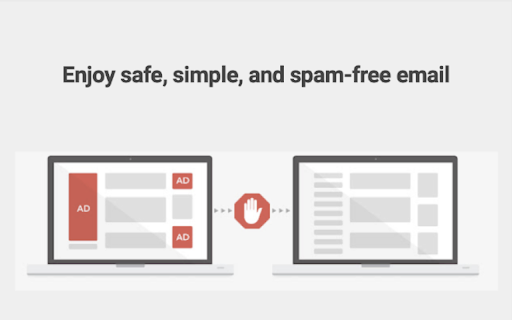
Block sites and stay focused with AI. Remove distractions, boost productivity and more. Are you tired of falling down the digital rabbit hole? 🕳️ Do unwanted emails and distracting websites constantly derail your productivity train? 🚂 Fret not! Introducing Focus AI, the ultimate Chrome Extension designed to empower you to stay focused, minimize distractions, and seize control of your online world. 🌐💡 Focus AI: Unleash Your Focus Power Imagine your mind as a superhero HQ 🦸♂️, where you plan, create, and accomplish amazing things. But what if that HQ is under constant attack by unwanted emails 📧 and tempting websites 🌐? That's where Focus AI steps in – your digital fortress 🏰 that shields your mind from unwanted invaders. With Focus AI, you're the commander of your digital universe. Just like a fortress gatekeeper 🛡️, you choose which websites get access and which ones get the cold shoulder. Say goodbye to mindless scrolling and endless YouTube loops – Focus AI lets you create a distraction-free zone so you can channel your energy into meaningful tasks. Unwanted emails are like digital ninjas 🥋 – they sneak into your inbox and disrupt your focus. Not anymore! Focus AI empowers you to sort the digital wheat from the chaff. Train it to identify spammy senders 📤, irrelevant newsletters 📰, and promotions that clutter your inbox. Say hello to a tidier inbox and a clearer mind. 🚫 Site Blocking Power: Regain control of your time by blocking distracting websites that steal your attention. Rediscover the joy of uninterrupted work and leisure. 💌 Email Zen: Declutter your inbox effortlessly. Weed out spam and unimportant emails, and cherish the messages that truly matter. 🤖 Smart Learning: Focus AI evolves with you. As you fine-tune your preferences, it becomes an AI-powered ally, ensuring you're always in the zone. ⏰ Boosted Productivity: Embrace laser-sharp focus and skyrocket your productivity levels. Dive into deep work without the constant ping of notifications. 🛡️ User-Friendly Experience: Focus AI's interface is as intuitive as a favorite board game. Install it, set the rules, and relish a distraction-free digital experience. Trying out Focus AI is a breeze. Simply visit the Google Chrome Web Store 🏪, and with a click of a button, you'll add a new layer of focus and efficiency to your browsing experience. Ready to wield the power of Focus AI? 🛡️ Say goodbye to digital distractions, skyrocket your productivity, and embrace a clutter-free online haven. Click 'Install' now to embark on your journey to a more focused you.

NoDistraction | Site Blocker, Productivity
Beat procrastination. Website blocker with Pomodoro, Google Calendar, Anki Flashcards, Deep Work Timer, Schedule and Todo Blocking. Stop procrastinating and start achieving your goals. NoDistraction is a highly customizable site blocker and productivity extension designed to keep you focused on what truly matters. Whether you need a simple Pomodoro timer or advanced scheduling synced with your calendar, we’ve got you covered. 🧠 Unique Features You Won’t Find Elsewhere: 🔸 Anki Integration: Force yourself to learn! Unlock distracting websites only by successfully completing your Anki flashcards. Perfect for students and language learners. 🔸Google Calendar Sync: Automatically trigger blocking rules based on your scheduled deep-work sessions in Google Calendar. 🔸Motivational Challenges: Choose how you unlock sites. Solve a math problem, complete a custom task, or face your ToDo list before you can browse. 🛡️ Total Control Over Your Focus: 🔹Integrated Timers: Use the built-in Pomodoro or Deep Work timers to stay in the zone. 🔹Time Insights: Analyze your browsing habits with clear charts to see where your time actually goes. 🚫 Choose Your Blocking Behavior: 🔸Beautiful, customizable focus page with widgets and motivational quotes. 🔸Redirects: Send yourself to a productive URL or back to the last page. 🔸Annoyance Access: Make it hard to procrastinate with math problems or custom text entry. Stop wasting hours on autopilot. Install NoDistraction today and protect your focus!

Locked In: AI-Powered Focus & Site Blocker
AI-powered site blocker that learns your habits, blocks distractions, and helps you achieve deep work with smart insights. LockedIn - Smart Site Blocker & Productivity Manager helps you stay focused and productive by intelligently managing distracting websites. Built with powerful blocking features and insightful analytics, it's easier than ever to take control of your online time. With LockedIn, you can create custom blocking rules that work around your schedule. Whether you need to block social media during work hours, limit entertainment sites, or completely lock out distracting content, our AI assistant makes it simple and effective. ⚡️ Smart AI Blocking: 🧠 - Intelligent detection of distracting content - Custom blocking rules and exceptions - Emergency override options for important cases Site Management: 🔒 - Set up custom block lists for work, study, or focus time - Quick toggle blocking with just one click - Sync settings across all your devices

Focus Block
😵 After spending hours on Youtube, Twitter, or Facebook while "working", it's time to take control of your browsing habits! 🧘🧊 Focus Block lets you focus on your most important tasks by blocking websites without getting in the way of your work. 🙋 WHAT ARE THE FEATURES OF FOCUS BLOCK? 🔁 Redirect Blocked Websites - Redirect your blocked sites to any website you choose, like to that google doc you're working on or that online course you've signed up for. ⏳ Automatically Resume Blocking After Taking a Break - Tell Focus Block to automatically resume blocking after a certain time period so you can get back to focusing after taking a break. 🏠 Block the Homepage Only - You can block just the homepage instead of the entire domain. This allows you to watch that Youtube video for work or write that social media post without being distracted by the homepage. 🔒 Focus Block is designed to protect your privacy. Focus Block only uses the current URL in the address bar so it know when to block a website and the last time it was turned off so it knows when to resume blocking again. All of this data lives in your chrome account and is never transferred outside. Note: You may be asked to share browsing history upon installation but this permission is only used for checking the current URL. FOCUS on your work. BLOCK all distractions.

Hedge - AI-powered distraction blocker
Hedge is a web browser extension designed to help you stay focused and achieve your goals by blocking distracting websites. You know that moment when you're finally ready to tackle your to-do list? "Just need to check one thing online real quick," you tell yourself. Next thing you know, it's 2 hours later and you've watched 14 different "how to be productive" videos on YouTube (ironic, right?), read every news article about that random topic you suddenly HAD to know about, and somehow ended up deep in threads about conspiracy theories involving pigeons. Meanwhile, that important task? Still sitting there, untouched. Hedge is here to help break this cycle. It's not another complicated "productivity system" – it's a straightforward Chrome extension that helps you stay focused by keeping you away from the sites that always seem to pull you away from what matters. ⏰ Smart Time Blocking: Set your active hours (like 9 AM to 5 PM) and working days to automatically enable site blocking during your productive hours. Because your focus time should match your actual work schedule. 🎯 Goal-Aligned Blocking: Set your work hours and active days to automatically keep distracting sites at bay when you need to focus. Because we all know willpower alone isn't enough. ⚡ Smart Pomodoro Timer: Built-in 25-minute focus sessions with short (5-minute) and long (15-minute) breaks help you maintain actual, sustainable productivity. No more "just 5 more minutes" that turns into 3 hours. 🔒 Flexible Site Access: Block entire domains (like youtube*) or specific pages. Whitelist the stuff you actually need, blacklist the stuff that keeps stealing your time. Simple as that. ☢️ Nuclear Mode: When you absolutely, positively MUST get something done, enable Nuclear Mode. It locks your blocking settings until your predetermined time is up. Future you will thank present you. 🎨 Intuitive and User-Friendly: No PhD required. Simple setup, straightforward controls, and a clean interface that doesn't need a manual to understand. Take back control of your time with Hedge. Whether you're a student trying to survive finals week, a professional working on important projects, or just someone who wants to be more intentional with their browsing habits, Hedge helps you stay focused on what actually matters. We Value Your Input! 🌟 Your feedback helps make Hedge better! If you find Hedge helpful in your productivity journey, please consider leaving us a 5-star review. Got ideas, questions, bugs, or just want to share your Hedge success story? Drop us a line at info@hedge.coach or submit your feedback through the extension popup. When you install Hedge, you'll notice it requests permission to "Read and change all your data on the websites you visit." This might sound broad, but it's necessary for Hedge to do its job effectively - we need this permission to recognize and block distracting websites when you're trying to focus. Think of it like a bouncer who needs to check IDs at every door to keep the party running smoothly! For total transparency: Hedge needs these permissions to function as your productivity guardian, helping you stay on track across all websites you visit. We take this responsibility seriously and use these permissions solely for the purpose of keeping you focused and productive.
