
iieipaakoflfijmpbjdoicmhgafhmgme


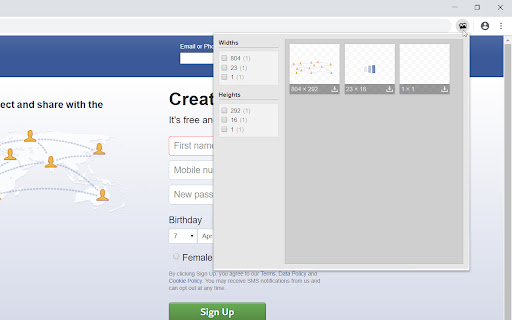

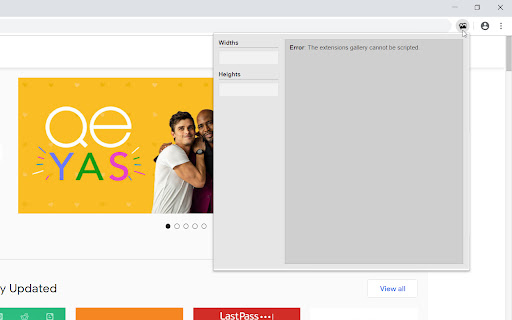
View and download all images on a page. This extension allows you to view and download all images on a page. • Support for images from linked stylesheets • Support for base64 images (they are downloadable, but can't be viewed in a new window [with click]) • Make all images downloadable (zipped) • Filters • v1.4.1 (2019-05-06): · Switched from style.innerText to style.textContent. Styles in SVG elements don't have innerText property. (Why the hell did I even use .innerText?) • v1.4 (2019-04-07): · Added filters: width and height • v1.0 (2019-03-09, first release): · Images and their dimensions are added/visible · Image names are added as title attribute (hover over an image to see)

Full Image Downloader - Download all images
Full Image Downloader, in a nutshell, it detects images from websites and allows you to download them to your computer. Depending on your settings, it also performs other functions. It's your turn Full Image Downloader, don't forget to vote. 😊😊 You can reach Full Image Downloader from the mail "harrylucas.imagedownloader@gmail.com" on the side.

Bulk Image Downloader
Bulk download images from multiple tabs in one click. Supports AVIF, WebP & AI-generated images. Filter by resolution and file type. The fastest way to bulk download images from any website. Save photos from one page or multiple tabs at once — with powerful filters for resolution, file type, and more. Perfect for designers, photographers, researchers, and AI artists who need to save images quickly and efficiently. 🔥 **NEW: AI-Friendly Image Support** — Seamlessly download AI-generated images (data:image/jpeg, data:image/png, data:image/webp) from tools like Midjourney, DALL·E, Stable Diffusion, and more. 🔥 **Modern Format Support** — Full support for next-gen image formats including AVIF, WebP, SVG, and all traditional formats (JPEG, PNG, GIF, BMP). Key Features: ✔ Bulk download images from multiple tabs — choose from: all tabs, current tab, left of current tab, or right of current tab ✔ Preview all images found on the page, including linked images ✔ Filter images by width, height, and file type ✔ Sort images by resolution or tab index ✔ Download selected images to your local folder with one click ✔ Right-click context menu to save any image directly to Downloads, just like Safari ✔ Clean, modern UI for a smooth browsing and downloading experience Simply press the "Download" button, and all selected images are saved to your default Chrome download directory. No extra configuration needed. Versions: 1.1.0 1. Added support for modern image formats: AVIF, WebP, and more 2. Added support for data URI images (data:image/jpeg, data:image/png, etc.) — great for saving AI-generated images 3. Improved UI with a cleaner, more intuitive design 4. Fixed a bug in the "Save Image to Downloads" context menu feature 1.0.3 1. The picture is selected by default 2. Image filtering rules are automatically saved

Lenz Image Downloader
Download images from Instagram in a quality of your choice (supports high-quality image downloading) With this tool, you can download high-quality images from Instagram pages. To use the extension, open a new page on Instagram or reload an existing page. The extension adds a new label to each image on the top left side of the images. Each label indicates the current image quality. By pressing each label, you will get the image on the default browser download's directory. Features: Supports 150, 240, 320, 480, 640, 750, and 1080 pixel qualities. Supports renaming each image to include page title. Based on Manifest V3 (do not use any resource when the extension is not used). Saves images in the well-known JPEG/JPG format. Developer Notes: Unlike general-purpose image downloaders (such as Download All Images), this extension tries to grab the image links from HTML5's image "srcset" attribute. This is the fastest method to find available image resources.

Bulk Image Downloader
Integrates Bulk Image Downloader (a Windows only app that must be installed separately) with Chrome Please note that BID is not a freeware application. The trial version of BID may be used for free for as long as you like but it has some limitations. Purchase a registration code to unlock full functionality. BID normally costs $39.95 but discounts are often available at bulkimagedownloader.com. Please visit bulkimagedownloader.com for more information. Bulk Image Downloader (BID) makes it easy to download full sized images from almost any thumbnailed web gallery. Supports most popular image hosts such as imagevenue, imagefap, flickr and too many others to list here. This extension adds a button to Chrome allowing you to quickly open the current web page with BID. It also adds BID menu items to Chrome's right click context menu allowing you to open the current page with BID, open the selected link with BID, or send the current page or link to the BID Queue Manager. Alt+Shift+C = Open current page with BID Alt+Shift+Q = Enqueue current page with BID Alt+Shift+X = Open current page with BID Link Explorer BID Context menu shortcuts now have single letter shortcuts to allow quick selection after opening the context menu. Right click on page, then press D, C = Open current page with BID Right click on page, then press D, Q = Enqueue current page with BID Right click on page, then press D, X = Open current page with BID Link Explorer Right click on link, then press D, D = Open link target with BID Right click on link, then press D, E = Enqueue link target with BID IMPORTANT: This extension requires the Bulk Image Downloader Windows application to be installed - download it from http://bulkimagedownloader.com
