
ihpjhkadecdhmlfakabnpfmmcpmjhkcn
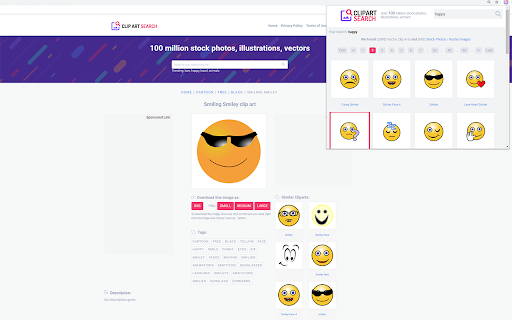
Super Free Vectors/Stock Photos Search Engine , Over 100 millions + free vectors and stock photos on one place! Want to have access to over 1000+ free clip art images to insert into your powerpoint presentations/Google Documents/Microsoft Word documents? We make it easy for you, simply install our software Clip Art for Google Chrome™ and get FREE access to over top 1000 clip art images. To begin using the software Clip Art for Google Chrome™, simply click on the software icon and do a search for the clip art image topic. For example, you might be looking for an clip art image of a horse/rhino etc. Once you make the search, simply download the clip art image which suits your needs. Its that easy & simple to use! Disclaimer: Please note this extension is NOT made by Google and is made by an independent development team. All copyrights belong to their respective owners. Google doesn’t endorse or sponsor this Chrome extension. Clip Art for Google Chrome™ is not owned by, is not licensed by and is not a subsidiary of Google Inc.

Video Downloader Global - videos & streams
Video Downloader for Any Website – Save Videos and Live Streams Looking for a way to save videos from websites and social media? This extension allows you to download video content from multiple platforms, including Facebook, TikTok, Instagram, Twitch, and many others. Capture live broadcasts or save videos in MP4 or WEBM formats with ease. Whether it’s a short clip, a long video, or a live stream, this tool provides an efficient way to store your favorite content directly to your device. Features and Capabilities ✔ Download videos from a variety of websites and social networks ✔ Save MP4 and WEBM files for offline viewing ✔ Capture live streams and download them later ✔ Works on major platforms, including Facebook, Instagram, TikTok, and more ✔ Quick and simple process – no extra steps required Supported Websites and Platforms This extension provides video saving functionality for various online services, including: - Facebook – Save videos from feeds, pages, and even live broadcasts - Instagram – Download reels, stories, and video posts - TikTok – Capture videos directly from profiles and feeds - Twitch – Record and store live streams for later - Vimeo – Save high-quality clips from different creators How to Use the Video Downloader - Add the extension to your browser - Open a website or social media page containing a video - Check the extension icon – if it turns red, a video is detected - Click to start downloading or recording a live stream All saved videos will be stored in your browser’s default download folder. ✔ Convenient and user-friendly – No complicated settings, just click and save ✔ Works with different formats – MP4 and WEBM supported ✔ Compatible with multiple websites – From social media to streaming services ✔ No account required – Download videos directly without sign-ups Whether you want to store a tutorial, save a favorite moment, or keep an important video, this extension provides a simple and efficient way to do it. Try it now and start saving videos effortlessly!

Icon Finder for Google Chrome™
Super Free Icon Search Engine , Over 91000 icons, strong categorized, plus free vectors and stock photos on one place! Need to find the perfect icon for your project/logo/design? Simply install our software Icon Finder for Google Chrome™ To get started finding the best icon for your needs, do the following Install the software Icon Finder for Google Chrome™ Browse through our catalog of over 1000+ icons Do a search if you want for the shape of the icon you're looking for. For example, you can search for arrow/circle etc Download the icon which fits your needs This software is extremely easy to use and best of all, it is 100% Free. Try finding an icon which suits your needs today! Disclaimer: Please note this extension is NOT made by Google and is made by an independent development team. All copyrights belong to their respective owners. Google doesn’t endorse or sponsor this Chrome extension. Icon Finder for Google Chrome™ is not owned by, is not licensed by and is not a subsidiary of Google Inc.

Icon Finder
Super Free Icon Search Engine , Over 91000 icons, strong categorized, plus free vectors and stock photos on one place! Icon Finder extension for Google Chrome – A Best Free icons collection with over 90000 free icons inside ✔ The fastest speed to help you find the best images, help designers save time. ✔ It is a great way to find quality icon to use in any of your projects. ✔ 90000 quality icons for free download. ✔ Provides vector art in SVG format And PNG.

Upload image from clipboard or URL
Upload images & files directly from a URL or the clipboard (ctrl+v), without needing to have them on your computer! This extension will let you "fill" a file input directly from a remote URL. Normally, if you want to upload an image (or other file) from a URL, you first have to download it to your computer, then upload it, and then delete it from your computer. With this extension, all you have to do is enter the URL of the file, and the extension will automatically upload it into the page for you. The extension can now also upload an image directly from your clipboard. Just paste the image in the extension's popup using ctrl+v, and the image will be loaded into the page. You can use this extension to post an image on Facebook or Twitter, upload files to your Cloud storage or anywhere else you upload files. This is not a good tool for uploading large files. It first reads the entire file into your computer's RAM, and then uploads it into the page. Especially video files will just be too large for it to handle. This is meant more so for images and small files. Chrome hides extensions by default after you install them. If the extension icon "disappeared", go to extensions menu by clicking on the puzzle icon in your extensions toolbar, and then pin this extension to the toolbar. You can also use this extension with the Ctrl + Shift + U key combination, even when it's not in the 'pinned' state.
