
ighhdfaaicahmkbgpoilbhbfpakdnjkd
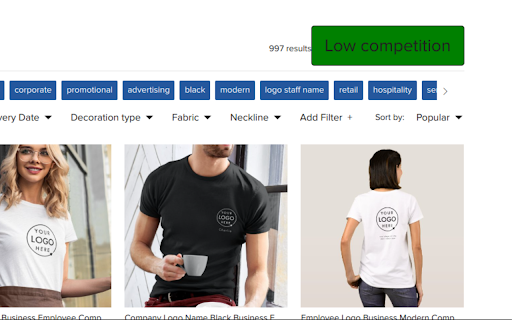
Chrome Extension for Zazzle Marketplace Know Upcoming Zazzle product trends estimated sales/month, copy tags, and much more! The ultimate Zazzle keyword tool. 🤘 TL;DR A tool to see how well all products and keywords do on Zazzle, as well as, see top searched data and copy product tags. Want to learn from your competitors? Want to see how well keywords and products do? As easy as a click of a keyword, see how well products With has a Niche score of green, a good to yellow to mid competition, and red hard to compete 🤘 Features: 🔑 Get data on the top-performing keywords, products, and trending keywords. 📈 See a keyword's popularity trend over time. 🤖 leverage the power of AI for you Zazzle store using Zazzlehunt

Chrome Notes
A simple notepad extension for Google Chrome NEW: You can now use speech to text NEW: You can now open Chrome Notes with Ctrl+Shift+X (Command+Shift+X on mac) NEW: You can now download and upload complete backups NEW: Chrome Notes adds a right click menu option to send the selected text to a new note! NEW: You can now have multiple notes! NEW: You can now customize the font size! A simple notes extension, right in your browser! Easily copy around a few words to and from different browser windows and other apps. Thank you for over 100,000 users, 100 ratings and 4.5 stars! Chrome Notes remembers your notes and mode, even after closing your browser or restarting your computer! Notes are stored in local storage, so nobody else will ever see them, not us, and not Google, Microsoft, or Apple. Features: * Resizable notepad * Shortcut buttons for cut, copy, paste, and select all * Normal keyboard shortcuts work too * Save as a .txt file * Open in new window * Speak selected text out-loud * Remembers last notepad size for you next time * Store multiple notes, and quickly create, edit, share, or delete * Focus mode for distraction free writing * Adjustable font size * Right click and send selection to new note * Download and upload full backups * Speech to text (click the mic and speak to put your words on the notepad) * Keyboard shortcut Ctrl+Shift+X (Command+Shift+X on mac) to open Chrome Notes is the smart, simple notepad built for you 😊

Elevate by GrowthX
Elevate Chrome Extension by GrowthX Elevate by GrowthX offers two companion Chrome extensions that focus on a single goal each—either keeping you inspired every time you open a new tab *or* helping you finish job applications faster. Install whichever version matches your workflow. Elevate — New-Tab - Shows one concise, practical insight from proven business builders every time you open a tab. - Clean, distraction-free layout; optimized for all screen sizes. - Works offline; no ads and no tracking scripts. Elevate — Job Assistant - Detects standard form fields on leading career sites and fills them with details from your GrowthX profile when you click Start Autofill. - Lets you save interesting roles and track application status in one place. - Runs only on supported job pages or when you invoke it. The extension never submits an application without your review. How to get started 1. Install the extension that meets your need. 2. (Job Assistant only) Sign in once with your GrowthX credentials to sync profile data. 3. Begin using the feature—no extra setup for the New-Tab version; on job pages click Start Autofill to complete forms in seconds. Data & privacy - Personal data (quotes cache, saved jobs, profile fields, settings) is stored locally or in your GrowthX account and is never sold or shared with third parties. - The extensions do not read your browsing history, inject ads, or collect analytics unrelated to their core features. - Full policy: https://growthx.club/privacy-policy

Chrome Dice
A simple dice rolling extension for Google Chrome Chrome Dice is a simple dice rolling extension for Google Chrome. Simply click the button and click a die to roll, wherever and whenever. * Ad-free * Works offline * Very small (less than 0.1mb) * No permissions and no data

Google Translate Open SideBar in Chrome
Google Translate Extensions For Chrome. Google Translate Open SideBar in Chrome The only site and application that comes to mind for translation is Google Translate. Google Translate has made a difference in translation. Google Translate Extensions For Chrome. Google Translate Open SideBar in Chrome
