
igdenijgigmjhonfjmoaioeagpkgfmfo

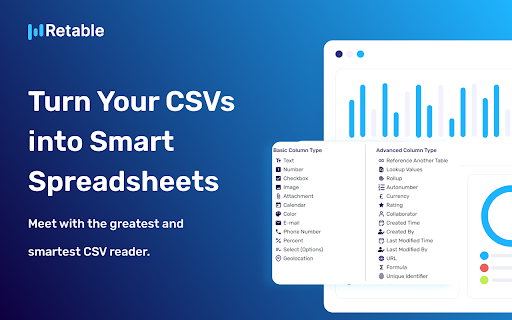

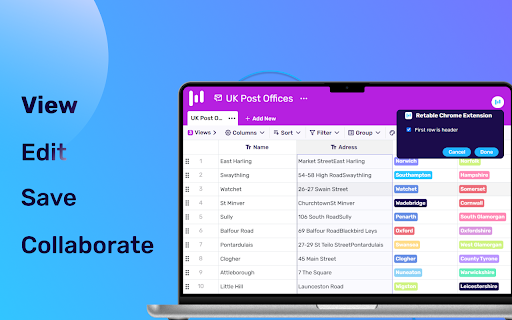
Retable CSV viewer helps you easily view, edit and collaborate on all CSV files on the web without downloading them to your device. Retable's CSV Viewer Chrome plugin allows you to view, edit, and share CSV files directly in your browser without ever having to download them. Thanks to Retable's CSV File Viewer, you can access your CSV files quickly and easily, collaborate with your team members in real time, and work more efficiently. Retable's CSV Viewer is a powerful tool that makes working with CSV files simple, fast, and collaborative. With its user-friendly interface and robust set of features, you can easily open, view, and edit CSV files of any size. You can collaborate with others on your projects in real-time, allowing for seamless communication and collaboration. Install the Retable CSV Viewer extension for free and avoid downloading CSVs. Quickly view, edit and collaborate on CSV files. 🚀 Features ---------------------- 🎯No signup required 🎯Viewing all CSV files on the internet without download 🎯Editing all CSV files on the internet without download 🎯Turning CSV files into smart spreadsheets 🎯Creating different smart data views 🎯Sort, edit, filter and group all CSV files 🎯Save all CSV files on the cloud 🎯Collaborate on CSV files 🎯Export CSV files 🎯Publicly share CSV files 🎯Embed CSV files on your website 🎯Turn CSV files into custom online forms to gather more data

Kaptr.me - Web Dashboards with Live Snapshots
Kaptr.me - #1 Chrome Extension for Live Screenshot Dashboards 2025 Eliminate tab chaos: Kaptr.me consolidates all your data into intelligent dashboards with auto-refreshing snapshots. Instant access to key info, no dispersion. Outperform FireShot, GoFullPage, Awesome Screenshot with personalized dynamic dashboards. 1. Visit any app/site 2. Activate Kaptr.me 3. Capture snapshots of sites/apps/dashboards to track 4. Select your target dashboard 5. Refresh everything via "Refresh All" or auto-refresh 6. Share with team/clients or keep private. Dashboards dynamically customized: Freely place snapshots for a command center reflecting your priorities. Always fresh info: Live auto-refreshed captures for immediate data-driven decisions. Secure collaborative sharing: Dashboards shared without sensitive logins; real-time view for all. No-code centralization: Drag & drop varied sources into responsive layouts, no tech skills needed. - Create snapshot - Auto-refresh & manual refresh data - Snapshot duplication + moving - Snapshot history - Edit snapshot - Draw & annotate directly on snapshots - Quick annotation and editing tools - Multiple dashboard - Fully responsive dashboards - Customizable themes + custom folder icons - Custom URL slugs - Public or private dashboard sharing - Embed snapshots & dashboards anywhere - PDF export (captures + dashboards) Personal Dashboard: Google Calendar, Stripe payments, analytics, HubSpot marketing, Gmail, weather/news in auto-update. Weekly Meeting Dashboard: Microsoft Teams/Slack agendas/notes + Asana/Trello live, no login sharing. Team Data Library: Auto snapshots of Salesforce forecasts, marketing analytics for total transparency. Client Reports: Google Analytics/social/finance/project metrics in secure environment. Kaptr.me stores ZERO logins/sensitive credentials; reopens URLs via existing browser session for seamless access. Data confidential, authorized views only. Responsive support team for quick assistance.

CSV Editor
Use CSV Editor to open csv files online in your browser – a lightweight csv viewer and editor with filtering and sorting features. Need to explore and view csv file online quickly and without hassle? The Online CSV Viewer Chrome Extension is your go-to solution in your browser. With a clean interface and robust features, it transforms your spreadsheet into a neatly organized HTML table right in your browser. 🔥 Why Choose Our Online CSV Viewer? ✅ Convenience: Use the online csv viewer to open spreadsheets directly from your browser. ✅ Speed: This tool allows you to open files in seconds, enhancing productivity and saving time. ✅ Delimiter Support: This viewer accurately displays sheets with commas, tabs, or semicolons. ✅ User-Friendly: Designed to be a csv viewer online for everyone, it presents data in a clear format. ✅ Large files ready: This online csv viewer allows you to read large tables by pagination ⚙️ Customization Options ◆ Headers: Enable first-row headers and sticky headers. ◆ Filters: Activate column filtering for quick data sorting. ◆ Rows: Apply striped rows and highlight on hover for better readability. ◆ Columns: Resize, reorder, and display gridlines for a tailored layout. ◆ Font Size: Adjust the font size for clarity. ◆ Font Style: Choose between monospaced or regular fonts. 💡 How to View CSV Files Online? 1️⃣ Install the Extension: Add the Online CSV Viewer to your Chrome browser from the official web store. 2️⃣ Open Your File: Click on the extension, drag your file, and instantly view table online with ease. 3️⃣ Explore: Use features like filtering and csv sort online to analyze tables efficiently. 📊 Use Cases This app is perfect for analyzing financial reports, managing customer databases, reviewing system logs, processing educational data, and working with large datasets directly in your browser. 🏆 Key Features ➜ Instant Viewer: Open csv file in your browser less than 3 seconds and explore it. ➜ Integrated CSV Table Viewer: See your data in an organized table format, perfect for analysis. ➜ Support for Big Tables: It allows to view TSV large files online ➜ Flexible Functionality: it supports various delimiters and offers advanced filtering and sorting tools. ➜ Dark Mode: Automatically switch between themes to suit your environment and reduce eye strain. ➜ Wide Range of Formats: Support also TSV, PSV and other delimited files easily. 🧑🎓 Who Benefits From This App? 🔸 Data Analysts: Streamline workflows by using a fast and efficient log viewer online. 🔸 Professionals: Explore tables without the need for bulky software with efficient csv view online. 🔸 Students: Learn and teach data analysis using a simple and intuitive online CSV reader. 🔸 Developers: Quickly open and explore system logs with this tool. 🔸 Researchers: Use this csv explorer to extract insights from complex datasets quickly. ⁉️ Why not use Excel or other similar applications? Online CSV Viewer has several advantages over similar applications such as Excel, LibreOffice, etc. For example, unlike Excel, our extension supports any file encoding, including UTF-8. Also, sometimes you don't just need to open the data sheet, but also add filters and sorting to the columns of the table. Our csv file online viewer solves all these problems with ease. 🤔 How to Open CSV File Without Excel? ➤ Simple Steps: Install the extension, upload your file, and let the CSV online viewer do the rest. ➤ Enhanced Experience: Avoid Excel’s complexities with this intuitive online csv file opener. ➤ Advanced Tools: Filter and sort data efficiently using the data sheet filters. ❤️ Additional Benefits 1) Easy Access: view CSV online in your browser without installing additional apps. 2) Secure and Reliable: Your data stays on your device, ensuring privacy. 3) Flexible Viewing: Handle files of all sizes and formats with ease. 4) Care for Your Eyes: Supports light and dark themes with automatic switching. 5) Customization: Adjust column widths, apply filters, and save your preferences. 📌 Frequently Asked Questions ❓ How secure is my data? 👉 Your data is processed locally on your device, ensuring maximum security. ❓ Does it support different delimiters? 👉 It works with commas, tabs, semicolons, and more, making it easy to filter csv online with any delimiter. ❓ How to view a CSV file online? 👉 Install this extension, click on the icon and drag and drop your file into the window that opens. 🎯 Start Exploring Your Data Now Our extension is the ultimate tool to open CSV online and manage your data in your browser. Whether you’re working with a simple table or a massive dataset, this app ensures efficiency and ease. 🚀 Enjoy seamless navigation, robust filtering options, and unparalleled speed with this Online CSV Viewer extension. Join thousands of users who have revolutionized their data management experience with our tool. Start using the csv reader online today and unlock the full potential of your data!

CSV Viewer
CSV Viewer allows you to read csv and open csv files. Our csv reader instantly transforms your data into an HTML table Use the extension as a simple csv viewer within your browser. Our csv reader is designed to enhance productivity and streamline your workflow, whether you're a data analyst, a marketer, or anyone who frequently works with this type of data. 🚀 Why Our Tool is the Right Choice? ➤ Easy Online Access: Enjoy the convenience of an online csv viewer that allows you to open and read spreadsheet data directly from your browser. No more downloading or switching between different applications. ➤ Speed and Efficiency: Designed as a fast CSV viewer, this extension allows you to view a file in just two clicks, saving you time and improving your productivity. ➤ Support for Various Delimiters: Our csv online viewer manages files with commas, tabs, semicolons, and more, ensuring your data is accurately presented. ➤ Versatile Viewing Options: If you need a csv file viewer or an online tool to view these files, this extension has got you covered. View your data in a neatly organized table format, making it easier to analyze and understand. 1️⃣ Open: Open a file directly from your local storage or any online source through your browser. Simply click on the .csv viewer icon and then click the "Convert" button 2️⃣ View: Once opened, use the extension as a csv file opener and csvreader to view your data. The interface is intuitive, making it easy for anyone to navigate through their files. 3️⃣ Export: You can easily export it to a different format if needed. ➜ Quick Viewer: Instantly open and view data with a simple click. Our CSV quick viewer feature makes it easy to access your data in less than 5 seconds. ➜ Integrated Table Viewer: This tool is more than just a basic viewer; it displays data in a table format, enabling you to easily gain insights. ➜ Lightweight Extension: More than just an extension, it's a complete software solution built for Chrome. Perfect for those who need an excel viewer csv without installing heavy applications. ➜ Seamless Functionality: Our tool excels as csv.reader, ensuring compatibility and ease of use with a wide array of delimiters (comma, tab, semicolon). 🔸 Install the Extension: Download the Csv Viewer from the official web store to unlock its features instantly. 🔸 Open the website: Go to the website where your document is hosted, or open it in a browser to view csv file 🔸 Launch the Extension: Click the extension icon in your browser's toolbar to activate its main interface. After opening, you should click the "Convert" button 🔸 Explore Your Data: The extension immediately organizes your data into an accessible format, allowing you to view and organize your information directly through the browser. ● Online Viewer: Access your field-separated values documents from anywhere, at any time. ● CSV Format Reader: This extension supports various data formats. ● User-Friendly Viewer: The csv reader feature is designed for simplicity and ease of use, making it suitable for both beginners and professionals. ● Secure and Reliable: Your data's security is our top priority. The extension ensures that your files are handled securely, with no risk of data loss or unauthorized access. ❓ Can I use the CSV viewer online on any operating system? ☀️ Yes, it is a Chrome extension and can be used on any operating system that supports the Chrome browser, including Windows, macOS, and Linux. ❓ Is there a limit to the size of the file I can open the viewer? ☀️ Our solution supports files over 100 MB but may slow down with very large datasets. We're always improving to manage bigger files more efficiently. ❓ How secure is my data when using this viewer? ☀️ Your data's security is paramount. Our extension processes files locally on your device, and no data is sent to external servers, ensuring your information remains confidential and secure. ❓ Does the extension support comma-separated values with different delimiters? ☀️ Yes, it supports files with various delimiters, including commas, semicolons, and tabs. You can specify the delimiter to ensure the data is displayed correctly. ❓ Can I convert a file to Excel or JSON? ☀️ Yes, the extension's advanced export capabilities enable you to convert and export your data to JSON format. In the future, we will also support Excel (XLSX) ❓ How to Open Csv Files? ☀️ Click the extension icon in your browser and select a file to open it with the CSV viewer. In summary, the Csv Viewer combines the functionality of a csv reader online and cvs reader. Whether you're working with large datasets or simple tables, this extension is designed to meet all your needs. Try today and experience the convenience of managing your spreadsheet documents directly in your browser.

Branalyzer Brand's Instant Analyzer
Analyze brand traffic and key metrics for any website, including competitors, social metrics, and Truspilot...in less than a minute. Analyze brand traffic and key metrics for any website, including competitors, social metrics, and backlinks...in less than a minute. Branalyzer Chrome Extension allows you to find relevant information about each brand instantly. The main features are: • Brand Info. Company Name, Localization, Employees. • Brand Traffic. Organic Traffic, Keywords, Ads... • Seo Info. Moz DA, PA, Links, Ranks and Majestic CF, TF, Links. • Leads Info. Email list for each brand. • Lists. Save the domains in favorites, in the compare list, or in custom lists. We want it to be a very fast tool and therefore the most relevant information will be displayed. If you need to go deeper, you can do it through Branalyzer full tool. There are ten use cases for this extension. They are as follows: Tracking. Follow the evolution of the main metrics instantly in order to avoid having to go into multiple tools to take a quick look at the most relevant data. Brand authority. Many times, companies will send us emails offering us incredible services. However, before assessing any proposal, it is important to analyze the data of the company offering the services. This extension allows you to do that in less than a minute. Monitor customer data. If you are a small agency or freelance, it is important to keep an eye on the impact of your work on your brands. However, you may never find the time to do it. This extension allows you to analyze your work with a couple of clicks. Online shopping. If you are someone who goes crazy when buying products and services online because you are not sure if they are reliable, this extension can help you. It allows you to analyze the traffic, reputation, and social networks of a company with a few clicks so that you can be more secure. Capture leads. Find email addresses from anywhere on the web with just one click. This extension makes it easy for you to create a list of contacts or leads. Monitor competitors- we all have competition and we need to keep an eye on their metrics. This extension allows you to do that easily. Backlinks- get backlinks from any domain easily and affordably. You don't need powerful but expensive tools to analyze backlinks. Compare domains- combine the extension with Branalyzer full tool to add domains while browsing your list and analyze them later on. Domain lists- save domains that are interesting to you in your favorites or in your personalized lists. You can create lists for anything you can think of, such as marketing companies, contracted companies, contracted services, or competitors of a client. This extension saves you time by allowing you to do all of the above with just a few clicks.
