
igaalhggadkifhnjchngkijkebilcajg
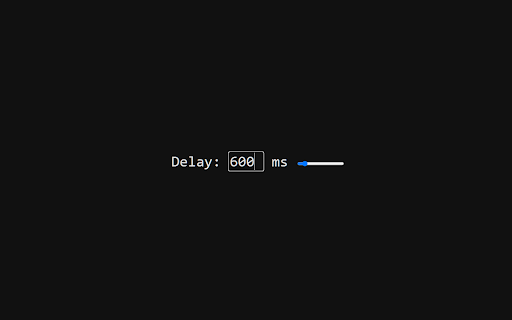
Delays audio with WebAudio API. Similar to other extensions, this extension intentionally delays and desyncs audio from linked video with the Web Audio API for compatibility with other extensions Licenced under the MIT Licence Source code at https://github.com/mchangrh/audio-delay v0.2 - Added support for more than just YouTube, fixed edge cases where audio would not attach.

IQ Tab - Custom New Tab
Customize your Google Chrome new tab page background Your personal New Tab. Custom folders, custom bookmarks for work and for web surfing! Easy switch between folders with different sets of your important bookmarks, so you can create new folder for your new opportunity, for example if you plan some jorney or travel you can create a folder and put in it many bookmarks associated with this jorney. Also you can use it like regular new tab with few most often used web links. By clicking "Add to chrome" you accept and agree to installing "IQ Tab - Custom New Tab" extension and setting Chrome New Tab to that provided by the service and the Terms of Use and Privacy Policy. The extension will update your search settings and will change your search engine to be powered by Bing.

Frame Sync (Fix for Wireless Audio Delay)
Frame Sync is the best solution for wireless audio delay, syncing video with audio for lag-free playback Frame Sync is the best solution for resolving wireless audio delay. You’ll enjoy perfectly synced audio and video when streaming PC audio to wireless speakers using TuneBlade, Airfoil, or Sonos. It intelligently delays video playback to match the sound delay from wireless transmission, giving you a smooth, seamless media experience without any frustrating lag. This extension isn't built for any specific website—it works on all websites. No matter where you're watching, it ensures your video and wireless audio are perfectly synced across all platforms. Note: This extension is still in early development. While I'm excited to share this preview version with you, more convenient features are currently in progress. Stay tuned for future updates!

Audio Compressor
There are presets for different levels of compression. You can customize the default settings or the settings for a specific site or page. There are some sites it doesn't work with, cross-origin browser security blocks scripts from modifying audio/video from a different host. As far as I know there's no way around this. This works by using the Web Audio API to get the audio context for a page, and inserting a DynamicsCompressorNode.

StereoToMono
This extension monofies the currently playing video or audio source with a single click on the extension button. The StereoToMono extension is useful if you want to listen to the video or audio you are currently watching in mono. It combines the left speaker's content with the right speaker's and vice versa, so you effectively hear the same sound from both speakers. This can be helpful when the stereo image in the video is unbalanced, heavily leaning to the right or left, suffers from phase correlation issues, or you simply want to hear the entire audio using only one speaker. It works on both video and audio elements on pages that support this feature. The extension is activated by clicking the left mouse button on its icon. For a full sound reset after adjusting the volume with the extension, it is recommended to reload the page. Known issues: - On some pages, it is not possible to adjust the stereo image of the played elements. This is due to how the specific page is designed. - On some pages, when clicking on the extension button, the browser may mute the sound. This is due to the security configuration of the specific page or the server it is hosted on and unfortunately cannot be detected from the extension's point of view. If you find this extension useful, you may consider supporting the author with a donation of any amount. Check the menu by right-clicking the extension button.
