
iflipbenkncalpdbamhkaleppfnlefjm

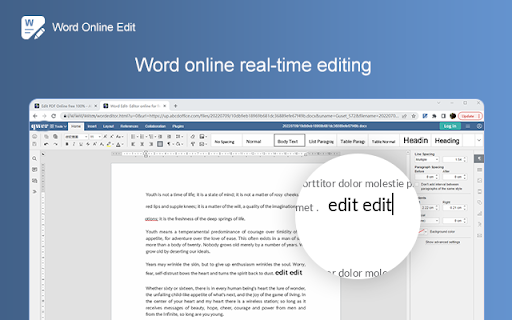

Select your Word DOCX document into the Word online editor, edit your Word documents and add Images, text to a Word file. Select your Word DOCX document into the Word online editor,easy online edit your Word documents and add Images, text, and comments to a Word file.it's 100% free Collaborate for free with an online version of Word. Create or edit Word documents online you can use any device connected to the internet. You can save your documents as Word documents, PDF, and other popular files. Open and edit your Word documents without install any software.

Launcher for Office Apps
Launch Office applications easily and Azure DevOps portal from single place. Access your Office 365 apps easily

WPS Docs
Create new docs, sheets, slides and view WPS Docs files from your browser bar. The official extension of WPS Docs. Introduction: The official extension of WPS Docs is a perfect tool that allows you to view, create and search for documents in your browser. It features a clean layout, a user-friendly interface and multiple useful functions that gives user an easy and instant access to WPS Cloud, Docs, Slides, Sheets and Livepage. If you want to quickly create, view and search for your files in your brower, then the extension is just the ideal tool for you. Features: ☆ WPS Cloud: Enjoy quick access to WPS Cloud interface. ☆ Create: Create online Docs, Slides, Sheets and Livepage files easily. ☆ View: Quickly view and open your recently opened and starred files, and also the files that others shared with you. ☆ Search: Search for the files you want in a quick way. How to use it: 1. Click the extension. 2. Choose what you want to do with different options • By clicking the “WPS Docs” logo, you can enter the WPS Cloud interface. • By clicking “Create” option, you can select what kind of file you would like to create, including WPS docs, Slides, Sheets and Livepage. • By clicking “Recent” option, you can view and open your recently opened files. • By clicking “Starred” option, you now have access to all your starred files. • By clicking “Shared with me” option, you can view all the files that others shared with you. • By clicking “Search” option, you can type in the keywords and quickly find all the related documents. We'd appreciate it very much for any possible interaction with our dearest users!

OpenOffice Writer online for Word documents
Create and edit doc and docx documents with OpenOffice Writer online OpenOffice Writer online is an extension that allows to create, edit and view any Microsoft Word documents in both doc and docx formats. It is a word processor and publishing tool. It allows to create large documents, reports, and books, and simple enough for a quick memo. It is a document editor integrated with our file manager to manage only DOC, DOCX and ODT file types with this desktop app. The Open Office writer main features are: - Wizards for standard documents such as letters, faxes, agendas, minutes, or carrying out more complex tasks such as mail merges. You can also create your own templates, or download templates from the Templates repository. - Advanced Styles and Formatting. - Table of Contents & References to increase the usefulness of your long, complex documents by generating a table of contents or indexing terms, bibliographical references, illustrations, tables, and other objects. - Text frames and linking for publishing tasks like newsletters and flyers - Notes and comments on the side of the document. This makes notes a lot easier to read. - AutoCorrect dictionary to trap typing mistakes on the fly, checking your spelling as you type. - AutoComplete to reduce typing effort. It also suggests common words and phrases to complete while you are typing. This extension uses the platform http://www.offidocs.com. It is an integration with an Open Office Linux desktop application. In concrete, it is a desktop app running through our OffiDocs API. It is available for free online users but it also allows the integration with premium users and on-premises OffiDocs deployments where the OffiDocs OpenOffice Writer is installed. IMPORTANT: This extension scans the URLs browsed in order to detect DOC files. The DOC files detected appear in a list located in the extension popup that are retrieved from our servers. The scanning is performed from our servers so your URL are reported to our system. No personal data is collected. This scan can be disabled with a checkbox that appears in the extension popup. If you disable this scanning, this functionality is not available so then the extension functionality is very limited.

Editor for Docs, Sheets & Slides
View, edit and select the layout of Google Docs, Sheets, and Slides with an easy access via extension menu It’s a perfect tool for working with Google Docs, Sheets, and Slides. Easy access to Google Drive files with opportunity to select layout and pin the file during your work. Convenience layout options allows to compare several documents or stay with opened file in the corner of the screen during the Skype call. Evaluate the advanced functional that widens your opportunities: - Create and edit Google Docs, Sheets, and Slides with just one click. Easy access saves your time during the work - Select layout for opened files - Stay focused on the one current file using the pin button In case of any questions please contact the developer team using the contact form.
