
iehcfhcebligckfppbapaicknhhpndji
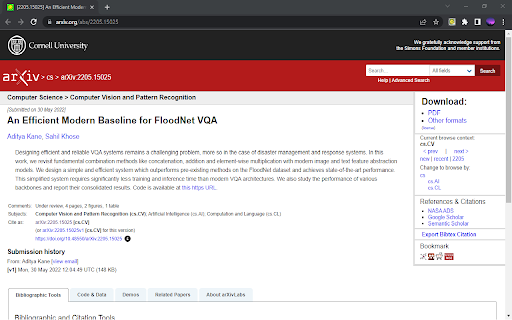
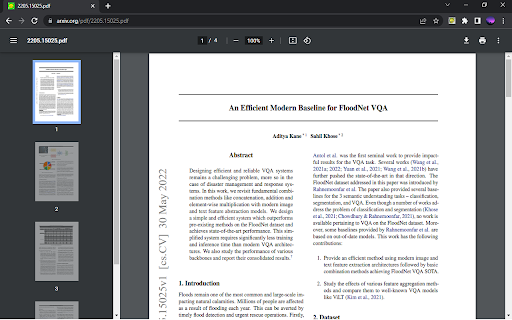
Switches between arxiv PDF and ABS pages. It is frustrating when the ArXiv preprint takes a lot of time to load, so you prefer to read the abstract itself. This means you have to edit the link manually, replacing the `pdf` and adding `abs` to the link. Not anymore! Introducing ArXiv Switch! It lets you move from the PDF to abstract and back with just a click! Bonus: it now works with ACL Anthology as well! Ctrl+Shift+S to do the same! It's a simple chrome extension that you can install! And viola! One button to fill your life with bliss 🕊

Arxiver
Download arXiv PDFs and study papers with a standalone LLM workspace. Arxiver is an open-source paper reading tool for arXiv and OpenReview. Click the extension icon on a paper page to open a clean workspace with the PDF loaded automatically. You can read the paper, zoom, download the PDF, export the chat as Markdown, and optionally ask questions using local LLM endpoint if provided.

open-in-overleaf
Access the LaTeX source code of arXiv papers on Overleaf Our browser extension adds a "Open in Overleaf" button to the research papers on arxiv.org. This allows you to access the LaTex source code of the research paper and edit them directly on Overleaf. How it works: - You click the "Open in Overleaf" button on the page - The latex tar file from arxiv.org is sent to an API to convert it into a zip file - The zip file is sent to overleaf and we redirect the user to the overleaf edit page

arxiv -> ar5iv
Automatically replace arxiv links with ar5iv With this extension you will automatically see the arxiv pdf rendered as a (html5+mathJax) web-page, since it replaces arxiv links with ar5iv. This behaviour can be toggled by clicking the extension, it either always loads the html version or the pdf version. For more details of this FOSS extension see https://github.com/HannesGitH/arxiv--ar5iv#readme

AI Code Finder, Alerts, Ask Questions about Papers: CatalyzeX
🧑💻 Get code for AI & other research papers, create alerts, ask authors questions directly on Google, ArXiv, Scholar, PubMed, IEEE CatalyzeX's free browser extension instantly finds and shows open-source code implementations for any research paper (AI and more) you encounter while browsing Google, ArXiv, Scholar, GitHub, Twitter/X, and many other search engines, forums, LLM/AI chats, and scholarly/academic websites. Don't see it on a website you want? Send us a note team+chrome@profillic.com Code for Papers Everywhere: ▶ Browse the web as usual and you'll start seeing [CODE] buttons next to papers everywhere. ▶ These buttons will automatically appear directly on the page for any implementation links found. ▶ Click on any [CODE] button to instantly jump to the open-source implementation and explore! Alert creation: ▶ Click on any bell icon to create an alert for new code for papers/topics, author's newest work, latest developments. Ask authors questions: ▶ Browse the web as usual and you'll start seeing a question box next to papers/articles everywhere. ▶ Type in your question to ask the authors of papers any question you may have! Powered by CatalyzeX.com's repository used by thousands of engineers, researchers, developers, and tech leaders worldwide — to browse algorithms, models, and papers with code for relevant and state-of-the-art developments in artificial intelligence, data science, computer vision, speech recognition, deep learning, and large language models. If you have any feedback/suggestions/requests or run into any issues, please email us at team+chrome@profillic.com anytime. We'd love to hear from you! ____ This extension also works on Opera and UC Browser. Need the Firefox add-on instead? Get it here: https://addons.mozilla.org/en-US/firefox/addon/code-finder-catalyzex/ Need the Edge add-on? Get it here: https://microsoftedge.microsoft.com/addons/detail/get-papers-with-code-ever/mflbgfojghoglejmalekheopgadjmlkm ____ *************** CATALYZEX VALUES YOUR PRIVACY *************** When you add CatalyzeX, it says that we can “Read and change all your data on all websites.” That’s only partially true. A more accurate description is that it allows CatalyzeX to insert [CODE] buttons next to any papers and techniques you see directly on the webpage, whenever available. While we’re sure you’re super interesting (especially as you're using CatalyzeX!), we do not have any interest in tracking what you search for, what you buy, etc. It’s just not what we do. At CatalyzeX, we care about privacy just as much as you do. It's core to our decision-making and how we deliver your CatalyzeX experience.
