
iecgdccnjbljdabegnogafjkkjlcpcgh
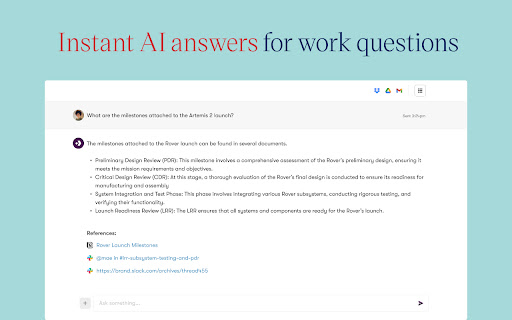
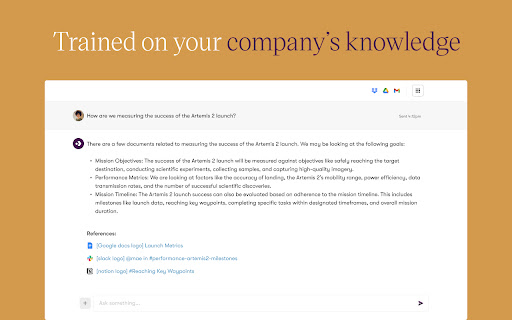
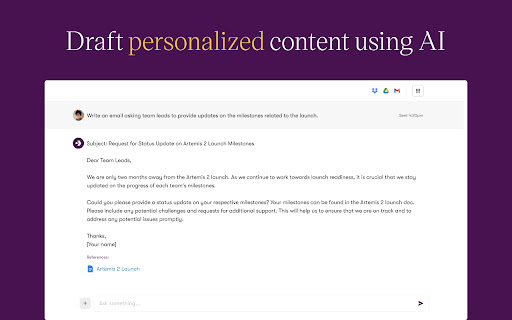
Dash AI is your company's knowledge assistant. Dash AI is an intelligent assistant designed to seamlessly integrate with your workflow. It connects with your work apps to instantly answer work-related questions, generate content, debug code, summarize emails and projects, finds documents, and more. The Dashworks browser extension makes Dash AI accessible right from your browser's new tab page or address bar. It's like having a personal assistant that's just one-click away.

CallCloud - For Salesloft, Outreach & Hubspot
Power dial directly in Salesloft, Outreach, and Hubspot. CallCloud is the #1 power dialer / auto dialer for Salesloft, Outreach, and Hubspot. ✅ One Click Free Integration To get started just add CallCloud to Chrome and open your cadence/sequence in Salesloft, Outreach, or Hubspot. 📈2x Your Dials CallCloud auto dials in Salesloft, Outreach, and Hubspot, filters out bad numbers, skips voicemails, logs calls, and moves between prospects at lightning speed to make more dials, faster. 📉Decrease Dial Burnout Power dial directly in Salesloft, Outreach, and Hubspot and save yourself the manual hassle. 🎵Listen to Music While you Dial Open up your favorite playlist and skip the ringtone.

Contentstack
Quickly navigate from a live web page to its corresponding entry in Contentstack If you are on a web page of a site that is powered by Contentstack, and if you have the permission to edit its content, you will see an edit button at the right/left bottom of the page. Clicking this button will take you to the corresponding entry in Contenstack, where you can edit the entry. This eliminates the need to search for specific entries within Contentstack’s web application and provides an intuitive editing experience for users who need to quickly find and update content. How to set up the extension? 1. Add this extension by clicking on the Add to Chrome button. 2. Once installed, a pop-up will prompt you to enter the stack details, datacenter region (North America, Europe, & Other), and button preferences. Provide the necessary details in each field (all fields are mandatory) and then save the configuration. 3. Add the following attributes to the body tag of your website’s page templates: a. data-pageref: Used to identify the entry UID of the current page b. data-contenttype: Used to identify the content type UID of the entry c. data-locale: Used to identify the local of the entry for the current page Here’s an example of how to add these details in your code: In the above example: "bltb8b487559a1b715d" is the UID of the entry "product" is the UID of the content type "en-us" is the locale of the entry of the corresponding web page 4. Go to the tab in your Chrome browser where you want to use this extension, and reload or refresh the page. Note: This is a one-time activity when you add a new domain or an API key. 5. The Edit button will now be visible on your Contentstack-powered web pages. For more details on the extension, visit our GitHub page: https://github.com/contentstack/contentstack-chrome-extension.git

Threado AI’s Agent Assist
Description/ Overview: Threado AI is the AI-powered support assistant that you can train on your knowledge base, past resolutions, workspace and community conversations. However to access the AI answers you need to login into Threado app. To make it easy for agents working on Zendesk and Freshdesk to access ThreadoAI features, we have built the chrome extension. Now chrome extension can be used with your favourite Ticketing system. Once installed you can generate AI responses, summarise tickets and refine customer replies, right from your Ticketing system. 👉 Seamless Training: Train your bot in Threado app and access answers from the Chrome Extension. 👉 AI-generated responses: Once trained, support agents can input questions and receive auto-generated customer replies, complete with source references, via the Chrome extension. This enables them to respond to customers swiftly. 👉 Refinement of customer replies: Support agents can refine their draft replies by rephrasing, expanding, shortening and auto-improving them in seconds, leading to an enhanced customer experience. 👉 Summarise tickets: Summarise every ticket concisely and add as private note 👉 Works across top helpdesks tools: Zendesk, Freshdesk, Intercom, Salesforce and many more! Install the Extension to access the power of ThreadoAI in your browser.

Glean
Unlocks your company's knowledge and enables powerful work AI for everyone. The Glean browser extension unlocks your company’s knowledge and enables powerful work AI for everyone. Just hit Command + J or Alt + J on Windows to instantly access Glean from anywhere: 💡 Know what your company knows, instantly with the Glean sidebar * Discover: Glean delivers personalized content recommendations tailored to your current work context, surfacing relevant insights without you having to search. * Chat: Ask questions and get instant answers from an AI Assistant that understand both your current content and your entire company knowledge base. * Search: Find exactly what you need with intelligent search that understands context, connects related information, and identifies relevant experts. * With a simple Command + J on Mac or Alt + J on Windows - instantly summarize information from any work application ⚡️ Get quick access to the work resources you need. * Glean’s new tab page puts all of your company’s knowledge at your fingertips * See recommended documents, notifications from across applications, access calendar events, and more. * Use Glean’s Go Links feature to instantly access even the most complex URLs Glean connects with dozens of popular workplace apps like Google Drive, Jira, Confluence, Slack, and more. Use this extension if you have an account created by your company admin. Learn more about the permissions we ask for: https://help.glean.com/en/articles/3643260-why-does-the-chrome-extension-ask-for-those-permissions
