
icnheeemafbkeeleihilmgjmbidinjeb


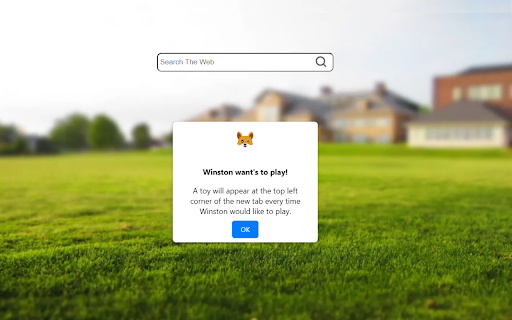
Play, feed and fool around with your virtual new tab friend on your new tab page. Engage and have fun with your virtual buddy directly on every new tab using the My Dog Tab extension for Chrome. Discover a world of pure cuteness as you adopt a virtual friend and enjoy interactive experiences with them on each new tab You will be able to move your cursor around as an image of your new tab friend! and from time to time he might want to interact and play, just don't forget to feed him when he's hungry. This extension is free to download from the Chrome Web store, and you can uninstall it at any time. By clicking "Add to chrome", I accept and agree to installing the: My Dog Tab extension and setting chrome new tab search provider to Microsoft Bing as described by the service in terms of use https://mydogtab.com/terms and Privacy Policy https://mydogtab.com/privacy

Smooth Search Tab
Smooth Search Tab is a Chrome Extension for the New Tab This extension changes your existing new tab page and provides the features below: - Clean Tab Look - Popular useful links - Current date & time - New tab search box providing Bing.com search results. Use the new tab search box to search your desired information, images, videos, and more through Bing search directly from your browser’s new tab. This extension is free to download from the Chrome Web store By installing and using Smooth Search Tab Tab you agree to the Terms of Use, as well as to receiving any future updates and upgrades. Please review our Privacy Policy for details regarding the information we collect when you install and use the extension. You can uninstall the program any time. Terms of Service: https://smoothsearch.online/terms

Sticky Notes Tab
Sticky notes are the best and now you can easily leave sticky notes on your new tab. This extension adds a sticky note function to your new tab, where it's easy to access and add notes on the go while browsing online. To add a new note, simply click the [+] button and add a new note, move it around and make sure to save by clicking the check mark. This extension is free to download from the Chrome Web store, and you can uninstall it at any time. By clicking "Add to chrome", I accept and agree to installing the Sticky Notes Tab extension and setting chrome new tab search provider to Microsoft Bing as described by the service in terms of use https://stickynotestab.com/terms and Privacy Policy https://stickynotestab.com/privacy Please review our Privacy Policy for details regarding the information we collect when you install and use the extension. For more information please check:

Laser Cat
Shoot laser at things you want to remove from the internet This extension adds a laser cat to your internet. Use the laser to zap things you want to remove! If you like cats and lasers you are going to LOVE this extension. == Here's how to use the extension == 🌍 Step 1: Go to a website 😺 Step 2: Click on the activate button 🌈 Step 3: Click on the page to shoot laser! This permission is needed for adding a laser cat to the website. Laser Cat **DOES NOT** collect any of your data or your browsing activity on any websites. As a privacy advocate myself, I prioritise your privacy above all. If you want to read the privacy policy and terms of service you can find it at my website https://lasercat.app#privacy == Feedback and bug reports == If you find a bug or are having issues please don't post your bug report here - contact me directly at hello@lasercat.app so I can fix it asap. If you like Laser Cat, please help spread the word by giving it a 5 star rating here or share it with your friends 😄 If you are not fully satisfied, please contact me at hello@lasercat.app and I'll make sure to help. I'm currently in the process of creating brand new characters. The long term idea is to create a lot of cute/funny characters with unique looks and feels. You can unlock all characters with a one-tome support or alternatively unlock them with points based on how long time you have used the extension. If you have some good ideas for new characters, feel free to throw me a message! If you want to learn more about my extension you can go to my website https://lasercat.app. Here you can read the privacy policy, terms of service and FAQ. I will keep improving Laser Cat! Stay tuned for updates in the future 👍

Clipbox Tab
Clipbox Tab is a Chrome Extension for the New Tab Find easily any website you clipped for a later use, right from your new tab. So just copy any text from any website and clip it! later you can find it in your new tab. This extension changes your existing new tab page and changing the search engine in the new tab to Bing and provides the features below: - Clean new tab look - History of all your copy text and urls - Popular useful links - Convenient web search powered by Bing.com search results. With it, you can easily search for your favorite topics, images, videos, and news This extension is free to download from the Chrome Web store, and you can uninstall it at any time. By installing and using Clipbox Tab you agree to the Terms of Use and Privacy Policy. Please review our Privacy Policy for details regarding the information we collect when you install and use the extension. For more information please check:
