
icmodedamhnefjjpoiiajlpeldehdofi


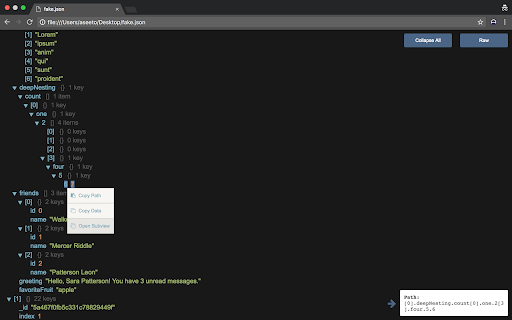
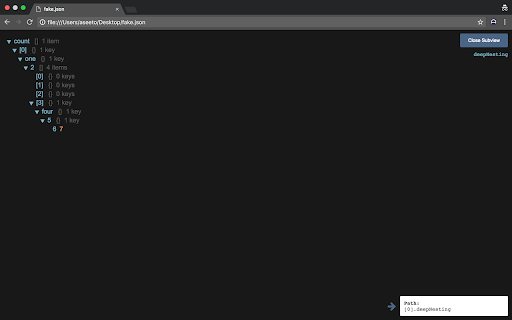
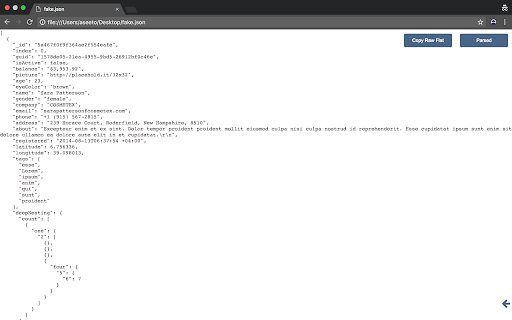
JSON viewer built using ReactJS. View full JSON paths on hover, copy full paths or path values, and toggle collapse of all objects. JSON viewer built using ReactJS. View full JSON paths on hover, copy full paths or path values, and toggle collapse of all objects.

JSON Viewer
Open source JSON viewer for Chrome that makes JSON and JSONP responses much easier to read, explore, and debug. Whether you're working with APIs, inspecting responses in the browser, or just trying to make sense of raw JSON data, this extension gives you a cleaner and more developer-friendly way to view structured data right in Chrome. ✨ Features: • JSON & JSONP support • Syntax highlighting • Collapsible trees with indent guides • Clickable URLs • Copy and Download JSON data • Toggle between raw and parsed JSON 🛠 Perfect for: • Developers working with APIs • Debugging JSON responses in the browser • Quickly exploring nested objects and arrays • Making large JSON payloads easier to scan 📦 Why use it? Raw JSON in the browser can be hard to read and navigate. This extension transforms JSON into a structured, interactive view so you can inspect data faster and with less friction. 🌍 Open source: https://github.com/timleland/Json-Viewer-Extension

React Inspector
The Inspector launch with Ctrl+Shift+X (Command+Shift+X on Mac). You can detect and open the React component source code easily. ■Requirements ・Installed React Developer Tools ・Works only with development builds. ・Source code must be stored on local disk ■How it works The React Inspector accesses the __REACT_DEVTOOLS_GLOBAL_HOOK__ set globally by the React Devtools and finds the React Fiber in the HTML element that the inspector hovered over. The React Fiber contains information about the source code that will be added during development, so we use that information to open the editor. Detail: https://dev.to/handdot/published-chrome-extension-for-streamlined-react-development-23b ■Options It is possible to change the 'Open in Editor URL' from the extension's options page so that you can open it in an editor other than VSCode. ■Source Code This extension is Open source. so you can access from https://github.com/hand-dot/react-inspector. If you find a bug, please report it via Github!

HTML to React
The fastest and smartest way to analyze HTML elements and generate full React component representations. HTML to React is an extension that helps you convert any website element into a React component. It analyzes HTML semantics, CSS style sheets and compiles the selected DOM element into JSX code. It is in open beta, so expect more features coming soon!

JsonDiscovery
Browser extension that changes the way you're viewing JSON Most exciting features: - Show JSON as an interactive tree with highlighting - Easy an object or an array copy to clipboard - Data structure signature (like in TypeScript) - Data transformation with a query using Jora, suggestions on a query typing - Customisation of JSON data presentation (using tables, lists and so on) - Customisation (report) sharing by a link - Works on any page with a valid JSON – URL/content type doesn't matter - Works on local files, if it's enabled on extension's settings page (navigate to chrome://extensions, find JsonDiscovery, click "Details" button, then toggle "Allow access to file URLs" switch) - Works offline (doesn't perform any network request)
