
ibnfnmnloecjgmephfokgmlppccheoed
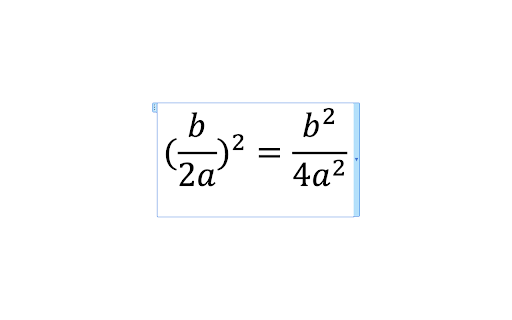
Copies equations in ChatGPT into the format the Word uses for the equation editor.

CopyGPT
Share your ChatGPT chat logs with friends or save them to your computer. Introducing CopyGPT - the ultimate Chrome extension for ChatGPT users who want to easily share and save their chat logs! With our seamless integration into the ChatGPT chat window, copying conversations has never been simpler. Compatible with the ChatGPT chat interface, our user-friendly design ensures that you can effortlessly capture and preserve your AI-generated discussions. CopyGPT adds two handy buttons right next to the message input box in the chat interface, giving you full control over the chat log copying process. Button 1: Copy Conversation Capture your entire chat log in a neatly formatted conversation style. Perfect for sharing with friends or archiving for future reference, the output is structured as follows: You: You: Button 2: Copy Chat Messages Only If you prefer to focus on the AI-generated content, use this button to copy only the ChatGPT messages. This option is ideal for those who want to incorporate the chat responses into another document without the conversation format. 1. Easy integration: Effortlessly blends into the ChatGPT chat window for seamless user experience. 2. Simple to use: Two clearly labeled buttons make it a breeze to copy your chat logs. 3. Versatile: Choose between copying the entire conversation or just the ChatGPT messages. 4. Shareable: Perfect for sharing AI-generated content with friends or colleagues. 5. Archivable: Save your valuable chat logs to your computer for future reference. Don't miss out on the chance to enhance your ChatGPT experience with CopyGPT - the ultimate browser extension for capturing, sharing, and preserving your AI-generated conversations. Install it now and unlock the full potential of your ChatGPT chats! v1.1: - Add support to lists (ordered and unordered) - Add support to code blocks - Copy buttons work in the different chat conversations history v1.3: - Add support to new domain for ChatGPT

ChatGPT to Word or PDF
Convert the ChatGPT content into a Word or a PDF format in a single click. Save your ChatGPT conversations as Word or PDF documents with ChatGPT to Word or PDF Chrome extension. With a single click, you can convert ChatGPT responses into a well-formatted Word or PDF file, ensuring easy access, sharing, and reference. Also, the ChatGPT to Word or PDF Chrome extension lets you export ChatGPT Deep research into Word or PDF files in a single click without loosing formatting. This extension preserves formatting, ensuring your content appears just as it does on ChatGPT, including: - Supports exporting the complete conversation as a Word or PDF file. - Supports exporting only ChatGPT responses as a Word or PDF file from the entire conversation, excluding user prompts. - Ideal for research, content creation, brainstorming, and archiving purposes. Whether you need a ChatGPT to Word converter, a ChatGPT table to Word converter or to copy chatGPT equations into Word without loosing formatting, this extension makes it effortless.

LaTeX Copy
Make copying LaTeX effortless and efficient! How it works: 1.Hover Simply hover your mouse over any LaTeX expression, and it will be highlighted for easy identification. 2.Click to Copy With a single click, the highlighted LaTeX expression is instantly copied to your clipboard—no manual selection or extra steps required.

Gemini Chat Copy
Export your Gemini chats instantly with Gemini Chat Copy. Are you tired of manually selecting and copying text from your Gemini conversations? This extension solves that problem by adding a convenient "Copy Chat" button directly to the Gemini interface. With just one click, you can capture your entire conversation history—including both your queries and Gemini's responses—formatted perfectly in Markdown. It's the ultimate tool for developers, writers, and anyone who wants to save their AI interactions for later use in Notion, Obsidian, GitHub, or any Markdown editor. One-Click Export: A floating button appears unobtrusively in the bottom-right corner of the screen. Perfect Markdown Formatting: Automatically preserves bold text, lists, headers, and links. Smart Code Blocks: accurately captures code snippets and preserves language syntax highlighting tags (e.g., `python, \javascript`). Clean Output: Intelligently removes UI clutter like "Regenerate" buttons, icons, and feedback forms, giving you just the clean text you need. Privacy Focused: All processing happens locally in your browser. No data is sent to any external server. How to use: Install the extension. Open any chat on gemini.google.com. Click the blue "Copy Chat" button in the bottom-right corner. Paste your conversation anywhere! Boost your productivity and keep your AI brainstorming sessions organized with Gemini Chat Copy.
