
ibhimefaglgoiegnacijmmdiocedollm
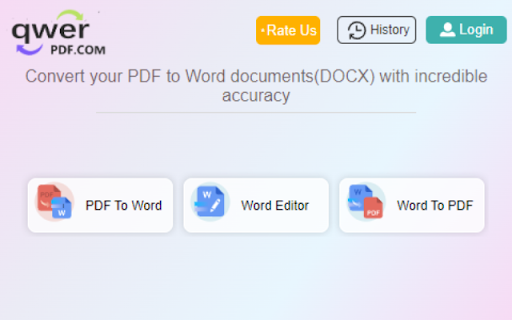
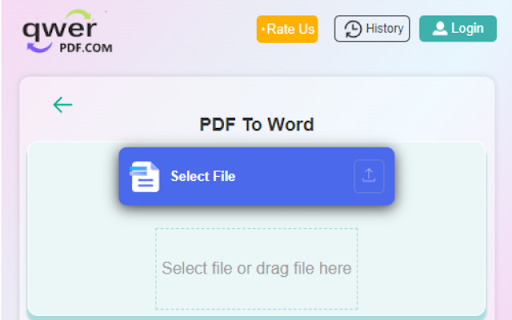
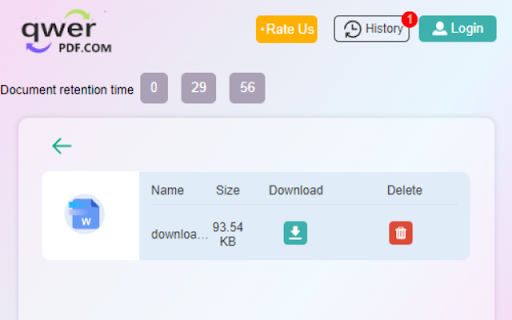
Convert PDF to Word online. PDF file to DOCX documents and 100% free. Convert PDF to Word online. PDF file to DOCX documents and 100% free. Select and upload the PDF file you need to convert in the PDF to Word converter. we will quickly convert the PDF document to Word & DOCX file as it's online. Our features: Convert PDF to Word: Convert your PDF to Word documents(DOCX) with incredible accuracy. Convert Word to PDF: Convert Word to PDF, DOCX to PDF, Word to PDF Docx & Word online Editor: Open and edit your Word documents without install any software. 1.Install the Convert PDF to Word extension 2.Find the Convert PDF to Word extension in the upper right corner of the browser and click it, and click the "PDF to Word" icon in the pop-up window. 3.Select or drag the file you want to convert to the dotted frame area,The file will automatically start uploading and converting. 4.Wait for the conversion process,do not close your browser Wait until your files are uploaded and processed,this might take a few minutes.You can close this page to do other things, The extension will notify you when the file conversion is complete. 5.Download after successful conversion.Click the file icon in the upper left corner of the extension to enter the file list, where all your converted files will be displayed, find the file you want to download, click the download button, the download page will pop up. Note that the file will only be temporarily on our server Save for 30 minutes, then it will be deleted automatically, please download it in time. By installing this extension you agree to the data protection regulations (https://qwerpdf.com/privacy-policy.html).

Convert PDF to DOCX
Introducing Convert PDF to DOCX, the ultimate tool for anyone looking to change your documents effortlessly. Whether you're a student, professional, or anyone, our extension is here to help you manage your documents more efficiently. It’s designed to make the convert .pdf to .docx as smooth and efficient as possible. ✨ Features and Benefits ➤ Ease of Use: The user-friendly interface makes it easy for anyone to convert from PDF Word hassle-free. Just a few clicks, and your document is ready ➤ Fast Conversion: Time is precious, and our extension ensures that to Word conversion process is quick and efficient. ➤ High-Quality Output: Preserve the formatting and layout of your documents when you save files. ➤ Accessibility: Whether you need to know how to convert pdf to docx on Mac or Windows, our extension works seamlessly across different platforms. ➤ Simplicity: No need for complex software or lengthy procedures. Just upload your documents, and they are ready in seconds, making it perfect for users of all skill levels. ➤ Free of Charge: Enjoy the benefits of a premium tool without any cost. Convert from PDF to DOCX free with our Chrome extension. ➤ Convenience: This extension allows you to convert pdf file to docx directly from your browser. No downloads, no installations, just quick and easy conversions. ➤ Batch Conversion: Save time by converting multiple files simultaneously. Our extension is equipped to handle files of all sizes with ease. 💡 Here’s a quick rundown of what you get: 🔺 Easy-to-use interface 🔺 Fast convert PDF files to DOCX file times 🔺 High-quality output 🔺 No need for additional software convert pdf to .docx 🔺 Works on both Windows and Mac 📄 PDF to Word converter • It is user-friendly design and efficient performance make it the go-to choice for all your document conversion needs. • It’s that simple! With our tool, convert pdf to docx file is quick and effortless. • Whether you’re editing a document, sharing with colleagues, or simply archiving, having the option ensures you have the flexibility you need. • For those looking to convert PDF to DOCX free, this extension is perfect. It offers all the features you need without any hidden fees or charges. • We value your feedback and are here to help you with any issues. If you need assistance on how to convert pdf to docx, our support team is always available. 📍 Getting started with our extension is straightforward. Here’s a step-by-step guide on how to convert PDF to DOCX online: 1️⃣ Download and install the Convert pdf to docx Chrome extension from the Chrome Web Store. 2️⃣ Open the extension and select the file you want to change. 3️⃣ Click on the "Convert" button to start the process. 4️⃣ Save the convert pdf to word docx to your desired location. ✨ For additional convenience, here are some benefits of using PDF file to DOCX converter: - No registration required - Supports large file sizes pdf to word doc - Preserves original formatting - Instant conversions PDF to DOC - Secure and private 🎓 Use Cases 🔹 Students: Сonvert PDF to DOCX to easily edit lecture notes and assignments. 🔹 Professionals: Use the tool to update business reports. 🔹 Writers: converting pdf to docx to make revisions to manuscripts and drafts. 🔹 Multilingual Support: Convert multiple languages, ensuring global accessibility. ❓ How to convert pdf file to docx if it contains images and graphics? 💡 Our converter preserves all images and graphics during the conversion process. The Word document will look just like the original. ❓ What should I do if the conversion fails? 💡 If a conversion fails, ensure your PDF to .DOCX convert is not corrupted and try again. If the problem persists, contact our customer support for assistance. ❓ How to convert pdf to word and retain hyperlinks? 💡 Our converter maintains hyperlinks during the conversion process. Your Word document will have all the links. ❓ How do I provide feedback or suggest features? 💡 We welcome feedback and suggestions. You can contact us through the support section in the extension or via our website. ❓ How to convert PDF to DOC without losing special characters? 💡 Our tool is designed to preserve all text, including special characters, ensuring that your converted document retains the original content accurately. ❓ What formats does the converter support? 💡 Our extension convert pdf to docx documents. ❓ How to save pdf as Word with tables? 💡 Our converter preserves the formatting of tables in your file, ensuring they appear correctly in the Word document. ❓ Does the extension support multiple languages? 💡 Yes, our extension supports documents in multiple languages, ensuring accurate conversions regardless of the language used.

Word to PDF
Convert Word to PDF for free. Free PDF File Converter - Two Supported Formats. Convert DOC/DOCX to PDF for free. You can convert Word to PDF once you install our software. Convert your word documents to PDF format today. •This software supports PDF conversion from DOC/DOCX •Convert PDF from DOC and DOCX files •Unlimited number of conversions for free How to use this extension: - Click on the software icon - Choose DOC file you would like to convert, - Press Convert and wait for the PDF file to be downloaded to your computer. Disclaimer: Please note this extension is NOT made by Google and is made by an independent development team. All copyrights belong to their respective owners. Google doesn’t endorse or sponsor this Chrome extension. Word to PDF is not owned by,it is not licensed by and is not a subsidiary of Google Inc.

Qwer PDF
Qwer PDF extension is Online Convert PDF To Word & Excel, PPT & PDF Editor - 100% Free. Power Up Your Productivity. Qwer PDF extension is Online Convert PDF To Word & Excel, PPT & PDF Editor - 100% Free. Power Up Your Productivity. QwerPDF extension is a 100% free all-in-one PDF tool We’ll power up your productivity with our useful PDF converter toolkit and online office suite. Free PDF Converter: Convert PDF to Word - Online Convert PDF to Word for Docx online editing your word it’s free Convert PDF to Excel: Convert PDF to XLS online, view and edit the document after converted. Convert PDF to PPT: Convert PDF to PowerPoint PPT online, directly edit it after converted Convert JPG to PDF: Convert images online and adjust the size. Convert HTML to PDF: Convert webpages in HTML to PDF and vice versa. Free Online PDF Editor: Merge, Split and Edit PDF Pages Free Online Office Suit: Docx & Word online Editor, You can still use PDF To word for online Editor tools editing your Docx Files Xlsx & Excel online Editor. Excel files online View, You can still use PDF To excel for online excel editor tools Create PPT online. View Word and Excel files online. - Protect your personal information: Protect, unlock and add watermarks on PDF files. By installing this extension you agree to the data protection regulations (https://qwerpdf.com/privacy-policy.html).

Docs to PDF
Bulk convert Google Docs & Word files to PDF. Merge documents. Perfect for teachers & professionals. Fast, secure & seamless. Docs to PDF — Convert & Merge Google Docs and Word Files in Seconds Convert multiple Google Docs and Word (.docx) files to PDF without ever leaving Google Drive. No extra software, no downloads, no wasted time. Select your files, choose your destination folder, and convert — that's it. ✅ What you can do: 📄 Batch convert Google Docs and Word files to PDF in one go 🔗 Merge multiple documents into a single, clean PDF 📁 Choose where your PDFs land in Google Drive 🔐 Password-protect your PDFs before exporting 🚀 Works directly inside Google Drive — nothing to install separately Built for professionals who deal with documents daily. Whether you're preparing reports, sending proposals, compiling handouts, or archiving records — Docs to PDF saves you the manual back-and-forth every time. 🔒 Your files stay yours. Everything runs through your own Google account. We don't store, process, or access your documents. 💡 Start free with 25 conversions. Upgrade to Pro ($10/month) for 500 conversions, or Business ($25/month) for up to 5,000 per month. Prefer to pay once? Lifetime access available for €29.
