
iamnmfljplinnbdelefgnmplmjjlllch
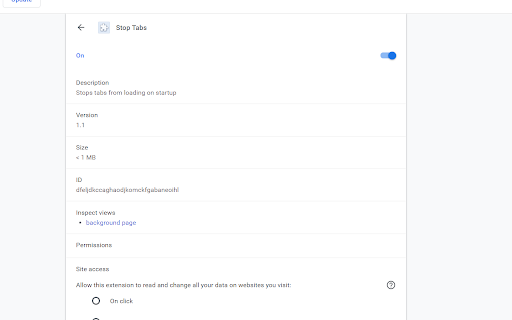
Useful when opening a window with many tabs on startup.

Lazy Tabs
Automatically discards all tabs at startup or on demand (on icon click) for reducing memory consumption and unnecessary bandwidth usage. Without tracking and any permissions. Source code: https://github.com/jman/lazy_tab

Tab Master 5000
The swiss army knife of tab, history, bookmark, session, and extension management. Tab Master 5K replaces your New Tab page with a full-featured tabs, history, bookmarks, apps, extensions, and sessions manager. -- Tabs - Close, pin, and mute tabs from your New Tab page. - Re-order tab tiles by dragging and dropping them. - Close all tabs from a specific website. - Close duplicate tabs, and optionally make them pulsate. - Manage tabs through icons, the right click menu, or through a table view. - Search tabs in the top search bar. - Option to sort tabs by website or alphabetical order, and apply the order to your Chrome window. - Option to view tabs across all windows. - Automatically discard tabs from memory and customize how long they have to be inactive to trigger it. -- Customization - Full control of the New Tab's appearance with a flexible theme editor. - Import any wallpaper as a background. - Adjust the size of the grid tiles. - View a screenshot of each tab in the grid. - Enable screenshots to cover the background of a New Tab page when you hover over a tab tile. You can adjust the strength of the blur and opacity of backgrounds in Preferences. -- Session Management - Session manager built in for saving and restoring your current tab sessions. - Synchronize your saved sessions, and keep them persistently updated with the current Chrome window. - Tab sessions can be exported and imported. - View, sort, and filter your session tabs as tiles in the grid view. -- Chrome Management - View, sort, and filter your bookmarks, history, apps and extensions as tiles in the grid view. You can change how apps launch, create app shortcuts, enable/disable, or uninstall them. - Quickly navigate the extension with keyboard shortcuts. - Undo tab actions by pressing CTRL+Z, or through the context menu while a New Tab page is open. - Add websites you do not want to view to a comma separated blacklist in Settings -> Preferences. Websites added to the blacklist will have their tabs closed under any circumstance. Please report any issues on this store page's Support tab. If you like this extension, or think it could be better, please rate it and leave feedback. You can also fork and pull request this extension on its public Github repository: https://github.com/jaszhix/tab-master-5000-chrome-extension

TabMate
TabMate helps you manage the tab clutter. Easily switch between tabs, save & restore set of tabs or windows, and more. TabMate helps you manage tab clutter and be more productive. Stash a set of tab/windows that you want to save for later and easily restore them when needed. Use quick switcher to search among open tabs and stashes and switch to them. Drag and drop the tabs to rearrange them with in windows or stashes. Name stashes so you can easily remember the purpose for each set of tabs. Easily send tabs to named stashes through right click context menu. Common usages: - Quickly search and switch between all the open tabs and stashes - Save the pages you've visited during your research session and restore all of them later. - Logically group all the pages you visit often and load each group when needed. - Easily manage existing open tabs by saving unnecessary tabs as a session.

YouTube™ Stop Button
Adds a stop button to the player interface to unload the player and stop the video from buffering any time. This extension unloads the YouTube player without affecting the actual page. Removing the player eliminates any network requests to fetch or buffer the video. This is especially useful when you wish to watch the video later without YouTube preloading it and consuming your bandwidth. Key Features: 1. Disables automatic buffering 2. Halts player-related network activities 3. Unloads the player while keeping the page intact The extension introduces a new "Stop" button located next to the "Play" button. Click the "Stop" button whenever you want to unload the player. Additional Notes: 1. This extension exclusively supports the HTML5 player, offering no compatibility with Youtube's old Flash player. 2. Built on manifest v3, this extension adheres to the specified guidelines. 3. It only operates when the "Stop" button is triggered and remains in an idle state at all other times, ensuring no background activities are running.
