
iakmndnmkhlcbmeckabdkkamopjlomjh
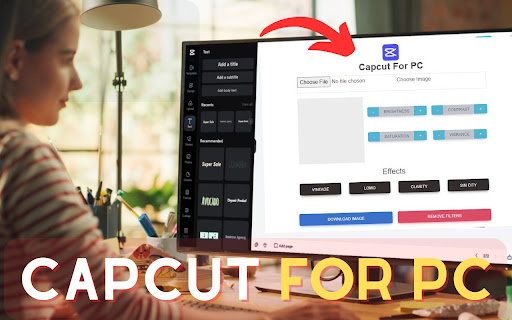

Enhance your CapCut experience with additional features. Our "Capcut for PC, Windows and Mac: Easily edit images with our simple extension. Upload, apply effects, and revert changes effortlessly. Download your edited image with a click. Enjoy the convenience of intuitive features for seamless editing. ✅ This is my extension features: 1) You can upload an image and edit it. 2) Here you can edit the background, contrast, saturation, vibrance, vintage, lomo, clarity, and Sin City, etc of the image. 3) Download Image: Click here to download the edited image. 4) Remove Filters: From here, you can revert the edited image to its previous state. 4) Simple Extension Step 1: Start by adding this extension to your Chrome browser by clicking "Add to Chrome." Step 2: Next, click on the Extension icon. Step 3: You will see three tabs: Step 4: In the first tab, you can upload an image. In the second tab, edit the background, contrast, saturation, vibrance, vintage, lomo, clarity, and Sin City, etc of the image. Download Image: Click here to retrieve the edited image. Remove Filters: Here, you can revert the edited image back to its original state. Please note that "Capcut for PC, Windows, and Mac" Chrome Extension is an independent product and is not associated, affiliated, or endorsed by the Capcut Android app or its developers. We respect intellectual property rights and make no claim to any copyrights associated with the Capcut Android app.

AIODownloader
AIODownloader is a powerful Chrome extension designed to simplify the process of downloading files from various popular websites. Whether you're looking to download media from Capcut, Pinterest, or other content-sharing platforms, AIODownloader makes it easy and efficient. With just a few clicks, you can save videos, images, and other files directly to your device, all while maintaining the original quality. Perfect for users who frequently download content and need a reliable tool that works across multiple sites. Key Features: Seamless Downloading: Supports downloading from a wide range of websites like capcut.com, pinterest.com, and more. High-Quality Downloads: Ensures that downloaded files retain their original quality. User-Friendly Interface: Intuitive design that allows for quick and easy downloads. Versatile Compatibility: Works with various content types including videos, images, and other media files. Streamline your downloading experience with AIODownloader, the ultimate tool for all your file-saving needs!

CapCut - Voice Downloader
Tải xuống audio từ phụ đề trên CapCut Editor một cách nhanh chóng và dễ dàng. CapCut Voice là tiện ích mở rộng dành cho người dùng CapCut Editor, hỗ trợ chuyển phụ đề văn bản thành giọng nói chuyên nghiệp một cách nhanh chóng. Với CapCut Voice, bạn có thể tạo file âm thanh từ các đoạn phụ đề có sẵn, lựa chọn nhiều giọng đọc tiếng Việt tự nhiên và tải hàng loạt về máy chỉ trong vài giây. Giao diện của tiện ích đơn giản, dễ sử dụng và thân thiện với cả người mới bắt đầu. Tiện ích hoạt động hoàn toàn cục bộ trên trình duyệt, không yêu cầu đăng nhập và không gửi bất kỳ dữ liệu nào ra ngoài, đảm bảo sự an toàn và riêng tư cho người dùng. Đây là công cụ hữu ích cho nhà sáng tạo nội dung, người làm video thuyết minh, học sinh – sinh viên, hoặc bất kỳ ai đang sử dụng CapCut và cần chuyển văn bản thành giọng nói một cách tiện lợi và hiệu quả.

CapCut Template ▷ New Trending CapCut Template Video
Get the latest trending CapCut Template links to create stunning shorts & reels videos in few seconds. Instantly elevate your social media content with the ultimate CapCut template finder extension! We know that crafting professional Shorts, Reels, and TikTok videos can be time-consuming, but the secret to going viral often lies in using the right trending CapCut template. This extension is your dedicated shortcut, designed to put thousands of popular, ready-to-use templates right at your fingertips, saving you hours on manual editing, transitions, and effects. How to Find and Use Templates: Click & Search: After installation, simply click the extension icon in your browser. A powerful search bar will appear. Enter keywords based on your content needs—whether it’s "Slowmo CapCut Template," "Love CapCut Templates," or the latest viral trend. Browse & Preview: The extension instantly displays curated, trending CapCut template results. You can view a template preview to ensure it matches your aesthetic and content niche before committing. Use Instantly: Found the perfect template? Just click the prominent "Use Template" button displayed below the preview. You will be instantly redirected to the CapCut app or website to import your own photos and videos, allowing you to create stunning, engaging content in seconds. New Feature: Additionally, installing this extension enables a monthly feature that creates a new browser tab with direct links from capcuttemplates.xyz for the latest trending templates. Perfect for creators, businesses, and beginners who want professional-quality edits without advanced skills. Stay ahead of the curve and jump on every social media trend effortlessly!

Kdenlive video editor
Create and edit videos with multi-track video editing and any audio / video format This extension allows users to use the Kdenlive video editor. Kdenlive is a program designed to answer most needs, from basic video editing to professional work. Its features are: • Multi-track video editing as Kdenlive allows you to use and arrange several audio and video tracks, each one can be locked or muted to your convenience. • Use any audio / video format because this application uses the well known FFmpeg libraries so Kdenlive can use almost any audio and video formats without the need to convert or re-encode the videos and clips. • Create 2D titles including: o Align and Distribute o Letter-spacing and Line-spacing adjustment o System font selector including font-family support o Design features: Color, Shadows, Outlines and Gradients o Embedded Crawl and Roll tool for text animation o Unicode decoder o Rotate and Zoom o Add images o Template support • A lot of effects and transitions for your videos, ranging from color correction to audio adjustments, as well as all the standard transform options. • Multiple audio and video scopes to make sure your footage is correctly balanced. o Audio Meter o Histogram o Waveform o Vectorscope o RGB Parade • Timeline preview that allows you to pre-render parts of your timeline to get a perfectly smooth playback. This extension also includes access to a file manager to upload and download the videos created. This extension is the Kdenlive online distribution so it is compliance with the Kdenlive GPL.
