
hobiolhbonhcmgokdkjaghaonikdaaah

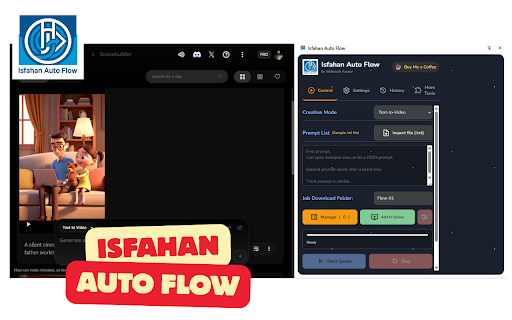

Isfahan Auto Flow - Automation for VEO AI Isfahan Auto Flow is a powerful browser automation extension designed to simplify and accelerate your workflows with VEO AI and modern web tools — without writing code. Whether you’re a creator, marketer, researcher, or operations professional, Isfahan Auto Flow helps you automate repetitive browser actions, streamline prompt execution, and manage AI-powered workflows efficiently from your browser. • Automate repetitive browser actions with one click • Trigger and manage VEO AI workflows directly from your browser • Save, reuse, and organize prompt-based automation flows • Reduce manual work and improve productivity • Works seamlessly in the background with minimal performance impact • Clean, lightweight, and easy-to-use interface • No coding required — designed for both beginners and power users 🎯 Who is this for? • AI creators and prompt engineers • Digital marketers and growth teams • Operations and automation professionals • Anyone who wants to save time on repetitive web tasks Most automation tools are either too technical or too limited. Isfahan Auto Flow strikes the perfect balance — powerful enough for advanced automation, simple enough for everyday use. You stay focused on outcomes. The extension handles the repetition. Isfahan Auto Flow does not collect, sell, or share your personal data. All automation runs locally inside your browser unless you explicitly connect external services. Install the extension Open the Isfahan Auto Flow panel Configure or load your automation flow Click run — and let automation do the rest 🛠 Support & Feedback We’re continuously improving Isfahan Auto Flow. If you have feedback or feature requests, we’d love to hear from you. Save time. Reduce friction. Automate your browser. Install Isfahan Auto Flow and turn repetitive work into one-click workflows.

FlowGenius — VEO AI Video Automation, Bulk Generator & Auto Download
FlowGenius automates Google Flow (labs.google.com/tools/flow) so you can generate Veo videos and Nano Banana Pro images in bulk. KEY FEATURES • Text-to-Video: Add prompts to a queue and batch generate Veo videos • Image-to-Video: Upload images with prompts for video generation • Nano Banana Pro: Batch create AI images at 1K, 2K, or 4K resolution • Reference Images: Use image-to-image with your own reference photos • Queue Management: Add jobs, skip, reset, and process multiple prompts • Gallery Scan: Find generated images and videos and download in bulk • 4K Downloads: Export images at your preferred resolution HOW IT WORKS 1. Open Google Flow in your browser 2. Open the FlowGenius side panel 3. Add prompts to the queue and select your mode (Text→Video, Image→Video, or Nano Pro) 4. Click Start and let the automation run PERFECT FOR Content creators, marketers, designers, and anyone using Google Flow for AI-generated media. No coding required. PRIVACY FlowGenius works locally in your browser and only interacts with labs.google.com when you start automation. Your data stays on your device.

Flow Auto
Flow Auto Can Help You: Automate video generation on Google Flow

Auto Flow
Auto Flow generation queue for Google Flow. Auto Flow is a workflow tool for Google Flow that helps creators run image and video generation batches from a side panel. Use it to queue prompts, attach reference images, map references to specific prompts, monitor live progress, and download finished media with organized filenames. Auto Flow supports text-to-image, text-to-video, frame-to-video, and ingredients-to-video workflows for users who create many Flow outputs and need faster batch control.

VEO3 Auto - Google Flow VEO Automation
Xử lý nhiều prompt cùng lúc và tải xuống video, cấu hình flow theo yêu cầu của bạn trên Google Flow AI Automation. VEO3 Auto là tiện ích Chrome giúp tự động hóa quy trình tạo video và hình ảnh hàng loạt bằng Google Flow AI. Tiện ích cho phép người dùng: - Nhập nhiều prompt cùng lúc - Tự động tạo video bằng VEO3 - Tạo hình ảnh AI hàng loạt theo prompt - Theo dõi tiến trình xử lý - Tải xuống video và hình ảnh sau khi hoàn tất - Tùy chỉnh flow xử lý phù hợp với từng nhu cầu Tiện ích phù hợp cho: - Nhà sáng tạo nội dung - Người làm video AI - Người làm automation với Google Flow tính năng nâng cao yêu cầu license key để kích hoạt. license key test: Z29vZ2xlfDIwMjYtMDEtMTh8U0VDUkVUXzIwMjU= Tiện ích vẫn hoạt động ở chế độ miễn phí với các chức năng cơ bản. Không thu thập dữ liệu cá nhân của người dùng.
