
hnninpkmflibadgihijdmlilikhdgajj


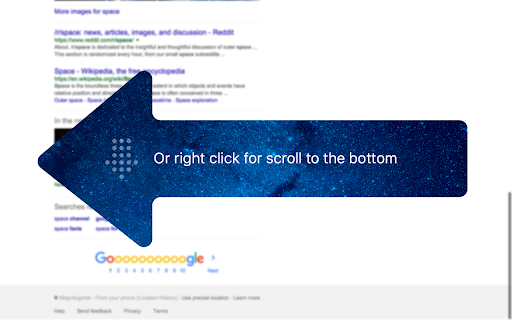
Click on the left border of any page for scroll to the top. ★ Click on the left border of any page for scroll to the top. Just pull the cursor to the left screen edge, click — and you're there! ★ Click again — and you're back where stopped reading. ★ Or right click for scroll to the bottom. There are already a number of Chrome extensions which can add the "scroll up" buttons in all possible places cluttering the precious screen space. With TopScroll you won't need such buttons and will be able to do rapid scrolling since moving the mouse to the left and clicking is the easiest thing to do. If you use the browser not in fullscreen mode, you may want to increase clickable area width in the extension options. It does not affect the appearance of web pages. It may not work on some sites with tricky page layouts. If you found a popular website where the extension doesn't work — feel free to shoot a bug report here or on GitHub. Repository: https://github.com/sv3k/topscroll Change log: https://github.com/sv3k/topscroll/releases

Scroll To Top
Scroll to top and vice versa in a window. Scroll To Top lets you jump back to the top or bottom of any page with a single click. A sleek button appears at the bottom-right corner, scrolling smoothly and instantly. Packed with powerful features and highly customizable to match your style, it makes browsing faster, easier, and more enjoyable. 🚀

Scroll to Top
Scroll to the top or bottom of any page with a click on the left border of the screen, and then return to your previous position. Scroll to Top adds button to the left of your browser window that lets you: ★ Return to the previous position/remember your current position by middle clicking on it. There're also customizable keyboard shortcuts for all these actions. To customize them go to chrome://extensions/shortcuts. ---------------------------------------------------------------- Permissions: Read and change all your data on the websites you visit Allows the extension to append the scroll button and do scrolling on pages (when the button is clicked). ---------------------------------------------------------------- 🧩 Follow my Facebook page (more extensions): https://www.facebook.com/browservery

Fast Page Scroll
Quickly scroll to the top or bottom of any page without using the mouse wheel. There are many "Scroll to top" extensions out there, but they all add a button to the page or browser's interface. That's ugly and bad user experience. How about clicking anywhere on the top or bottom right corner of the page (where there is usually no content) and scroll automagically? That's exactly what this extension will do. This is a feature I encountered at Basecamp, so the credit goes to 37signals. I liked it so much that I developed the extension to be able to use it everywhere. I think it will be useful for everyone. No icon is added to the browser. Go to Chrome Options - Tools - Extensions menu and look for Fast Page Scroll.

Scroll To Top
Adds a button to scroll to the top of the page. Simple and elegant. This innovative tool is designed to enhance your web browsing experience by enabling you to easily navigate long pages. With just a simple click, the Scroll to Top Button allows you to instantly jump to the top of any webpage. No more tedious scrolling! What makes our extension a must-have? It’s all about simplicity and efficiency. Whether you’re a casual surfer or a power user, you’ll find the Scroll to Top feature incredibly useful. The extension adds a discreet button that seamlessly blends with any website’s design, providing functionality without distraction. The Scroll to Top extension is perfect for: ▸ Users who frequently read long articles or engage in extensive online research. ▸ Shopping enthusiasts who scroll through endless product listings. ▸ Social media users who navigate long feeds. But that’s not all! Not only does the Scroll to Top Button help you jump to top, but it also allows you to scroll to bottom with equal ease. This dual functionality makes it an indispensable tool for navigating modern web pages that are often filled with extensive content. How does it work? It’s incredibly straightforward: 1️⃣ Install the extension from the Chrome Web Store. 2️⃣ Once added, the Scroll to Top button appears on every webpage. 3️⃣ Click the button to jump to top or bottom Features: ➤ Up and down - depending on your position on the page, the STT button will take you to the top or bottom of the page ➤ Movable button - just grab the STT button whatever you like ➤ Exclusion list - simply add the domain to the exclusion list if you don't want to see the STT button on a particular page The benefits of using the Scroll to Top extension are many: ➤ Saves you time and effort on every page. ➤ Enhances your browsing experience with smooth animations. ➤ Offers a user-friendly interface that requires no technical knowledge. Remember, whether you want to jump to top or go to the bottom, our extension is the tool you need. It’s an excellent addition to any browser, helping you navigate the web more efficiently than ever before. To get started, simply add the Scroll to Top extension to your Chrome browser today and experience the convenience it brings to your daily web surfing. Happy browsing! 🚀 Privacy: This extension does not read, change, store, or transmit any of your personal data (e.g., logins, passwords, messages, contacts) from any of the sites or your computer in absolutely any form. Support/issues: Write your request to support@scroll-to-top.pro Or you can submit it at https://forms.gle/sERy6m7m4zYLNQM19
