
hngnkmianenpifegfoggnkamjnffiobn


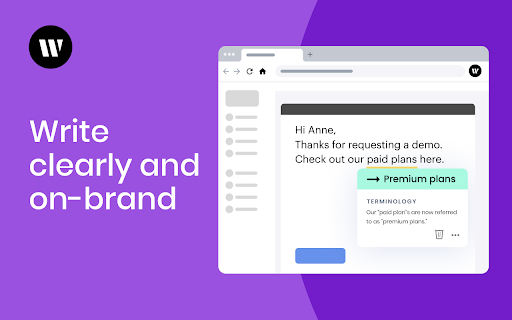
Generative AI in all the places you work Writer is the full-stack generative AI platform for enterprises. We empower teams to accelerate growth, increase productivity, and ensure compliance. The Writer Chrome extension gives you access to generative AI anywhere on the web. To use the extension, you need access to a Team or Enterprise account with Writer. Produce great work effortlessly: Speed up business processes and get highly-tailored outputs based on your use cases. Get answers in seconds: Generate summaries, insights, and analysis based on your internal data. Enforce your AI guardrails: Ensure your work is accurate and complies with your legal, regulatory, and brand guidelines. Writer transforms work by delivering high-quality content that's accurate, compliant, and on-brand. Our platform consists of Writer-built LLMs, a Knowledge Graph that connects our models to your internal data sources, AI guardrails to enforce your brand rules, a flexible application layer, and an ecosystem of APIs and integrations.

Outwrite — Grammar checker & rewrite tool
Write perfect content with Outwrite. Check spelling & grammar, improve writing style, find synonyms and paraphrase sentences. Become a better writer with Outwrite for Chrome. Our AI writing assistant is more than just a grammar checker—it helps turn your ideas into powerful sentences. It works wherever you write online, including Gmail, Outlook, LinkedIn, Medium, and WordPress. You can use Outwrite to paraphrase entire sentences, strengthen your vocabulary, fix passive voice, and help increase or decrease your word count. Free features of the Outwrite Editor include: ★ Spell Checker ★ Grammar and Punctuation Checker ★ Thesaurus suggestions ★ Writing statistics (including readability, grade level and word count) ★ French, Spanish, and English support Upgrade to our Pro plan to access: ★ Paraphrasing Tool (to rewrite and restructure entire sentences) ★ Style suggestions ★ Structure suggestions (like changing passive voice to active voice) ★ Plagiarism Checker It's not just Chrome—you can also use Outwrite to improve your writing using Google Docs, Word, Edge, iOS, and with our web app. Get started with your free Outwrite account today! Over 1 million people use Outwrite for tasks like: ➤ Editing homework or an English essay for school ➤ Enhancing assignments for college using appropriate synonyms from our thesaurus ➤ Checking punctuation, like commas and apostrophes ➤ Writing clear and impactful copy for websites, ads, and social media ➤ Refining business documents & reports ➤ Grading an academic thesis ➤ Rewriting text to improve SEO and readability ➤ Teaching students how to write more effectively You don't have to be Shakespeare or Hemingway—just use Outwrite to proofread and write like a pro.

Scalenut: AI powered writer
Write, Command, Rephrase, Simplify and multiple other use cases using Content AI from Scalenut Create and write content about anything & everything in a single click. Save time, increase your productivity, and never be stuck for ideas again. Writer’s block? Never again. Scalenut chrome extension provides a powerful AI assistant to enable powerful writing in your browser and help you write excellent, plagiarism-free content at flash speed. Our AI-powered writing assistant generates superior content across applications (Gmail, Facebook, LinkedIn, Quora, Twitter and more). Use it to write social media posts, blogs, emails, ad copy, and so much more. AI Copywriter gives you quality copy, saved time, and peace of mind all in a few clicks! Write emails, social media posts, responses to reviews, google ads copy or even answers to questions in just a couple of clicks with ‘Templates’. AI Copywriter understands your inputs and generates killer copy to match. Don’t like how it sounds? Choose the ‘Rephrase’ option. AI Copywriter rewrites your sentence and offers you multiple, plagiarism-free options to choose from. Never settle for underwhelming copy anymore. Your real-life genie, the ‘Command’ function elaborates on your selected phrase or sentence. Get quick, relevant paragraphs on just about anything in a single click. Your wish is its command. Writing a block of text and unsure how to complete it? As the name suggests, ‘Complete’ does just that for you. It uses AI to comprehend the context and presents you with the perfect words to create a flawless piece of copy. Finding it hard to KISS it? Leave it to AI. ‘Simplify’ analyzes your long, complex sentences and transforms them into easy-to-read ones. One-click to on-point, simplified sentences that create an effortless reading experience. Scalenut’s AI Writer uses a deep learning model to write like humans. The tool knows words and sentences after reading through hundreds of billions of words. It develops exceptional content that reads, communicates, and engages just like a human. Made for and used by Content Writers, Marketing Managers, Content Strategists, and other professionals to produce outstanding content, every time. → Install now and get started in under a minute. Generate up to 2,000 short-form AI words for free. ⇧ Upgrade to the full version on the Scalenut website. Access 40+ use cases, create long-form content, get 24𝗑7 support, and so much more. Want to know more? Find out here: https://www.scalenut.com/chrome-extension

Crazy Compare For Salesforce
Quickly compare two different salesforce profiles and find difference By using Crazy Compare extension for Salesforce you can directly compare two different profiles and find difference right from setup. Available for all Admin /Developer /Consultants *************** Features *************** * Faster · Easier · Expert 🔍 * Available in both Classic ☁️ and Lightning ⚡️ * Just select the profile and find difference in 3 clicks 🪄 * Download Profile Difference Report 🖨 v1.0 ****** Current Profile Comparison Includes ****** > Field Level Comparison > Object Level Comparison > Apex Class Access Comparison > Visualforce Page Access Comparison *************** Benefits *************** * Easily help you to identify access difference between two profiles and you can fix the permission or access related issues quickly. * No manual efforts required. * Useful in day to day profile comparison. * Saves hours of time especially in migration projects. * Plug and play. * No special skills required to use it. ****** How To Use It ****** Once extension is installed in your chrome browser * In Lightning Login To Salesforce -> Setup -> SetupHome (Extension will be loaded on right side) *In Classic Login To Salesforce -> Setup -> HomePage (Extension will be available above recent items) * Now select 2 different profiles and click on find difference. That's it, your difference will be loaded in a tabular format and it will only show the access difference. * You can download this difference pdf report and share it with your team if you want. ****** Feedback ****** * If this tool helps you to save your time while working on projects in any way. Please help to share your valuable feedback. And at the end purpose of creating this extension is to save your time. Hence Smile Please 😊 The information provided by Crazy Compare ('we', 'us', or 'our') on extension is as a utility purposes only. We do not store any of your personal information. All information on the extension is provided in good faith, however we make no representation or warranty of any kind, express or implied, regarding the accuracy, adequacy, validity, reliability, availability, or completeness of any information on the Site. UNDER NO CIRCUMSTANCE SHALL WE HAVE ANY LIABILITY TO YOU FOR ANY LOSS OR DAMAGE OF ANY KIND INCURRED AS A RESULT OF THE USE OF THIS EXTENSION OR RELIANCE ON ANY INFORMATION PROVIDED REGARDING THE EXTENSION. YOUR USE OF THE EXTENSION AND YOUR RELIANCE ON ANY INFORMATION ON THE EXTENSION IS SOLELY AT YOUR OWN RISK. #Update v1.0.1 : ====== - UI messages fixed for non API Enabled users.

Linguix: Grammar Checker and AI Writing App
Improve your writing and create compelling content with Linguix grammar checker & rewriter. Improve your writing and create compelling content with Linguix multilingual grammar checker & rewriter. Features include grammar checker, punctuation checker, paraphrasing, and ChatGPT writing. Linguix for Chrome offers real-time grammar checking and rewriting to instantly improve content on millions of websites in English, French, German, Spanish, Portuguese, and Polish. Solve your writing tasks, from crafting emails to preparing large documents. Our generative AI features and OpenAI/ChatGPT integration also allow you to instantly fix mistakes, make your content, shorter/longer, and more! 🔥 What you get ~ Free Plan The free version of the tool offers you basic writing suggestions that will instantly improve your writing: ✅ Multilingual Grammar Check: Spot and fix errors in English, Spanish, French, German, Portuguese, Italian, and Polish. ✨ Text Humanizer: Instantly adjust your tone to make content sound more natural, engaging, and human-like. 🔄 Advanced Paraphrasing: Rephrase with precision while keeping your original intent intact. 📝 Smart Text Refinement: Improve clarity, fluency, and style from single sentences to entire documents. 📊 Generative AI Integration: Powered by ChatGPT/OpenAI, make your content shorter, longer, or tailored to your needs. 🌍 Inline Translations: Translate text into 14 languages seamlessly while writing, helping you communicate across languages effortlessly. ~ Pro Plan Upgrade to Pro plan to get your communications to a whole new level. You will enjoy all features available for free, plus additional premium corrections and unique unlimited features. Onboard your team, assign roles, and keep peace of mind knowing all your communications are professional and safe for your brand. Analyze performance with our advanced writing activity reports. • All PRO features • Style Guides • Team shortcuts • Individual accounts • Centralized billing • Sophisticated statistics and monitoring • Integrations with business tools Best for: Sales, Marketing, Customer support, and HR teams. Linguix analyzes your content as you write and underlines writing mistakes or sentences that can be improved for better clarity. You can apply corrections in one click or expand them to get more context. Our writing assistant seamlessly integrates with Asana, Google Drive, Gmail, HubSpot, and other business platforms to improve your writing style stress-free. Here is why you should give Linguix a try: Error-free writing improves marketing ROI, open rates for emails and pitches, decreases ticket closure time, and speeds up internal communications, freeing up additional revenues! ✏️ State-of-the-art paraphrasing and rewriting tool to focus on the meaning, not wording This browser extension helps paraphrase your sentences, fix grammar issues, punctuation and spelling problems, so you can focus on the message. Rephrase and rewrite your sentences in one click to make your writing clear, compelling, and authentic whether you are native or not. ✏️ Get the power of ChatGPT on any website With our ChatGPT integration you can leverage the power of OpenAI with no need to copy and paste your content. Also, our shortcuts feature is great for automating your prompts to save time on repetitive typing. 💪Works Where You Write Linguix integrates seamlessly with your favorite tools, including: • Gmail • Google Docs • Social media platforms • And more! “It just works 24/7 helping me to quickly correct my grammar and spelling. It has made the quality of my writing much improved and professional.” — Tim S., researcher “The tool brings everything to the table that its competitors do, plus some amazing features. The UI is definitely preferable and very clean, with a color scheme and Google Chrome plugin that works on even more sites and areas than competitors.— Christopher Johnson, ad agency founder 🚀 Get apps for MS Word and beyond Want to use Linguix outside your browser? Download our multiple apps like Word add-in from https://linguix.com/apps By installing the extension, you agree to Linguix's terms and conditions (www.linguix.com/page/terms) and privacy policy (www.linguix.com/page/privacy-policy). Get started for free at www.linguix.com
