
hnaikeeiankndnciadgkjokbopnehbfl
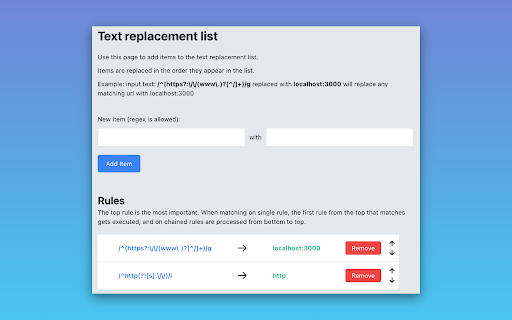
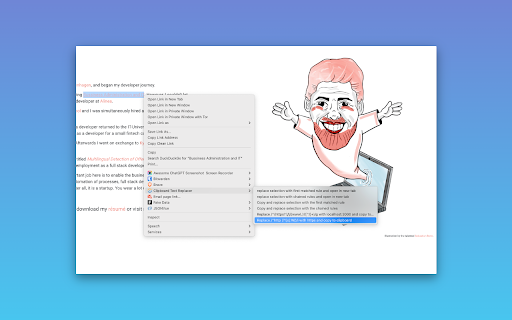
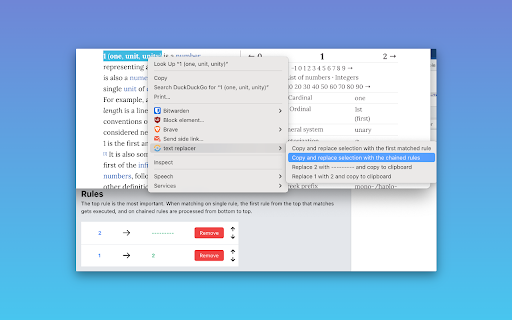
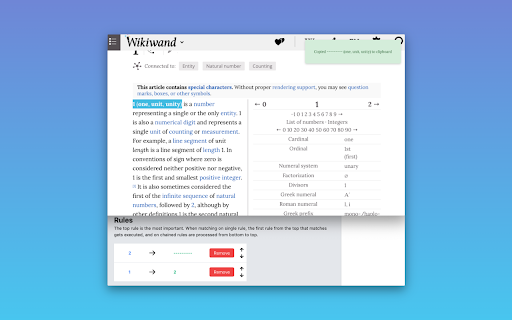
Clipboard Text Replacer is a Chrome extension that lets users set rules for replacing selections and links This is an open source project, that I created because I needed a quick way to replace certain items in selections and links during my development process. My specific use case, was that I needed to click a lot of links in production, but have them point to my local environment. The example in the extension is that we replace this regex with this PS. This is open source and the repo can be found on https://github.com/Voldemorten/clipboard-text-replacer

Clean Number
Clean Number strips non numbers and spaces from text for digit only copy and paste. Clean Number strips non numbers from selected text. Only numbers 0-9 and decimal points (.) are retained all other characters including spaces are removed. It can be used to strip letters, $ , and spaces from text and copies the clean number to the clipboard for pasting into any application requiring numbers only. Click the Clean Number icon in your browser extensions to enable the Clean Number extension add-on. Clean Number action buttons are then displayed at the top right of your browser window. ? for help. In your browser open the web page with the text to clean and highlight the required text. If the source ia a pdf or other application you will need to select the required text, right click and copy. Click the clean button. The clean number will be copied to your clipboard ready for pasting. You can add the Clean Number extension to your browser from your browsers extension add-on page.

Find & Replace for Text Editing
Adds search & replace tool for input fields and editable text content. Find & Replace for Text Editing is an extension that allows you to search and replace text in input areas, directly in your browser. It works for any editable text, and automatically highlights all found occurrences as you type in your search term. Use it for composing long emails, blog articles, or forum posts. Extra Features: * Save to Favorites * History * Text Templates (click to paste into page) * Regular expression info previews * Occurrence highlighting

Search and Replace
Provides custom search & replace for editable elements on a webpage. Discover the power of in-page text editing with Search & Replace – a lightweight Chrome extension designed to help you quickly search for and replace text in editable fields on a webpage. Whether you're a developer, content editor, or just need to tweak text on the fly, this extension can help save time updating content. ------------------------------------------------------------------------------ Instant Activation: Open Search and Replace in the Chrome Side Panel by selecting the Search and Replace extension icon, or open it within a modal using the hotkey combination Alt + Shift + R. Easy-Access Side Panel: Enjoy continuous access using the Chrome Side Panel for searching, previewing, and replacing text on any page with editable content. User-Friendly Modal: Enjoy a floating, draggable in-page modal that lets you search, preview, and replace text with or without the side panel. Flexible Replacement Options: Choose to replace individual matches or all occurrences at once. Contextual Match Display: View a snippet of surrounding text for each match, with the search term highlighted, so you know exactly where your changes will apply. ------------------------------------------------------------------------------ 1. Open the Side Panel: Select the extension icon. 2. Open the Modal: Press Alt + Shift + R or select the "Open Modal" link in the Side Panel. 3. Search for Text: Enter the text you want to search for in the "Search" field. 4. Select the "Next" button to start finding occurrences. 5. The extension displays the context around each occurrence. 6. Replace Text: Use the “Replace” button to change the current occurrence 7. Or select “Replace All” to update every match on the page instantly. 8. Match Case: Enable the “Match Case” toggle switch to make your searches case sensitive. 9. Reset: Use the "Reset" link to quickly reset Search and Replace. ------------------------------------------------------------------------------ PERFECT FOR • Developers & Designers: Quickly test content modifications without editing source code. • Content Editors: Fine-tune text directly on webpages for live previews or temporary adjustments. • Everyday Users: Make on-the-fly changes to remove or update unwanted text. ------------------------------------------------------------------------------ The tool highlights the text element in the page but does not highlight the matching text within the in-page text block. It does show the highlighted text in context in the Current Match viewer. It only allows for the updating of editable text in the page and may not work with some editable fields. ------------------------------------------------------------------------------ Search & Replace operates entirely in your browser and only modifies the text content in your current tab. No data is collected, transmitted or stored outside your device, ensuring your privacy and security remain intact. ------------------------------------------------------------------------------

Text Replace
Replace any texts with new texts & Make webpage editable Feature: 1. Replace Text Anywhere on the Website 2. Make Webpage Editable and Edit Text Directly
