
hmpebijjlbkblhbpmganmelbbcfinamd
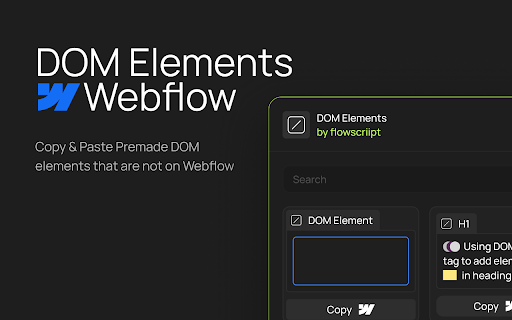
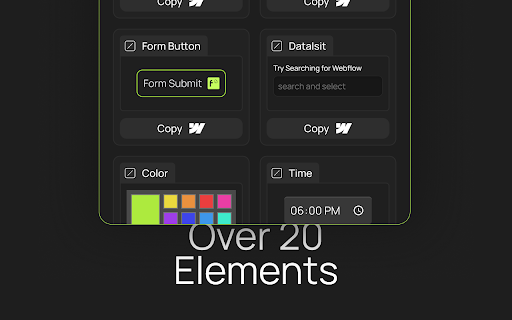
Copy & Paste Premade DOM elements that are not on Webflow Customize & add elements natively in Webflow without using embeds like file, range, table, form button etc.

RiseVerse Library: Prevent class duplication in Webflow
RiseVerse Library, a Chrome Extension to prevent class duplication in Webflow and improve your development workflow. Improve your Webflow workflow with the RiseVerse Library Chrome Extension. Tired of duplicated classes cluttering your Webflow projects? Say goodbye to class duplication with RiseVerseSync! 🚀 Our free, high-performance Chrome Extension prevents class duplication when you copy and paste elements from the RiseVerse Library or between projects. Keep your workflow smooth and focus on what you do best—building remarkable websites. - ⏰ Save time : No more manual cleanup of duplicate classes. - 📂 Stay organized : Maintain consistent class names across all your projects. - ⚡ Boost efficiency : Optimized for best performance without slowing you down. - 😍 Enjoy the process : Focus on what you do the best. - 🆓 Completely free : Enjoy all features at no cost. - Clone Style Guides: Add our Light Mode or Dark Mode Style Guide to your Webflow project. - Install the Extension: Add RiseVerseSync to your Chrome browser. - Activate It: Click the icon in your toolbar to turn it on. - Copy Elements: Copy components from our Component Library or any Webflow projects. - Paste Seamlessly: Paste into another project without creating duplicate classes. At RiseVerse, we empower designers to build remarkable sites. Our mission is to inspire and help designers, developers, and agencies focus on what you do best—building remarkable websites. Simplify your Webflow workflow and keep your projects organized. Try RiseVerseSync Today! ⚠️ Our extension, RiseVerse, was inspired by xSync by Virat. While we initially recommended it for its great functionality, we ran into some internal edge cases that led us to create our own. Huge thanks to Virat for the original work that helped shape this project.

Zest for Webflow
Seamlessly integrates a CSS panel into your Webflow projects ** No more embeds ** Eliminates the need for embed elements and writing CSS inside the of your projects ** Work smarter ** Zest for Webflow recognises your Webflow CSS classes, tags and colour variables as you begin to type them ** Write:advanced (CSS) ** Enables more advanced and !important CSS not currently offered by Webflow's style panel ** Work faster ** Write CSS in real-time directly within Webflow projects; no need to go back and forth to site settings Please note: A getzest.io subscription is required to use this extension.

Utility Toolkit for Webflow
A handy lil extension for Webflow developers. Provides quality-of-life upgrades for building in Webflow. Reorder, rename, and re-icon your workspaces from the dashboard. Collapse and expand CMS panels, giving you more workspace when needed. And, use a dedicated button to close the CMS. Visual indicators in your browser's favicon show the publish status of your project. Remove unnecessary Webflow attributes from your HTML for easier inspection.

Save Webflow CSS to File
Simplify your development flow by pre-select a destination CSS file and save Webflow CSS directly into it. Save Webflow CSS to File is a powerful and user-friendly Chrome extension that streamlines the syncing process between your Webflow project and your local CSS file. Now you can easily keep your your local CSS file up-to-date with Webflow project without the hassle of manual exporting, copying and pasting. Follow the extension developer’s work and journey here: https://build.typogram.co/ Key Features: - Select a destination CSS file: Choose a specific local CSS file to sync your Webflow project's styles with. - One-click CSS sync: With just one click of a button, keep your local files in sync with your Webflow project as you make changes in your design. - Easy-to-use: A simple and intuitive interface makes syncing your Webflow CSS a breeze. Whenever you update your Webflow project, just click the "Save Webflow CSS to File" button in the extension popup to update your local CSS file with the latest changes. Stay organized and save time with Save Webflow CSS to File. This extension is perfect for web designers, developers, and anyone who wants to streamline their workflow when working with Webflow projects.
