
hmpdmpklgehkaogoakociceocfcbkckg

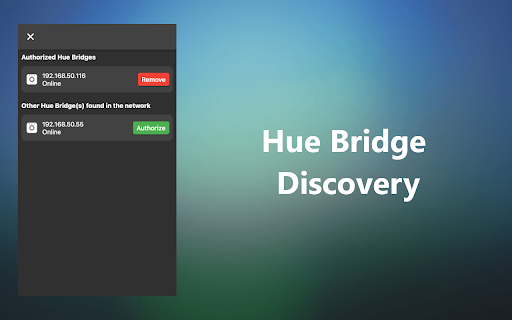
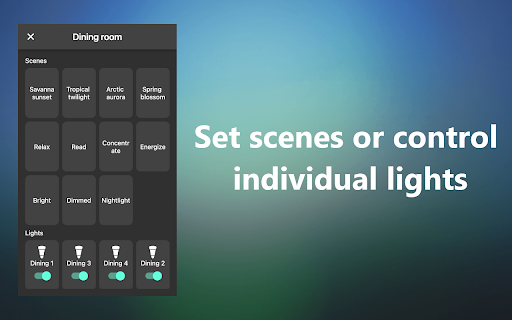
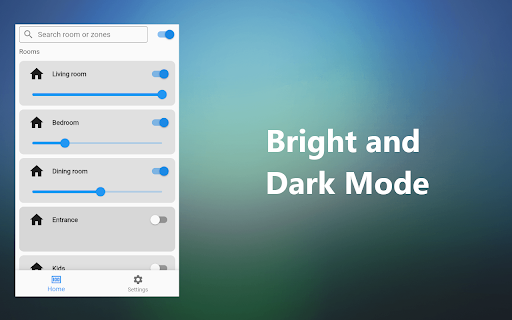
This app requires the Hue Bridge. This app cannot control Bluetooth lights. Functionality: - Control multiple Hue Bridges. - Turn on/off lights in rooms or zones - Change the brightness of the lights by room or zones Version 0.13.1 - Added support for V1 and V2 API's. This fixes the extension that was broken for older bridges. Version 0.13.0 - Added support for Hue Bridge Pro Version 0.10.3 - Allow adding IP addresses with port number - Updated to Flutter 3.24.3 Version 0.10.1 - Now, one room or zone can be automatically opened at startup. Enable it at the bottom of the room details page. Version 0.10.0 - Updated to Flutter 3.19.0 - Added social networks for contact and support Version 0.9.8 - Now, you can add a Hue Bridge by typing the IP address - Fix bug: Now can remove an authorized bridge correctly Version 0.9.7 - Fixes a bug that crashes the app in version 0.9.5 Version 0.5.9 - Bug fix: Now rooms and zones will load correctly. Version 0.5.7 - Added drag handles to allow room and zone re-ordering. Version 0.5.4 - Adjusting brightness now will show the percentage

Remote Control ˣᵃ — Network remote ctl for TV
Remote control Grundig® or Arçelik® Smart-TV devices via LAN TCP/IP network. With this extension you have a virtual remote control for your Smart-TV always ready and just a click of the mouse away.

Quickeys - Home Automation Remote Controller
[Open source] A quick keyboard remote controller for HomeAssistant, Node-RED and Yamaha receivers v1.2: Changed HomeAssistant authentication to the new long-lived token methodology. v1.3: Added support for Shift/Ctrl/Alt modifier keys (so you can now have Shift-A launching a script and Ctrl-Shift-Up turning on the volume) Use your keyboard to easily and quickly control the Node-Red and HomeAssistant home automation platforms and network-enabled Yamaha receivers. With Quickeys you can define key combinations to power up your receiver, change the volume or launch your personal HomeAssistant scripts. Create HTTP requests to access custom-made Node-Red events, and have them accessible through an integral Chrome popup! Permissions: the extensions asks for access to all websites because I cannot know in advance what is the address of your Yamaha receiver or Homeassistant installation. The extension NEVER connects to the external internet.

Chroma Eye Ease - Web Color Filters to Reduce Eye Strain
Intelligently adjust web colors and filter harsh light, creating a comfortable and safe digital viewing experience for your eyes. Hello! I'm pleased to introduce you to "Chroma Eye Ease," a browser extension designed to enhance your web browsing experience. Chroma Eye Ease is a web color filter specifically created to reduce eye strain. Its primary function is to intelligently adjust web colors and filter harsh light, creating a comfortable and safe digital viewing experience for users. Here are some key reasons why users should consider installing this extension: 1.Eye Health Protection: Prolonged screen time can lead to eye fatigue and discomfort. This extension helps alleviate eye strain by adjusting colors and brightness. 2.Personalized Settings: Users can adjust various parameters such as brightness, contrast, and saturation according to their preferences and needs. 3.Preset Filters: The extension offers a variety of preset color filters, allowing users to quickly select effects that suit them best. 5.Automatic Saving: User preferences are automatically saved and applied the next time the same webpage is opened. 6. User-Friendly Interface: The intuitive design makes it easy to use for users of all ages. In essence, this extension aims to provide users with a more comfortable web browsing experience. It's particularly beneficial for those who spend long hours in front of a computer screen. Whether for work, study, or entertainment, Chroma Eye Ease can help users reduce eye fatigue and protect their visual health. By installing Chroma Eye Ease, users can enjoy a more eye-friendly digital environment, potentially improving their productivity and overall well-being during extended computer use. 1. Instant Activation: After installation, the extension is ready to use immediately without the need to refresh your browser or web pages. 2. One-Click Access: Simply click on the Chroma Eye Ease icon in your browser toolbar to open the control panel and start using the extension. 3. Preset Filters: Choose from a variety of pre-configured color filters to instantly adjust the appearance of web pages. 4. Custom Color Adjustments: Fine-tune your viewing experience by modifying various color parameters such as brightness, contrast, saturation, and more. 5. Real-Time Application: All changes are applied instantly to the current web page, allowing you to see the effects immediately. 6. Automatic Saving: Your preferred settings are saved automatically and applied to specific websites on future visits. 7. Universal Compatibility: Works across all web pages, providing a consistent viewing experience throughout your browsing session. 8. User-Friendly Interface: Intuitive controls make it easy for users of all technical levels to adjust their viewing preferences.

HomeAssistant Panel
The chrome side panel for HomeAssistant Persistent side-panel in chrome. Keep your HomeAssistant dashboard visible while you continue browsing. Point to any dashboard or create one in HomeAssisstant just for this extension. Fully customisable. At first, the extension uses the default URL: http://homeassistant.local:8123 to connect to your instance. If this fails then you will be shown the config screen to set your URL. URL can be configured anytime by accessing the extension options. Note: You must set use_x_frame_options to false in your HomeAssistant's configuration.yaml
