
jkgegggbdflhahedhddbjgmmekfefbpi
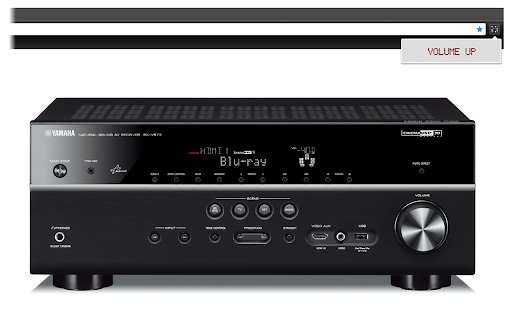


[Open source] A quick keyboard remote controller for HomeAssistant, Node-RED and Yamaha receivers v1.2: Changed HomeAssistant authentication to the new long-lived token methodology. v1.3: Added support for Shift/Ctrl/Alt modifier keys (so you can now have Shift-A launching a script and Ctrl-Shift-Up turning on the volume) Use your keyboard to easily and quickly control the Node-Red and HomeAssistant home automation platforms and network-enabled Yamaha receivers. With Quickeys you can define key combinations to power up your receiver, change the volume or launch your personal HomeAssistant scripts. Create HTTP requests to access custom-made Node-Red events, and have them accessible through an integral Chrome popup! Permissions: the extensions asks for access to all websites because I cannot know in advance what is the address of your Yamaha receiver or Homeassistant installation. The extension NEVER connects to the external internet.

Enhanced Plex
Adds several features to the Plex/Web client for Plex This extension provides the following to the Plex for Web interface: Adds link to view the TheMovieDB page for movies Adds link to view the TVDB page for tv shows Adds link to view the Trakt.tv page for movies and tv shows Adds link to view the IMDB page for movies and tv shows Adds a missing seasons and episodes view Adds a server statistics page Adds a bunch of information on TV/Movie pages (E.g. Status, Runtime, Homepage, Trailer Link, etc.) Can also connect to a Sonarr/Radarr installation (Requires a fully configured Sonarr/Radarr server) Note: Requires access to a fully configured Plex Server, and a Plex Account

Hue Tab
A customizable HSL color picker on every new tab page Hue Tab is a Chrome extension that displays a HSL color picker on every new tab page. HSL (Hue, Saturation, and Lightness) is an intuitive color model, an alternative to RGB. This extension displays a bright and customizable color picker on every new tab page, including incognito mode. The code is open source at https://github.com/TwoTau/Hue-Tab

HomeAssistant Panel
The chrome side panel for HomeAssistant Persistent side-panel in chrome. Keep your HomeAssistant dashboard visible while you continue browsing. Point to any dashboard or create one in HomeAssisstant just for this extension. Fully customisable. At first, the extension uses the default URL: http://homeassistant.local:8123 to connect to your instance. If this fails then you will be shown the config screen to set your URL. URL can be configured anytime by accessing the extension options. Note: You must set use_x_frame_options to false in your HomeAssistant's configuration.yaml

AutoRemote
Send and receive messages to and from your Android Device through AutoRemote With the AutoRemote extension you can setup Commands that will enable you to send AutoRemote messages based on your current selection in Chrome. You can also receive messages from anywhere, so you can open pages remotely from your phone, for example, or receive your phone's notifications on your PC. You can also redirect messages to the EventGhost plugin for total automation. More info on EventGhost here: http://joaoapps.com/autoremote/eventghost/ For example, you can setup a Command that will create a "call" command. This way, when you select a phone number on any webpage, just send it with the call command to your phone, and a "call=:=NR_HERE" command will be sent. In Tasker, setup an AutoRemote profile with a "call=:=" message filter and with a direct call task where you use the "%arcomm" variable as a phone number Quickstart guide: - Start by adding your Android devices at the top - Add any commandyou want at the bottom. Rules will be setup one by one for the devices you choose. - If you check the "Don't send right-click selection with this command" checkbox, the selection you choose on a page when you right-click it, won't be sent with the message. - You can also use keyboard shortcuts Ctrl+Shift+1 to Ctrl+Shift+4 to quickly use the commands you have defined.
