
hldllnfgjbablcfcdcjldbbfopmohnda

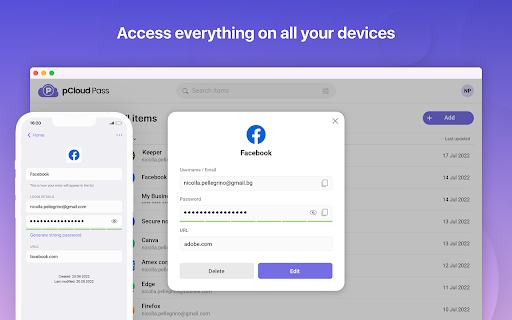
Easily log in to websites, autofill online forms and use suggested passwords without leaving your browser. pCloud Pass is the secure password manager for your passwords and personal data. The extension will make it easy to keep important information safe and secure without interrupting your browsing experience. ✔ Automatically save your passwords, usernames and your credit card details as you browse ✔ Autofill passwords and easily log in to the websites you use every day ✔ Instantly fill payment forms with your credit card details ✔ Generate strong & unique passwords ✔ Store unlimited passwords, credit card details or encrypted notes ✔ Access your passwords and personal data across all your devices, anywhere you go pCloud Pass was built with your privacy in mind. With our zero-knowledge privacy approach, the data you save is encrypted and only you can decrypt it with your Master Password. We do not have access to your data and we do not use, share or sell it to anyone. pCloud Pass uses client-side encryption to secure your data. Everything you save gets encrypted on your device, before it's uploaded to our servers. We use 256 AES encryption, PBKDF2 key strengthening and more to ensure your passwords and personal data are protected from all kinds of attacks. Over 16 million people worldwide have chosen pCloud as their service provider. Never remember a password again! Let pCloud Pass become your go-to password manager.

UpNote Web Clipper
UpNote Web Clipper lets you quickly save all or part of a web page to UpNote app. UpNote is a clean and beautiful app for writing and organizing notes. It's easy to use with rich features and delightful experience. You can download UpNote for free on Mac, iOS, Windows and Android device. 2. Enable UpNote Web Clipper from the Chrome Browser. 3. Whenever you want to save a web page, simply click on the UpNote Web Clipper icon from the browser toolbar and open UpNote app. The web page will be saved automatically to your note. 4. If you want to save a part of the web page instead of the full web page, simply select the part you need, then click the UpNote Web Clipper icon to save into UpNote app. UpNote Web Clipper helps you quickly capture and organize all the articles, research and inspiration, and sync to all devices so you can access anytime, anywhere. Best of all, the web clipper automatically remove ads, navigation and noise so that you could focus on the content.

Joplin Web Clipper
Capture and save web pages and screenshots from your browser to Joplin. This is a web clipper that allows you to save web pages to Joplin and take screenshots while you're browsing the internet. You can either save complete web pages or simplified versions of it. You will need the Joplin desktop application to use this extension.

Save to Koofr
Save to Koofr extension allows you to easily save content from the web directly to your Koofr account with a single click. Save to Koofr extension allows you to easily save content from the web while browsing directly to your Koofr account with a single click. Koofr is a safe, EU based cloud storage with up to 10 GB free storage space. It offers an option to connect multiple cloud accounts (Dropbox, Google Drive, OneDrive) and lets you organize all your files in one place. With it, you can access your data anytime, anywhere and on any device - be it a computer, a phone or a tablet. Koofr features: - On mobile or desktop, with any modern browser, through WebDAV or Rclone. Koofr works where you are. - Collaborate easily. Upload your files of unlimited size and share them with anyone. - Organize your life with ease. Connect your existing cloud storage accounts and utilize the unified search engine. - Automatically upload all your media files from mobile devices and access them in one place. - Synchronise files from your computers on Windows, macOS or Linux. - Protect your account with two-step verification for added security. - Effortlessly send and receive files and folders of unlimited size from anyone with sharing links. - Save anything from the web with a single click using Save to Koofr. - Simply transfer a copy of your Facebook media to your account. - Create, view and edit your documents with Office for the web. - Easily restore the accidentally deleted files and folders. - Never again worry about the privacy and security of your files. Go to https://app.koofr.net/signup and create a free account.

Twake Pass
Store and sync all your passwords with your Twake. Twake supports you in all your Internet needs: You can FINALLY forget your passwords and credit card numbers! Twake is THE password manager for you: - auto-fill logins and passwords - fill forms for you and your loved ones - automatic synchronization between mobile and browser - check compromised passwords for greater security - secure sharing with friends and family - strong password and passphrase generator - TOTP - web access from anywhere - import/export... It's your very own cloud, your online home: - automate the retrieval of all your data (invoices, bank statements, taxes, health reimbursements, receipts and other certificates...). Not only passwords, but your entire digital life! - access your data at any time (Android, iOS, PC, Mac, Linux), and use a collaborative OnlyOffice office suite to prepare your most complex letters, spreadsheets and presentations. - automatically back up your mobile photos -> Twake lets you bring together ALL your digital assets for easy sharing with friends and family. REVOLUTIONIZING THE CLOUD? Today, Twake has a strong objective: to offer a solid, effective alternative to the Big Tech: a cloud that truly respects your privacy. Our service enables everyone to regain control of their data and make the most of it, without ever having to give up on your values. Twake is not just a cloud service, but a completely rethought approach to the privacy of your personal data online; a paradigm shift. Don't let the big platforms exploit and resell your data! SECURITY AND TRUST Let's face it: your passwords and logins are encrypted on the client side, directly in your browser, so they're sent encrypted to our servers, making it impossible for Twake to decrypt them. Last but not least, our encryption and password management code is strongly shared with Bitwarden's, allowing us to benefit from a larger community that ensures the code's security. Contacts and documents are secured by the usual security protocols (https, physically isolated user data, etc.) and protective measures on our servers, ensuring data confidentiality and integrity. But we don't expect you to take our word for it. Beyond these technical measures, our code is open source. Developed and hosted in France, Twake puts confidentiality at the heart of its raison d'être: not only is the code auditable by all, but we also allow you to move your Twake to your own infrastructure if you wish. It's because you can leave us that you'll stay! To find out more: https://help.cozy.io/108-i-want-to-self-host-my-cozy-how-would-i-go-about-that/
