
hjngolefdpdnooamgdldlkjgmdcmcjnc
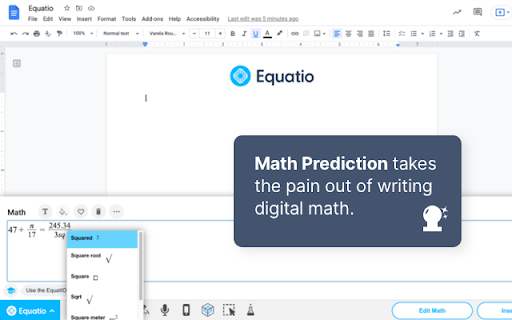
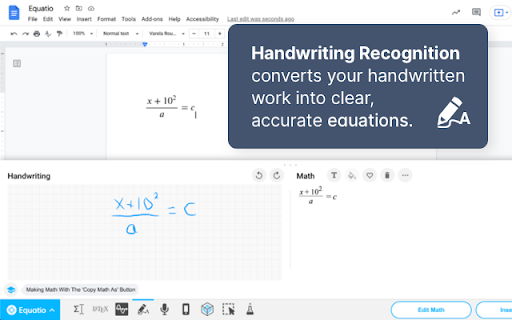

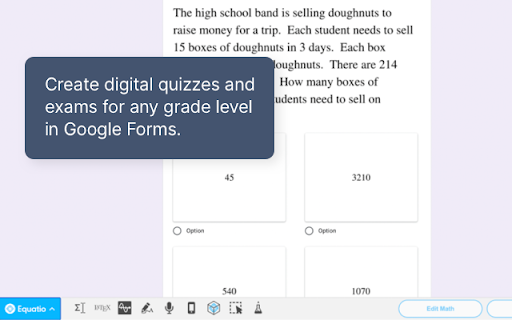
Easily create mathematical equations, formulas and quizzes. Intuitively type or handwrite, with no tricky math code to learn. Until now, writing equations and math expressions on your computer has been slow and laborious. Equatio makes math digital, helping teachers and students at all levels create math expressions quickly and easily. Type or handwrite virtually any mathematical expression directly on your keyboard or touchscreen. There’s no need for any complicated code or programming languages. Equatio instantly turns your thoughts into clear, accurate on-screen formulas. When you type ‘sq’, it knows that you mean ‘square root’. And it listens, too. When you dictate a formula aloud, Equatio is smart enough to ignore ‘umms’, ‘errs’ and other unwanted non-math words. More than a replacement for pen and paper, Equatio makes math and other STEM subjects engaging and rewarding for every student. Features: - Easily create math expressions including equations and formulas - Compatible with Google Docs, Forms*, Slides*, Sheets* & Drawings* - Input via keyboard, handwriting recognition* (via touchscreen or touchpad) and voice dictation - Guesses what you’re typing or writing - like predictive text on your smartphone* - Hear your math expressions read out loud - Compatible with LaTeX input for advanced users - Create interactive digital math quizzes* - Input student responses directly into digital quizzes* - Chemistry formula prediction* Try Equatio free for 30 days, with unlimited access to all features. After this time Premium features* require a licensing subscription. Get more information on Equatio features, licensing and pricing at: https://www.texthelp.com/en-us/products/equatio/

Math Equations Anywhere
Add equations to your math page --Features Support * Support for Latex,MathML, AsciiMath * should work on most websites * Colored Equations * Multiple Sizes * Downloadable Images Type your math equation into the left text box and a preview of the image will be created on the right. When you are done it, click the "copy image" button and it will load the image into your clipboard. Then you can past the images with the command "Ctrl + V" or by right clicking and pasting. On website that support you can just drag the image into the webpage. message me with error or features at bafeaturerequest@gmail.com Code - https://github.com/brendena/MathEquations-ExtensionV2

Read&Write for Google Chrome™
Boost reading and writing confidence across all types of content and devices, in class, at work, and at home. Wonderfully intuitive and easy-to-use, Read&Write for Google Chrome™ provides personalized support to make documents, web pages and common file types in Google Drive (including: Google Docs, PDF & ePub) more accessible. It’s designed to help everyone engage with digital content in a way that suits his/her abilities and learning styles. Read&Write offers a range of powerful support tools to help you gain confidence with reading, writing, studying and research, including: • Text-to-speech to hear words, passages, or whole documents read aloud with easy-to-follow dual color highlighting • Text and picture dictionaries to see the meaning of words explained • With speech-to-text, dictate words to assist with writing, proofreading & studying • Word prediction offers suggestions for the current or next word as you type • Collect highlights from text in documents or the web for summarizing and research • Create and listen to voice notes directly inside of Google Docs • Simplify and summarize text on web pages to remove ads and other copy that can be distracting Install Read&Write for Google Chrome to access ALL of these features FREE for 30 days! Teachers can get a FREE premium subscription to Read&Write for Google Chrome. To register and activate your subscription, go to texthelp.com/en-gb/products/read-write/free-for-teachers/ after installing the Read&Write for Google Chrome trial. Get more information on Read&Write for Google Chrome™ features, licensing, and pricing at texthelp.com/en-gb/products/read-write/premium-features/

edpuzzle
Import your favorite educational YouTube video into Edpuzzle with a click! The extension lets you make any YouTube video interactive, by embedding questions (either manually or instantly with Teacher Assist AI), and safe, with no ads, no tracking, and no recommended videos. The extension also includes an amazing screen recording tool so you can create your own educational videos! Record your screen and take your students through a presentation they can watch at their own pace, walk them through a math problem using the interactive whiteboard complete with drawing tools, or use the camera to record a science experiment or any other creative classroom ideas you dream up.

Latex Math Equations for Google Chrome™
You can edit and then save it as an image to Google Drive. Do you need to finish up some math equations/online math homework on your computer? Are you struggling to write out the correct mathematical symbols on your computer for your math homework? Try using our software Latex Math Equations for Google Chrome™ today. You can write out complex mathematical equations in a user-friendly manner once you have installed Latex Math Equations for Google Chrome™. The main purpose of this software is to allow complex latex math equations to be typed out on the computer and allow students worldwide to finish their digital maths homework. Disclaimer: Please note this extension is NOT made by Google and is made by an independent development team. All copyrights belong to their respective owners. Google doesn’t endorse or sponsor this Chrome extension. Latex Math Equations for Google Chrome™ is not owned by, is not licensed by and is not a subsidiary of Google Inc.
