
hjhlhpjlfajmkhfangbnooadmnmdpgbi

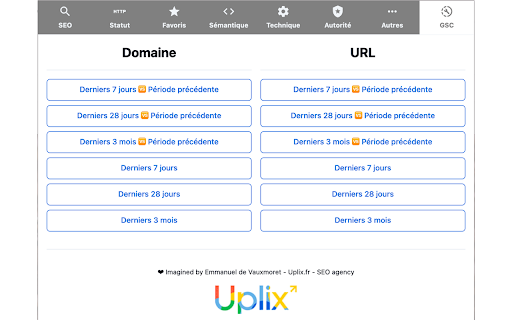
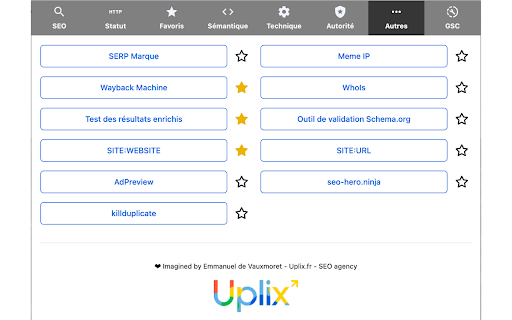
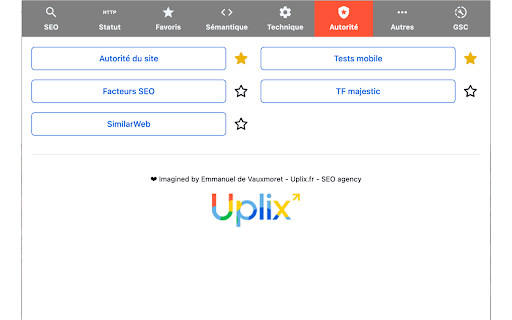

Une extension qui regroupe tous les outils SEO essentiels ! C'est une extension SEO Google Chrome qui simplifie et optimise les tâches d'analyse SEO en rassemblant les outils SEO les plus utiles en un seul endroit. Idéale pour les consultant du SEO, les marketeurs numériques, et toute personne souhaitant optimiser la performance de son site web. Fonctionnalités principales de l'extension : 🔸 Menu déroulant d'outils SEO : Une fois l'extension installée, un simple clic sur l'icône de l'extension dans la barre d'outils ouvre un menu déroulant. Ce menu contient des liens vers une variété d'outils SEO, y compris SEMRush, SEObserver, SISTRIX, Ahrefs et bien d'autres. 🔸 Ouverture rapide de nouveaux onglets : Lorsque vous sélectionnez un outil à partir du menu, l'extension ouvre un nouvel onglet dans votre navigateur avec le site web correspondant. Cela facilite la navigation entre différents outils et permet de gagner du temps en évitant de rechercher manuellement chaque outil. 💫 Cette extension rassemble les outils SEO les plus utiles en un seul endroit, simplifiant ainsi vos tâches d'analyse et d'optimisation SEO. 🙏 Cette extension est un véritable allié pour les consultants SEO, les marketeurs numériques et toute personne souhaitant améliorer la performance de son site web. 😇 Nous sommes hyper fiers de vous partager une extension utilisée au quotidien par nos consultants SEO. L'extension SEO Uplix↗ est un outil précieux pour toute personne travaillant le SEO. Elle permet d'économiser du temps, d'améliorer l'efficacité et d'accéder rapidement à un large éventail d'outils SEO sans quitter votre navigateur. Ne manquez pas l'opportunité d'explorer les fonctionnalités de l'extension Chrome Uplix Audit SEO Tools et de booster votre stratégie SEO dès aujourd'hui ! 🚀

Ahrefs SEO Toolbar
Save hours with a complete toolkit in one SEO extension. Insights for on-page, keyword research, and link analysis on any webpage. Ahrefs toolbar is free and gives you detailed SEO insights without leaving your browser. 🌍 Global SEO research (No VPN needed) Switch regions, Google domains, languages, and get new keyword ideas directly in search results. 📃 On-page SEO data in 1 click Check titles, meta descriptions, headers, and technical SEO factors like canonical tags and indexation directives in one click. 🔗 Link analysis made easy Highlight links on the page, trace redirects, filter outgoing links, spot broken links, and export all the data to CSV. 🛠 Detailed SEO research tools Save URLs from open tabs or a SERP, switch user agents to see pages like Googlebot, read HTTP headers, and get performance data for page speed insights. ✨ Paid Ahrefs users unlock Ahrefs metrics: See domain and page-level metrics like keyword counts, traffic estimates, referring domains, and more - directly on every site or result. 📌 Note: Ahrefs subscription is required for access to Ahrefs metrics. The core tools of this SEO extension remain completely free.

SEO Review Tools for Chrome!
This extension will help you to analyze an URL using SEO Review Tools SEO Review Tools for Chrome is a free extension which allows you to quickly check the URL your visiting with one of my 68 free SEO Tools. And in addition I’ve added my 6 favorite Google Tools. An overview of all the tools you can access using this Chrome extension: - AI Brand Visibility Tool - ChatGPT Visibility Tool - Perplexity Visibility Tool - Backlink Checker - Fresh Backlink checker - Broken link checker - Rank Checker - Domain rank tracker - Link Building Tool - Bulk Domain Rating checker - SEO Competitor Research - Full SEO Scan - Website Authority Checker - Domain Authority & Page Authority Checker - Paid Search Competitor Checker ★ SEO Content Tools - AI Content Optimization tool - Content coverage checker - SEO Content Editor - AI Writer - Content Re-writer - Content Brief Generator - Headline Generator - Content Outline Generator - Keyword Cluster Tool - FAQ Schema Generator - Keyword Research Tool - Keyword Difficulty Checker - SEO Content Score Checker - Keyword Sourcer [NEW] - eBay Keyword Tool - Featured Snippet Tool - Trending topics - Free Keyword Search Volume Checker - Keyword Density Checker - SEO Keyword suggestion Tool - Duplicate content checker - Readability Checker - Keyword Extractor - Bulk Web page Word Count checker - Bulk Title tag checker - Title Tag generator [NEW] - Bulk meta description checker - Meta Description Generator [NEW] - HTML Headings Checker - Website SEO Checker - Page Experience Checker - Core Web Vitals Test - PWA Testing Tool - Website Security Checker - Google PageSpeed checker - AMP Checker / Testing tool - Internal Link Analyzer - SEO Redirect checker - Canonical URL / Location Checker - Paid Search Competitor Checker - Domain Age Checker - Email Finder - Website Accessibility Checker [NEW] - Social page authority checker - Bulk Pinterest Pins checker - Facebook Comments box count checker - Bulk Facebook share count checker

SEOwallet - SEO Extension
SEOwallet is an SEO extension by SEODebate. Download our Chrome SEO extension with 250+ features for SEO-related tasks. SEOWallet is the ultimate free SEO extension for Chrome. We've designed this SEO extension to include every tool you need for your daily SEO tasks. We're always working to improve and add more features. Right now, our SEO extension offers the following features: 📌 Overview ---> Quickly view essential page info for optimization with the overview feature. The overview covers the following: 1️⃣ Check Page URL 2️⃣ Check Title Tag Issues 3️⃣ Check Meta Description Issues 4️⃣ Check Canonical Issues 5️⃣ Check Indexability Issues 6️⃣ Check Page Word Count 7️⃣ Check Web Vitals 8️⃣ Check Hreflang Issues 📌 Image Optimization ---> Identify and fix image size issues, missing alt tags, and broken images for better optimization. Image Optimization covers the following: 1️⃣ Check Broken Images 2️⃣ Check Image Sizes 3️⃣ Check Missing ALT Tags 4️⃣ Check Missing Titles 5️⃣ Highlight Image Issues on the Front End 6️⃣ Export the Reported Issues 7️⃣ Check Lazy Loaded Image Issues 📌 Instant Position Checker ---> Check keyword rankings instantly and track improvements or declines with the Instant Position Checker. Instant Position Checker covers the following: 1️⃣ Check Keyword Rankings 2️⃣ Set Local Settings 3️⃣ 100% Accurate Ranking 4️⃣ Export Reports 5️⃣ Totally Automated 6️⃣ Captcha & Server Error Detector 7️⃣ Other Extension SERP Manipulation Detector 8️⃣ Improve & Decline Keyword Quick Report 9️⃣ Create Unlimited Projects 🔟 Check Unlimited Keywords 📌 Search Intent Finder ---> Use Search Intent Finder to view H1, meta tags, schema, and much more for each Google search result, helping you craft content that Google loves. Search Intent Finder covers the following: 1️⃣ Page URLs on the SERP 2️⃣ Original Meta Titles on the SERP 3️⃣ Original Meta Description on the SERP 4️⃣ JSON-LD Code on the SERP 5️⃣ Headings on the SERP Note: V2 of the Search Intent Finder in our chrome SEO extension is coming soon, with even more features will be added soon. 📌 Page Pro Analyzer ---> Identify technical and on-page SEO issues with the Page Pro Analyzer for optimal site performance, covering more than 60 SEO factors. Page Pro Analyzer covers the following: 1️⃣ Check Multiple Title Tags 2️⃣ Check Multiple Description Tags 3️⃣ Check Multiple H1 Heading Tags 4️⃣ Check for Missing or Empty Title 5️⃣ Check for Missing or Empty Description 6️⃣ Find Broken Images 7️⃣ Find Missing Internal Links 8️⃣ Check Hreflang: Missing Self-Reference 9️⃣ Check Hreflang: Relative Links 🔟 Check Hreflang: Duplicate Language Codes 1️⃣1️⃣ Check Hreflang: Missing Alternate URLs 1️⃣2️⃣ Check Hreflang: Duplicate Alternate URLs 1️⃣3️⃣ Check Hreflang: Missing x-default 1️⃣4️⃣ Check for Missing or Empty H1 1️⃣5️⃣ Ensure Minimum Content Size 1️⃣6️⃣ Find Images Without Alt Attributes 1️⃣7️⃣ Check Max Image Size 1️⃣8️⃣ Identify HTTPS → HTTP Hyperlinks 1️⃣9️⃣ Check for Same Title and Description 2️⃣0️⃣ Check Blocked by Robots.txt 2️⃣1️⃣ Check Blocked by Meta Robots 2️⃣2️⃣ Check Blocked by X-Robots-Tag 2️⃣3️⃣ Check URLs with Wrong Hyphenation 2️⃣4️⃣ Check for Same Title and H1 2️⃣5️⃣ Check for Short Title 2️⃣6️⃣ Check Max Title Length 2️⃣7️⃣ Check for Short Description 2️⃣8️⃣ Check Max Description Length 2️⃣9️⃣ Check Max H1 Length 3️⃣0️⃣ Check for Missing Canonical Tags 3️⃣1️⃣ Check Multiple Canonical Tags 3️⃣2️⃣ Check Parameter URLs not Canonicalized 3️⃣3️⃣ Check Outside Hreflang 3️⃣4️⃣ Identify Unmatched Rendered Title Tag 3️⃣5️⃣ Identify Unmatched Rendered Description Tag 3️⃣6️⃣ Identify Unmatched Rendered H1 Headings 3️⃣7️⃣ Identify Unmatched Rendered Canonical Tag 3️⃣8️⃣ Check Heading Hierarchy Issues 3️⃣9️⃣ Identify Unmatched Rendered Robots Meta Tags 4️⃣0️⃣ Check Meta Description Outside 4️⃣1️⃣ Check Meta Title Outside 4️⃣2️⃣ Check for Missing Keyword in Title Tag 4️⃣3️⃣ Check for Missing Keyword in Meta Description 4️⃣4️⃣ Check for Missing Keyword in H1 Tag 4️⃣5️⃣ Check Keyword Density Threshold (0.8% or Higher) 4️⃣6️⃣ Check for Missing Keyword in Alt Attributes of Images 4️⃣7️⃣ Check for Missing OG Title 4️⃣8️⃣ Check for Missing OG Description 4️⃣9️⃣ Check for Missing OG Image 5️⃣0️⃣ Check for Missing OG URL 5️⃣1️⃣ Check for Missing Twitter Card Type 5️⃣2️⃣ Check for Missing Twitter Card Title 5️⃣3️⃣ Check for Missing Twitter Card Description 5️⃣4️⃣ Check for Missing Twitter Card Image 5️⃣5️⃣ Check Relative Canonical Links 5️⃣6️⃣ Check HTTPS Implementation and SSL Certificate Note: 8 factors have been removed from the SEO extension due to a major bug and will be added back in the upcoming build. We want to ensure that everything currently included in the SEO extension works correctly. 📌 Link Checker ---> Check broken links, URL status codes, and follow/nofollow links with Link Checker. Link Checker covers the following: 📌 Heading Optimization ---> Check and optimize the heading hierarchy to fix any issues and improve your page's structure. Heading Optimization covers the following: 📌 IndexAPI Connector ---> Send URLs to Google's Index API, IndexNow, Microsoft Bing, Naver, Seznam.cz, Yandex, and Yep for faster page indexing. IndexAPI Connector covers the following: 1️⃣ Send URLs for Crawl to Google 2️⃣ Send URLs for Crawl to IndexNow and Other Supported Engines 3️⃣ Send URLs to Bing 4️⃣ Send URLs for Removal to Google 5️⃣ Send URLs to Google to Get Status 📌 Rank Comparison ---> Analyze your keyword rankings alongside your competitors' to identify where they are performing better and pinpoint areas for improvement. This feature provides a clear and actionable picture of your competitive landscape, helping you improve your SEO strategy effectively. Rank Comparison covers the following: 1️⃣ Check Competitors' Rankings 2️⃣ Set Local Settings 3️⃣ 100% Accurate Ranking 4️⃣ Export Reports 5️⃣ Totally Automated 6️⃣ Captcha & Server Error Detector 7️⃣ Other Extension SERP Manipulation Detector 8️⃣ Find Keyword Gaps 9️⃣ Create Unlimited Projects 🔟 Check Unlimited Keywords 📌 URL Toolkit ---> Use the URL Toolkit to copy, open, clean, trim URLs, and analyze redirect chains efficiently. URL Toolkit covers the following: 1️⃣ Grab Current Tab with URL Grabber 2️⃣ Grab All Tab URLs with URL Grabber 3️⃣ Grab All Hyperlinks with URL Grabber 4️⃣ Move URLs Easily Between the URL Toolkit 5️⃣ Remove Duplicate URLs 6️⃣ Open URLs Using URL Opener 7️⃣ Open in Random Order Using URL Opener 8️⃣ Open in Reverse Order Using URL Opener 9️⃣ Remove Entries Which Are Not URLs Using URL Cleaner 🔟 Remove URLs Containing Specific Text Using URL Cleaner 1️⃣1️⃣ Remove URLs Not Containing Specific Text Using URL Cleaner 1️⃣2️⃣ Remove URLs with More Than XXX Characters Using URL Cleaner 1️⃣3️⃣ Remove URLs with Less Than XXX Characters Using URL Cleaner 1️⃣4️⃣ Remove Subdomain from URLs Using URL Cleaner 1️⃣5️⃣ Remove URLs with Extensions Using URL Cleaner 1️⃣6️⃣ Remove Everything Before Specific Text Using URL Cleaner 1️⃣7️⃣ Remove Everything After Specific Text Using URL Cleaner 1️⃣8️⃣ Remove URLs with a Subdomain Using URL Cleaner 1️⃣9️⃣ Trim URLs to Root Using URL Cleaner 2️⃣0️⃣ Trim URLs to Domain Level Using URL Cleaner 2️⃣1️⃣ Find URL Redirect Chains 📌 Structured Data ---> Easily view and validate all JSON-LD code on the page with the Structured Data feature. Structured Data covers the following: 📌 Social Markup ---> View and manage Open Graph and Twitter card meta tags for enhanced social media sharing with Social Markup. Social Markup covers the following: 📌 Domain Inspector ---> Quickly take domain-level actions and access stats like Whois, DNS info, and other key domain details with Domain Inspector. Domain Inspector covers the following: 📌 Redirects Manager ---> Check the redirect status of URLs to ensure effective site migration or URL changes with Redirects Manager and use redirection creation tools to fast-pace the redirect setup. Redirects Manager covers the following: 📌 SERP Analysis ---> Check indexed URLs on Google to ensure your content is easily findable by users and search engines with SERP Analysis. SERP Analysis covers the following: 📌 AI Assistant ---> Use AI Assistant to create meta tags, find content guidelines, keyword insights, and search intent, helping you prepare detailed content strategies. AI Assistant covers the following: 1️⃣ Automated Meta Tag Generation 2️⃣ Keyword Research and Suggestions 3️⃣ Content Idea Generation 4️⃣ SERP-Based SEO Recommendations 5️⃣ Content Gap Analysis 6️⃣ SERP Analysis and Suggestions 7️⃣ AI-Powered Writing Assistant 8️⃣ Topic Clustering 9️⃣ Competitor Content Analysis 🔟 Automated Content Summarization Note: The AI Assistant features in our SEO extension are currently not live as we have changed our model from API-based to scraping. We will keep both versions available: users who prefer to use a paid API can do so, and those who want to use Claude or ChatGPT will need to log in. SEOWallet, our SEO extension, will handle the rest, ensuring the job is done for free. These changes require a complete restructuring of the code, so the features have been temporarily removed. We expect to release these features to the public again by December. 📌 Character & Word Counter ---> Effortlessly find character and word counts on any page by simply selecting the text. Character & Word Counter covers the following: 📌 SERP Counter ---> Easily find your website rankings with SERP Counter, displaying numbers beside each blue link in search results. SERP Counter covers the following: 📌 View Rendered Source ---> Easily compare rendered and non-rendered HTML to spot hidden issues and ensure search engines find all your content with View Rendered Source. View Rendered Source covers the following: 1️⃣ Check Raw HTML 2️⃣ Check Rendered HTML 3️⃣ Identify Differences Between Raw & Rendered HTML 4️⃣ Beautify Code for Better Understanding 5️⃣ Check Raw Text 6️⃣ Check Rendered Text 7️⃣ Identify Differences Between Raw & Rendered Text 📌 Local Search Simulator ---> Simulate search results from different countries to see local rankings as they appear to users in those regions. Customize parameters to view search results from specific locations, languages, and domains. Local Search Simulator covers the following: 1️⃣ Set Domain for Localization 2️⃣ Set Location for Localization 3️⃣ Set Language for Localization 4️⃣ Apply Language Restriction on Results 5️⃣ Apply Country Restriction on Results ✨ And Much More! SEOWallet is packed with additional features to save time and get your SEO tasks done quickly and efficiently. Install SEOWallet today to supercharge your SEO efforts and let our SEO extension help you achieve better rankings effortlessly!

Mizfa Tools SEO Extension
Mezfa Tools SEO Extension is an all-in-one Chrome extension for professional SEO specialists. Mizfa Tools SEO Extension is a free Persian add-on for comprehensive SEO analysis of web pages. The free Mizfa Tools extension is the most complete SEO extension that allows you to replace multiple add-ons with just one — the Persian SEO Mizfa Tools extension — to meet all your SEO needs. ★ Some key features of the SEO extension: - Check URLs’ status codes and indexability - Highlight internal, external, and nofollow links - SERP counter in Google results - Display keyword density per page - Export data functionality - And dozens of other useful features - On-page SEO tab ★ Overview section - Display title and meta description tags with character counts - Alerts for long titles or descriptions - Check URL status and page indexability - Detect canonical tag and warn if incorrect - Analyze robots tag and warn on “noindex” or “nofollow” - Check robots.txt and warn if it blocks page indexing - Display keyword tag, word count per page, publisher, and site language - Show number of headings, images, and links ★ Word Density section - Show total words, sentences, and estimated reading time per page - Filter by word count (1-word, 2-word, 3-word, etc.) - Search, filter, and export data - Display density in table or list format ★ Headings section (H1 to H6) - Display all page headings - Filter by heading type - Alert for empty headings - Copy or export heading lists ★ Links section - Display all page links - Check link statuses and show possible errors (404, redirects, etc.) - Show type, rel, and protocol of each link - Filter, search, and export data - View in table or list mode ★ Images section - Display all images on the page - Identify images missing title or alt text - Show image URLs - Search, filter, and export data - View in table or list mode ★ Meta Tags section - Check key meta tags such as Title, Description, OG, Viewport, and Theme Color - Evaluate SEO and social sharing readiness ★ Index section - Check page index status in Google - Display warnings if the page is not indexed or has index restrictions ★ URL Path tab In this section, you can see the full loading path of a page. For example, if your address was redirected multiple times (like 301 or 302), the exact redirect chain to the final page (e.g. from 301 to 200) is displayed. ★ Google Preview tab - Precisely simulate how the title and meta description appear in Google results - Designed for Persian language with higher accuracy than the Yoast plugin ★ Settings tab - Highlight headings, links, and image alt text - SERP result counter - Select User Agent for testing - Disable CSS and JS to view raw HTML structure - Enable or disable Persian (Jalali) date in Google Search Console (By default, installing Mizfa Tools adds the Jalali calendar to your Google Search Console) ★ Other features of the Persian Mizfa Tools extension - Bilingual (Persian and English) - Light and dark mode options - Modern and practical design - Can open in a new tab for easier management ---------------- Update 1.2.2: - Added Jalali (Persian) date to Google Search Console - Added link status checker with error detection (404, redirects, etc.) - Ability to open Mizfa Tools Chrome extension in a new tab for a better user experience "Thank you for using the Mizfa Tools Chrome extension!" Your feedback and suggestions help us improve this free Persian Chrome SEO extension every day :)
