
hipnckfdkbfkfcnalhhkimhbdebklnop
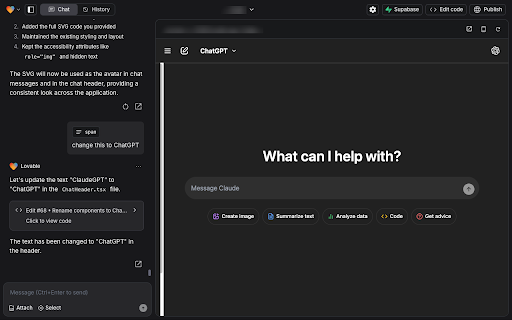


Enhance your Lovable.dev experience with prompt templates and Ctrl+Enter message sending Enhance your chat experience on Lovable.dev! Features: - Use Ctrl+Enter to send messages - Quick access to message templates with @ key - Manage custom templates in options page This extension enhances your chat experience on Lovable.dev with convenient shortcuts. Send messages using Ctrl+Enter and quickly insert pre-registered templates by typing @ to access your custom message templates. Make your chat interactions more efficient and comfortable.

Lovable.dev Add-ons
Enhance your Lovable.dev experience with powerful features designed to streamline your workflow and boost productivity. Version 2.1.1 – May 18, 2025 R.I.P. Voice Input — replaced with a new, faster voice input system **Version 2.0.0 – May 13, 2025** ✨ New - Lovable.dev 2.0 Theme - Full support for Light and Dark mode 🚀 Major Improvements Voice Input - Faster recognition and better silence handling - Instant stop, low-latency mode - Improved error recovery and speech tracking GitHub Copy Context - Filter files by extension - Adaptive batching and caching - Cancel button and progress bar - Clipboard performance improved - Better error handling and format reuse (XML/Markdown) UI & UX - Modern popup design with rounded corners - Unified button styling and updated icons - Improved layout stability and integration 🐞 Fixes - Resolved voice input bugs and UI cleanup issues - Removed unwanted scrollbars - Fixed layout overflow and duplicate CSS --- **Version 1.9.1 – March 26, 2025** - Added code context copying - Added XML/Markdown format selection - New footer showing ignored files - Removed empty lines from code exports - Improved popup layout and button text - Enhanced error handling --- **Version 1.5.1 – February 14, 2025** - Removed color picker and search functionality from live edit --- Groq AI Integration - Support for DeepSeek Llama 70B, Mixtral 8x7B, Gemma2 9B, LLaMA 3.3 70B SEO Tools - Meta tag generation and validation Bug Fixes - Fixed memory leaks and rendering issues - Fixed storage sync problems - Improved error recovery ---

Supercharge for Bolt.new
Enhance your Bolt experience with additional features Bolt.new with superpowers! Supercharge is a free Chrome extension for Bolt that speeds up your workflow, improves prompting, gives you incredible design options and reduces token usage. 💬 Talk to Bolt Experience faster prompting with natural conversation flow, making your development process more intuitive and efficient. 🔦 Component Selector Achieve precision prompting by easily selecting and referencing specific components in your project. 📖 Prompt Library Access a comprehensive collection of ready-made prompts for more accurate and consistent results, and add your own custom prompts for easy access. 🧩 Component Library Type "/component" to choose from 1000+ ready-made, expertly crafted designs for hero sections, buttons, forms, AI chat windows and many more components. Then simply copy the coding prompt and paste in your Bolt chat! ⚛️ Recreate any web page Type "/copy", enter a URL and get the React code for Bolt to recreate it. 📄 Create instant API text doc for integrating with any API No more copy/pasting API docs and using up a ton of tokens! Type "/api" to copy all the relevant API docs you need into a single text file. Super easy to get Bolt to refer to it whenever you need to! ✅ Go-Live Checklist Never miss essential tasks with our comprehensive launch checklist, ensuring your project is production-ready. Changelog version 1.4.3 - fixes the issues with slash commands version 1.4.4 - added a text label to Discuss button (chat with Bolt to plan your next steps - around 90% cheaper than standard build mode!)

Lovable Buddy
Enhance your Lovable experience with task notifications Stay focused while Lovable.dev works—get notified when your Lovable tasks are done. Lovable Buddy is a simple yet powerful Chrome Extension built for anyone using Lovable.dev. Instead of hovering over your browser, waiting for your AI-generated code or task to finish, Lovable Buddy keeps watch for you—so you can stay productive! 🧠 How It Works: • Give Lovable a task, switch tabs, and get back to work. • Lovable Buddy sits above all your tabs and sends a notification the moment your task is complete. • No more clicking back to Lovable or waiting around—just seamless multitasking and friendly notifications. ✅ Features: • Persistent loading indicator visible across all browser tabs. • Instant browser notifications when Lovable finishes responding. • Works with all Lovable projects—no configuration needed. • One-time install and lifetime updates. Built by two passionate Lovable users, Lovable Buddy is your $9 productivity sidekick that pays for itself in saved time. Add it to Chrome now and stop babysitting your Lovable projects!

AI Coding Prompt Enhancer | PromptDC
Improve your coding prompts with one click for every AI web platform like Lovable, ChatGPT, Replit & 40+ more. PromptDC enhances your coding prompts with one click — directly on Lovable, ChatGPT, Replit, Claude, and 40+ AI platforms. No tab switching. No copy-pasting. Just better prompts. 1. Go to any supported AI platform (Lovable, ChatGPT, Replit, etc.) 2. Write your prompt in the text input 3. Click the enhance button (✨) on the floating toolbar 4. Your prompt is transformed into a clear, structured instruction 5. Send it and get better results • Enhance button (✨) — Transform your prompt with one click • Community button — Access shared prompts from other developers • Settings button — Open sidebar to customize your experience • Disable button — Turn off PromptDC for the current session • Access community-shared prompts and system instructions • Save your best prompts to your personal library • Type "//" in any text field to quickly search and insert prompts • Create and share prompts, system prompts, and markdown files • Organize with categories: Security, UI/UX, Performance, Debugging, etc. • Select any text on a webpage • Right-click → "Save to Library" • Add name, description, type, and category • Reuse across all AI platforms anytime Customize how PromptDC enhances your prompts: • Language — Choose output language • Format — Regular, JSON, XML, or YAML output • Enhancement Mode — Simple (quick tasks) or Structured (complex implementations) • Override System Prompt — Replace our enhancement with your custom prompt • Always Include — Add text to every enhanced prompt (e.g., "Use TypeScript", "Follow CONVENTIONS.md") Works with popular AI tools and assistants used for coding and writing, such as ChatGPT, Claude, and Lovable, along with many other browser-based AI platforms. ✅ AFTER: "Design and implement a beautiful, responsive food tracking app inspired by modern wellness platforms like MyFitnessPal and Yazio. Start with a polished landing/home page featuring a hero section, call-to-action button, and a dynamic daily food log. Define a fresh, inviting design system using vibrant greens, oranges, and subtle gradients. Implement the following features for the MVP: - A hero section with app name, tagline, and a main CTA - A daily food log component showing today's date, list of foods with calories/macros - An Add Food dialog/modal with fields for food name, calories, protein, carbs, and fats - Responsive layout and SEO best practices with semantic HTML Structure the codebase with small, reusable components (FoodLog, AddFoodModal, FoodEntryCard). All components must use design system tokens." ✅ Coding-focused — Built specifically for developers ✅ Platform-aware — Adapts enhancement to each AI platform ✅ Inline enhancement — No tab switching required ✅ Prompt library — Save and reuse your best prompts ✅ Community prompts — Learn from other developers ✅ Custom system prompt — Full control over enhancement logic ✅ Always Include — Add project-specific rules to every prompt Q: Does it work with ChatGPT? A: Yes! PromptDC works directly on chatgpt.com with the floating toolbar. Q: Does it work with Claude? A: Yes! Full support for claude.ai including all features. Q: What's the // shortcut? A: Type "//" in any text field on supported sites to quickly search and insert prompts from your library or community. Q: Can I use my own enhancement prompt? A: Yes! Open sidebar → Enable "Override System Prompt" → Enter your custom instructions. Q: How do I turn it off temporarily? A: Click the red power button on the floating toolbar. Refresh the page to re-enable.
