
hhjbhnchjifpkchbcccnkeccabelmkcm

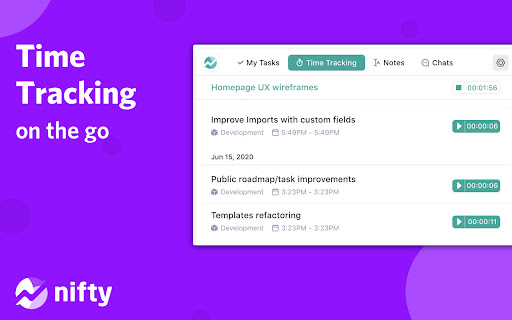
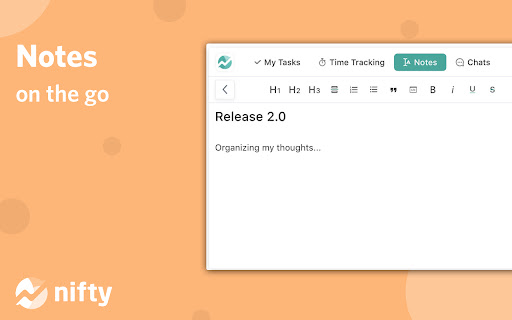

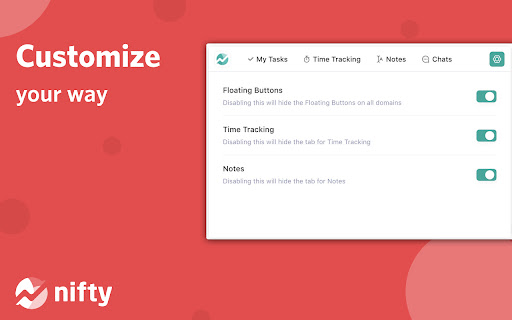
Nifty is a new wave productivity app to manage tasks, track time, collaborate on docs, and chat with your team -- all in one place. Nifty's revolutionary Chrome Extension will help you do better work using fewer tools, by replacing five apps with one. Close the gap between the planning and action phases of your work with the #1 easiest to use workflow management app ranked by G2 & Gartner. 🔥 With this extension, you can: • Create personal and project tasks • Track time on new and existing tasks • Create personal notes and jot down ideas • Chat in real-time with your team • Share files with your teammates Nifty is free forever with 100MB of storage space, unlimited tasks, and users. Installing the Chrome Extension: 1. Click Add to Chrome 2. Click Add extension in the next popup 3. Click the Nifty extension icon at the top of your browser window. 4. Log in to your Nifty Account 5. Select the Workspace(s) that should have access To hide the draggable floating icon, you can go to settings and toggle off the floating button. To move the floating icon around, you can simply drag it across the browser and the placement will be saved based on the website you're on. Be sure to visit the website to learn more about how Nifty can change the way you work.

tabExtend - Easy Tab manager
Transform your new tab into a powerful dashboard. Add notes, set reminders, and sync across devices to boost productivity. The best way to manage your tabs and organize your workflow on any device. (Chrome, Brave and Edge supported) TabExtend is the easiest way to manage browser tabs, offering a seamless solution for anyone looking to organize and control their tabs. The pain caused by having too many open tabs and disorganized windows in Google Chrome is a thing of the past. You might have tried other tab management tools, such as OneTab, Workona or Toby, and run into countless problems with feature limitations and organization. TabExtend is the ultimate replacement for this. We transform your new tab into an interactive dashboard and Kanban board, ensuring your tabs and workspaces are always organized and in sync. If you are looking for a way to manage tabs in Chrome, look no further. We have you covered with TabExtend - tab management has never been easier nor more efficient. What are you waiting for? Once you install, you will finally have a way to take control of your tabs. ✔︎ Manage tabs & tab-groups across multiple windows ✔︎ Notes / To-dos ✔︎ Setup reminders for sites and notes ✔︎ Popover with saved notes on any site ✔︎ Sync to Mobile apps(iOS & Android) ✔︎ Import bookmarks and top sites ✔︎ Save selected text-snippets ✔︎ Search sites and items ✔︎ Dark/light theme ✔︎ Shared workspaces ✔︎ Share categories via public link ✔︎ Upload custom emojis Try as guest or sign up for a free account. All features included up to 30 saves. Available for Chrome, Brave, and Edge TabExtend helps users with all sorts of questions; here are just a few: How do I manage too many tabs in Chrome? How do I organize my Chrome tabs? How do I save tab groups in Chrome? How do I sync tabs across devices? How do I manage browser tabs efficiently? How to organize Chrome tabs? How to save tab groups? How to manage multiple windows? How to sync tabs between devices?

typedesk Canned Responses
Boost your productivity effortlessly! Automate typing tasks, streamline with canned responses, text snippets, and automation. Typedesk is the leading app to reclaim time wasted typing the same things over and over again! Create text templates of your every day sentences and messages, and typedesk makes reusing them quick and easy. Use the / character followed by your custom shortcuts to quickly insert your response. For instance, typedesk can transform "/eml" into your email address, or "/tmpl" into a full email with your opening line and signature. Need something more visual? Hit Alt+C and typedesk's search bar opens up instantly to quickly and easily find and insert the responses you need. ➤ It works where you do Whether you need your snippets within your email client, word document, code editor or backoffice, typedesk works out of the box with all the apps and websites you use daily. Our apps for Windows, Mac and all the major browsers are giving you typing superpowers everywhere you work! ➤ Powerful variables for personalised responses Personalising messages can be daunting, let alone making sure you didn't leave a placeholder before hitting "Send"! typedesk's powerful engine allows you to create interactive forms to personalise each response quickly and easily so you always hit the right spot! ➤ Designed for teams typedesk has been designed from the ground up to work great with teams. Invite as many users as you want on your account, and share one or more folders with specific permissions for each user. ➤ Built for privacy Unlike most text expanders, typedesk never listens to your keyboard before you request it with a shortcut. Your data is encrypted with LUKS and SSL to ensure complete peace of mind. Need your responses outside of your browser? No problem, get our apps for Windows and Mac to experience the same typing speed in your favorite native apps. ➤ Don't take our word for it! "We're loving typedesk! It's easy to use, and saves us tons of time when it comes to sending emails to our customers." Seb Fontan, Founder @ TripHitz Marketing Agency "We keep finding new ways to use typedesk. It started with the obvious canned email responses, especially for the repetitive emails we get every day. Recently, we've implemented it with social media posts, especially YouTube videos descriptions, and this is where Variables comes in handy." Ninos M., Creative Director "The set up was quick and painless and adding in new templates or using the templates after they are added takes no time at all, making working with emails a short and simple process." Tori, Customer Success @ BookRetreats

Hoverify: All-in-one extension for web developers
All-in-one browser extension that helps you inspect, edit, test, debug, capture, and optimize websites faster. ⭐ Inspector: Hover to Inspect, Click to Edit • Inspect any site by hovering over the element. • Don't miss any styles. Inspect pseudo-elements and classes. • Inspect and edit styles for all screen sizes and animations in real time. • Style elements visually with our powerful visual editor in real time. • Edit HTML, styles, media queries, and animations in real-time. • View source CSS from different selectors in the code tab. • The code is syntax-highlighted for better reading and editing. • Copy or export the whole component with children to CodePen. • Edit Copy - Check how different copy looks on your page by editing the element's content in real-time. • Hide or Remove Elements - Debug page structure by hiding or removing elements. • Color Palette - Get every color from the page. • Font Viewer - Know what fonts each tag is using. • Search - Find the element through tag name, id, or classes. Even with CSS selectors! • CSS Box - Visually inspect the padding, margin, border, and size of the element. • Keyboard Shortcuts - Fully customizable shortcuts so you can work without lifting your hands off the keyboard. ⭐ Color Eyedropper: Spot, Point, and Select Colors • Pick colors from anywhere on the page, even from images and iframes. • Get RGB, OKLCH, CMYK, HSL, and hex values. ⭐ Responsive Viewer: Preview on Multiple Devices • Test your websites on multiple devices under multiple conditions in parallel. • Click or scroll on one device and other devices will follow. • Simulate modern devices with frames, frame styles, and OS. Includes iPhone 16, iPhone 15, Nothing Phone, Pixel 7 Pro, and more. • Switch between device frame styles and colors to match real-world hardware. • Works on any site - can be injected directly into the page for full compatibility. • Add new custom device profiles to fit your needs. • Test sites on viewports bigger than your display. • Toggle horizontal and vertical scrollbars per device. • Change user-agent. ⭐ Assets: Extract all the assets in one place • Extract images, videos, SVGs, PDFs, Lottie animations, and favicons from the page. • Extract assets from iframes and hidden elements. No valuable content is overlooked. • Preview video thumbnails directly in the images tab. • Filter and sort assets by type, size, and format. Find what you need quickly. • Select all or pick individual assets, then zip and save in one click. ⭐ Library: Save assets directly to the cloud • Save any extracted asset to your connected cloud storage without leaving the browser. • Access your saved assets anytime from your library. ⭐ Site Stack: Discover the tech stack behind any website • Uncover what's powering any site from frameworks and hosting to DNS and SSL, all in one place. • Technologies - Detect frameworks, libraries, CMS platforms, analytics tools, and plugins with confidence scoring and version detection. • Hosting - Identify the hosting provider, server IP address, location, and infrastructure details. • DNS - View DNS records, nameservers, and domain registrar information at a glance. • SSL - Verify the SSL certificate, issuing authority, validity period, TLS version, and key details. • WordPress - Detect WordPress sites automatically and reveal the active theme, installed plugins, and ratings. • Export - Download the full tech stack as a JSON file or generate a professionally designed PDF report. Choose exactly which sections to include, perfect for client handoffs and site audits. ⭐ SEO: Optimize your site for search engines • Run a complete SEO audit on any page, right from your browser. • Insights - Get Core Web Vitals with real user data from Chrome UX Report and lab performance scores from Google's PageSpeed API, all in one view. • Meta Tags - Audit your title, description, Open Graph, and Twitter Card tags with character count validation and social preview checks. • Headers - Visualize your H1 through H6 hierarchy. Spot duplicate headings, missing H1s, and structural issues that hurt readability and rankings. • Images - Find oversized images, compare original vs rendered dimensions, and catch missing alt text that hurts accessibility and SEO. • Links - Scan all internal and external links on a page. Filter by type, detect broken URLs with one-click status checks, and audit anchor text. • Schema - Detect existing structured data (JSON-LD, Microdata, RDFa) with validation, or generate new schema markup from ready-to-use templates. • Export - Generate a professionally designed PDF report. ⭐ Capture: Take stunning screenshots of any website • Showcase the full webpage or just any part of it with our screenshot tools. Save screenshots in JPEG, PNG, WEBP, or PDF format. • Visible Part - Capture the visible part of the viewport of the page in high resolution. • Full Page - Capture the full page and showcase the entire page in one image. • Select Area - Click and drag to select any area of the page to capture. • Select Element - Capture any component on the page by clicking on it. • Screenshot Editor - A full editing suite for your screenshots. Add gradient backgrounds, annotations, branding (your logo and text), and crop with precision. Zoom, pan, paste images from clipboard, snap annotations into place, and export in any format. Turn raw screenshots into polished visuals ready for portfolios, docs, or social media. ⭐ Debug: Optimize and debug your site with ease • Clear Browsing Data - Instantly remove browsing history, cache, cookies, local storage, and more. • Custom Code - Inject HTML, CSS, and JavaScript to tailor websites in real-time and make changes persistent. • Optimize Images - Improve loading times by optimizing images on your landing page. Please note: This is a paid extension, you can buy it from here- https://tryhoverify.com. 💡 Bug Report and Suggestions To report a bug or for a feature request, you can send an e-mail to tryhoverify@gmail.com.

Kommodo Screen Recorder & SOP
Record screen and get a magical SOP with an AI Summary Introducing Kommodo - Your Ultimate Screen Recording Tool Kommodo is much more than a screen recording tool. It offers - Full Screen Recording - SOP (Guides) Automatic Creation - Cloud Editor - Easily and quickly edit your videos - Page Builder - Build websites out of your video to enhance presence & context 📹 Easily Record Your Screen: Kommodo offers a seamless screen recording experience, allowing you to effortlessly capture anything on your screen. Whether it's a product demo, project update, or UX review, Kommodo makes recording a breeze right from your Chrome browser. 📃 Automatically Create Documentation with Kommodo Guides: With Kommodo Guides, you can automatically transform your screen recordings into detailed and interactive documentation. It's the perfect solution for creating step-by-step guides and standard operating procedures (SOPs) effortlessly. ⏩ Unlimited Recording, Unlimited Videos: Unlike other screen recording software, Kommodo's free plan offers unlimited screen recording duration and an unlimited number of videos. This sets it apart as a unique and cost-effective solution in the screen recording software space. 📊 Real-Time Analytics: Gain valuable insights into how your users engage with your videos. Kommodo provides real-time analytics and a daily summary, giving you a clear picture of how much of your content is being consumed. Collaborate Seamlessly with Teams: Kommodo "Team Library" feature allows you to group teams together, facilitating seamless collaboration. Built-in annotation and commenting make it easy for teams to work together and provide feedback effectively. A Streamlined Experience: Kommodo has been designed from the ground up to be intuitive and non-intrusive. It aims to simplify the recording process, allowing you to effortlessly share your work with others. Take your screen recording to the next level with Kommodo. Record, collaborate, and share like never before. Try it today and experience the difference!
