
hgmhilgkldnokggebhoofekooimnnngl
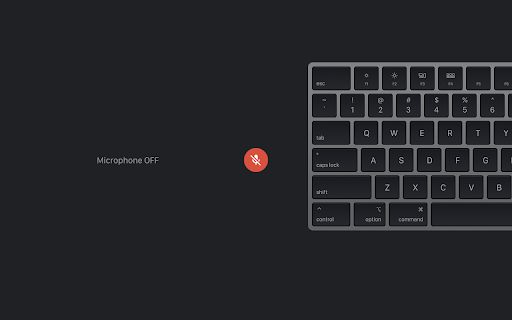

Toggle Google Meet microphone with CapsLock Use the CapsLock button as your microphone switch for Google Meet. When your CapsLock light is OFF, your mic is off. If the CapsLock light is ON, your mic is ON.

Mic Check Pro — Instant Microphone Test for Chrome
Ensure your microphone works perfectly! Instant check, real-time volume meter, audio recording. Free, secure, and no setup required. Mic Check Pro is your go-to Chrome extension for instant microphone testing. Perfect for streamers, remote workers, gamers, podcasters, and anyone relying on clear audio! - 1-Click Mic Test — Diagnose issues in seconds. - Live Volume Meter — Visual feedback for sound level. - Record & Playback — Hear exactly how others hear you. - Works with Zoom, Skype, Discord, Teams — Avoid awkward “Can you hear me?” moments. - Zero Configuration — Just install and click! 1. Install the extension. 2. Click the Mic Check Pro icon in Chrome. 3. Allow microphone access — done! 🚀 Optimized For: Keywords (for metadata): mic test, microphone check Chrome, audio diagnostics, fix microphone issues, free mic tester, Zoom audio test, mic volume meter, headset test, voice recorder Chrome, troubleshoot microphone.

Google Meet Microphone
Turn your Google Meet Microphone ON/OFF from any tab on the browser window by clicking the extension icon from the extensions bar on the top right.

ResLock for YouTube
Automatically sets YouTube video quality to your preferred resolution. Have you had enough of manually changing YouTube quality every time you start a new video? Tired of switching back to 1080p or higher on every single click? Set your preferred playback quality once, and ResLock applies it automatically whenever a video starts. No more digging through the settings menu. No more interruptions. Just consistent playback the way you want it. If your selected quality isn’t available, ResLock intelligently falls back to the closest available resolution to keep playback smooth and stable. Why ResLock is worth it: - Saves time on every video - Keeps your viewing experience consistent - Reduces frustration from unwanted auto-quality changes - Simple setup — works quietly in the background - No ads, no clutter Whether you prefer stable 720p on slower networks or sharp 1080p+ on a fast connection, ResLock ensures YouTube behaves the way you expect. Core Features: - Automatic preferred quality apply on YouTube - Optional Always Best mode (automatically selects the highest available resolution) - Optional on-video quality badge - Clean popup settings with one-click save - Account and subscription handling via ExtPay An optional Pro plan is available via ExtPay for $1 USD/month. Pro unlocks: - Higher-resolution options - Pro-only quality controls - Advanced playback preference handling Independent & Ad-Free: ResLock is part of the MemoTweaks extension lineup and is independently built and maintained. The extension does not show ads or inject advertising into your experience. Optional Pro support helps fund ongoing maintenance, improvements, and future tools. Highlights: - Auto-applies your preferred YouTube quality - Optional Always Best mode (Pro) - Optional on-video quality badge - Clean popup controls with one-click save - Secure subscription handling via ExtPay - Lightweight, focused, and distraction-free Learn more or support the project at: https://MemoTweaks.com

Specify Gmeet Mic
Don't you hate choosing your laptop's internal mic every single time you join a Gmeet call? With this extension, you can auto-select a specific mic every time you open a Gmeet call or change media devices (eg. putting your earbuds in or connecting to an external camera). Source code available for review here: https://github.com/gradywetherbee/specify-gmeet-mic
