
hgbimjhokmpbblbofpdecgjekjaibpkn

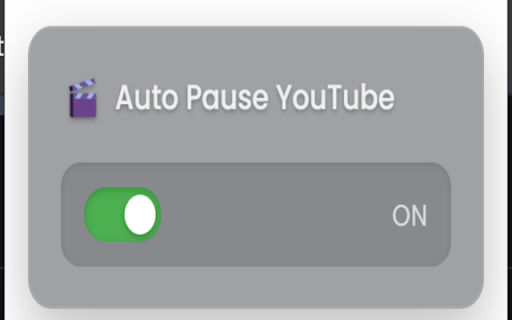

This is a lightweight Chrome extension that automatically pauses YouTube videos when you leave the tab and resumes them when you return. No more rewinding or missed moments — just a smoother, smarter YouTube experience. Whether you're studying, working, or juggling multiple tabs, this extension ensures you never lose track of where you left off. It's designed to enhance your productivity and eliminate the frustration of missing content. Key Features: Automatically pauses video when you switch tabs Resumes video playback when you return Simple and clean popup UI with an enable/disable toggle Ever switched tabs and missed something important in a video? Manually pausing every time is inconvenient, and forgetting to do it leads to missed content or distractions. This extension solves that problem by automatically handling pause and play for you — no clicks required. It saves your time, reduces distractions, and improves your YouTube watching experience across the board.

YouTube Anti Translate
A small extension to disable YouTube video titles/audio/descriptions autotranslation. YouTube title translation is helpful for beginners, but once you know the language well enough to understand original titles, it quickly becomes frustrating. Even worse, there's no proper way to disable this — unless you change your YouTube country, which messes up your recommendations and trends. This extension fixes the problem. Over 100,000 users trust it to restore YouTube the way it was meant to be. ✨ Restores original video titles instead of auto-translated ones 📝 Restores original video descriptions and chapters 💬 Restores original subtitles (untranslates captions) 🖼️ Restores original video thumbnails 🎨 Restores original channel branding, headers, and channel names 🔇 Disables automatic audio translations (dubbing) 📱 Supports YouTube Shorts — restores both audio and titles 📱 Also works on mobile (m.youtube.com) — untranslates both titles, descriptions, and audio (beta) 🔔 Fixes translations in notifications 🌐 Works everywhere — homepage, embedded videos, youtube-nocookie.com, and more ⚙️ Works automatically — no configuration or API keys needed 🎯 Advanced settings — whitelist specific channels to keep translations if needed 🧼 Lightweight and safe — clean code, no tracking, open source Chrome for Android doesn't support extensions, but you have two options: 1️⃣ Firefox for Android (Recommended): • Install Firefox • Visit FireFox page of this extension: https://addons.mozilla.org/firefox/addon/youtube-anti-translate-mv3/ • Install this extension • Open YouTube and enjoy! 2️⃣ Kiwi Browser: • Install Kiwi Browser • Open Kiwi and go to this page (Chrome Web Store) • Install this extension • Open YouTube and enjoy! 💖 This is a completely free, open‑source project maintained by volunteers. If the extension has helped you, please consider supporting the original creator at https://www.patreon.com/zpix1 or the maintainers at https://github.com/zpix1/yt-anti-translate. Firefox version: https://addons.mozilla.org/ru/firefox/addon/youtube-anti-translate-mv3/ GitHub page: https://github.com/zpix1/yt-anti-translate No more awkward or misleading title translations — get YouTube back the way it was meant to be. ____

Auto Pause and Resume for YouTube™
Pause YouTube player when page is hidden and resume when it is active again! Features: - Automatically halts playback in a hidden YouTube tab. - Automatically resumes playback when the tab regains focus. - The option to deactivate the functionality via the action button (might have been hidden in the extension menu. If so you can pin the button to the toolbar area). How it works: A mini script is injected exclusively on YouTube pages to manage the player's play/pause status based on the visibility of the document. When a YouTube tab is brought to the forefront, the player automatically resumes, akin to hitting the play button. Conversely, when the document becomes hidden, the player automatically pauses, simulating the effect of pressing the pause button. Sample scenario: Imagine having multiple YouTube players across various tabs. Only the active player is in playback mode when focused, while all other players pause. Change Log: - Version 0.1.1: The extension can now be toggled on and off using the toolbar button, which is particularly handy for listening to YouTube videos in the background. - Version 0.2.0: The extension now utilizes manifest v3 and requires Chrome version "95" or newer for the update to be applied.

YouTube Repeat
Repeat YouTube videos based on user preference for each tab. Single repeat choice for all YouTube links. - Just save your preference once and then enjoy repeated playback of your favorite songs and videos on YouTube without reloading your webpage or requirement to consume additional Internet usage.

YT Watch Later Assist
Bulk Add and Delete YouTube Watch Later and Liked videos automatically Add a playlist to your Watch Later in one click. Remove all your Water Later videos in one click. Remove all your Liked videos in one click How it works: ➡ Add Playlist to Watch Later ♦ When you will open a playlist listing page you will see a button "Add this playlist to watch later" above the video lists. Just click on that. ♦ If you are watching the playlist, you will see "Add this playlist to watch later button" above the playlist box. Just click on that. ♦ When you are in playlist page or watch, click on YT Watch Later Assist icon and click on "Add this playlist to watch" button ➡ Remove all Watch Later videos ♦ When you will open Watch Later page you will see a button "Remove all videos" above the video lists. Just click on that. ♦ OR click on YT Watch Later Assist icon and click on Remove all Watch Later videos button. ➡ Remove all Liked videos ♦ When you will open Liked videos page you will see a button "Remove all videos" above the video lists. Just click on that. ♦ OR click on YT Watch Later Assist icon and click on Remove all Liked videos button. For any issue, report to us via email. Thank you!
