
hfmhaijnjkhadncaefdafpboppbedfdj
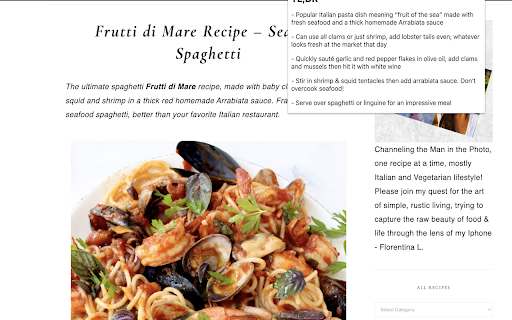
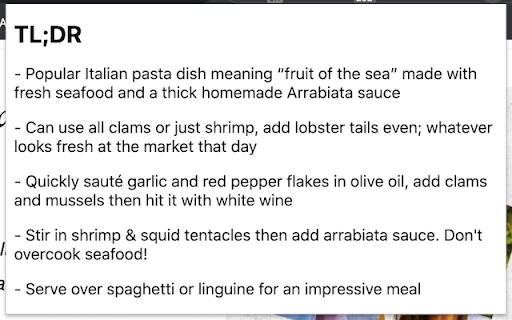
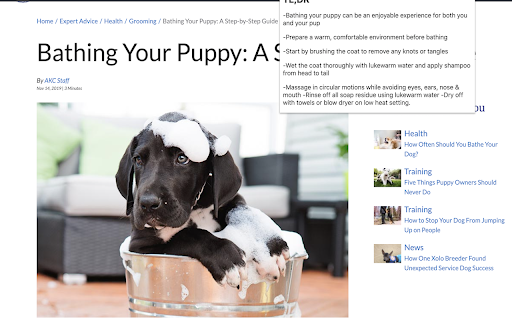
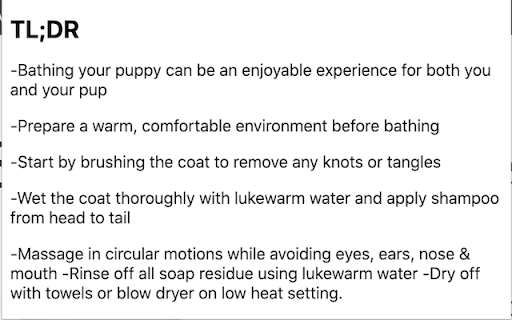
A chrome extension to summarise a page content Our chrome extension app provides a quick and easy way to summarise the content on any webpage. Simply click on the extension icon and within seconds, you'll get a concise summary of the main points on the page. Whether you're short on time or just want a quick overview, our summary tool is the perfect solution. Give it a try and see how it can help you save time and stay informed. Usage: - Install the extension - Pin the extension to your browser - Open a web page / refresh an existing page (not this one) - Click on the extension - Enjoy your TL;DR summary!

Plerdy SEO Analyzer
A Chrome extension for instant on-page SEO auditing of any website 🚀 Boost Your SEO Strategy with One Click! Plerdy SEO Analyzer is a powerful SEO extension for Chrome, acting as your go-to analyzer and checker to deliver in-depth SEO insights for any webpage. With just one click, you can access a comprehensive SEO audit and technical overview—optimizing pages for higher rankings and lightning-fast performance. 🔍 Key Features: ✅ AI-Powered SEO Tips – Instantly receive tailored, actionable recommendations for improving your page’s meta tags, headings, and content, complete with concrete examples and best-practice guidelines. ✅ Contextual Content Suggestions – Get precise, context-aware tips to optimize your keyword placement, readability, and internal linking strategy based on your specific page analysis. ✅ SEO Audit & Checker – Automatically analyze meta tags (title, description, H1), robots.txt, canonical tags, hreflang attributes, and other critical SEO parameters to ensure every element is optimized. ✅ Content Analysis – Gain insights into word count, keyword density, stop words, readability scores, and Flesch-Kincaid readability index to fine-tune your content for both users and search engines. ✅ Open Graph & Schema Markup – Ensure your website is optimized for social media previews and rich snippets with detailed Open Graph and Twitter Card analysis. ✅ Heading Structure Overview – Identify missing, duplicate, or incorrectly structured headings (H1–H6) with visual highlights for better on-page organization. ✅ Image Analysis – Detect missing ALT tags and view image file sizes directly on the page to improve SEO and accessibility. ✅ Outgoing Links Report – Check dofollow, nofollow, and duplicate links to refine your link-building strategy, with automatic “nofollow” badge detection. ✅ Keyword Relevance Checker – See the most frequent words on the page and evaluate their SEO relevance in title, description, and H1 tags. ✅ SEO Score – Instantly calculate an overall SEO score (0–100) with a visual progress bar to gauge your page’s SEO performance at a glance. ✅ Performance Metrics – Analyze page load speed, DNS lookup, TCP connection time, TTFB, DOM Content Loaded, and more with automatic performance status indicators. ✅ URL Information – View detailed information about the current URL, including HTTP Status (e.g., 200 OK), Response Size (e.g., 101.7 KB), and Detected Language (e.g., en). ✅ Slow Resources Checker – Identify JS, CSS, and IMG files that take longer than 300 ms to load, so you can optimize or replace them to boost page speed. ✅ Detected Technologies – Instantly see which analytics tools, pixels, CMS, frameworks, and libraries are present on the page. ✅ Hreflang Checker – Verify correct hreflang attributes to improve international SEO and avoid duplicate-content issues. ✅ Live Highlighting – Click any keyword in the report to highlight it directly on the webpage for better visibility. ✅ HTTP Mixed Content Analysis – Detect insecure HTTP images to ensure your website delivers fully secure content. ✅ Fast & Lightweight – Runs instantly without slowing down your browser, making this SEO extension ideal for quick audits on the fly. ✅ New SEO Insight Blocks – Expanded content analysis with stronger E-E-A-T, AEO, semantic HTML checks, and clearer visibility into how page structure supports search intent. 💡 Who Can Benefit? 🔹 SEO Specialists – Perform instant audits on client websites and competitor pages using a dedicated analyzer and checker. 🔹 Content Marketers – Optimize content based on real-time data and AI-powered insights from this SEO extension. 🔹 Web Developers – Identify technical SEO issues (broken links, slow resources, mixed content) that affect rankings and user experience. 🔹 Business Owners – Gain a full SEO overview—status codes, performance bottlenecks, and technology stacks—to improve website visibility and search performance. 🔥 Install Plerdy SEO Analyzer today and take control of your website’s SEO performance! 🚀

Background
A Chrome extension to set the background of ANY page A Chrome extension that can help you add background to almost any website you go. 1. Why using this extension: ---> If you tired of having boring background of websites and want to change it then this is a solver for you, with this extension you surf your favorite website with a background of your choice. 2. Benefits from this extension: - Lightweight extension and optimized, not taking up your RAM and usage - No ads and not sending user information to anywhere, everything is running under your local machine and google account (open-source soon?) - Works with any other website manipulation extension - Help you have a better focus on websites =w= 3. Features: - Live Updates on websites whenever the settings changed - Able to set the Z-index of the background to wherever you think it works for you - Options to remember websites settings - Can disable any time you want - Dark mode for preview popup and options page or better preview since some websites are dark and others are light - Works for local image too (this option actually help the extension to work anywhere since some website restricted to load image from links) - Remember your settings across all your devices connected to your account (not the same case for the Local Image option, this require your account to turn on sync) - Notice when the URL changed to activate the extension running, this will help on SPA websites - Smooth User Interface for better experience Disclaimer: image URL must be raw image, not the link of some image upload page, to get raw image right click into it and "open image in new tab" then copy that link in the new tab. (The link should ended with a image file extension .png .jpeg .jpg .gif etc... videos are not supported) CHANGE LOG --------------------------- 1.1.0 | 20/9/2024 Big changes with shortcut: - Added shortcut keys: opacity up/down, z-index up/down You can change the shortcut binding in your browser settings: chrome://extensions/shortcuts --------------------------- 1.0.1 | 11/9/2024 (dev) background element now is inside a div for easier debugging.

XML Sitemap
A Chrome extension to view the sitemap of any website. This Chrome extension XML Sitemap allows you to easily view the sitemap of any website you visit. Simply click the extension icon, and it will attempt to fetch and display the sitemap from the current website's domain. This tool is particularly useful for web developers, SEO specialists, and anyone interested in exploring the structure of a website. Key Features: Automatic Sitemap Detection: The extension checks for the presence of a sitemap at the standard location (/sitemap.xml) for the current website. User-Friendly Interface: The sitemap is displayed in a clean and readable format, making it easy to navigate and find specific URLs. Cross-Domain Compatibility: Works with most websites, regardless of their domain or protocol. How to Use: Install the Extension: Add the Sitemap Viewer to your Chrome browser. Visit a Website: Go to any website you want to explore. Click the Extension Icon: Click the Sitemap Viewer icon in your toolbar to view the sitemap. This extension simplifies the process of accessing and viewing sitemaps, making it a valuable tool for anyone working with websites.

Page Plain Text
Chrome extension that shows page plain text and allows you to edit or download the text [Features] - Shows page plain text (keyboard shortcut: Ctrl + Shift + 1) - Extracts text from the selection on the page - Text editing - Download page plain text (keyboard shortcut: Ctrl + Shift + 2) - Removes all formatting from text - Removes all advertising to focus only on the content of the text - Copy text to use it in other documents (keyboard shortcut: Ctrl + Shift + 3) - Zoom In and Zoom Out text to improve legibility (keyboard shortcut: Ctrl + ➕ / Ctrl + ➖) - Contextual menu to quickly copy or download the plain text of the current page - Dark Mode color scheme [Keyboard Shortcuts] To change the keyboard shortcuts of the extensions you can go here: chrome://extensions/shortcuts [Links] - My Home page: https://www.vincenzodevivo.com/ - My GitHub: https://github.com/deltavi ... or you can buy my books on Amazon 📚 www.amazon.it/Vincenzo-De-Vivo/e/B09MPTBBFY
