
bephhamcfencdbjmlinkpapidliffpdg
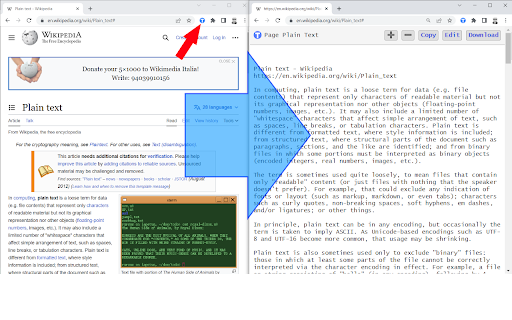
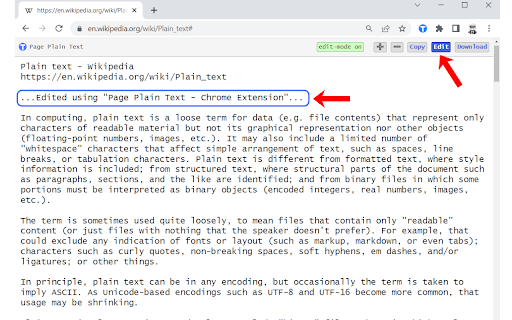
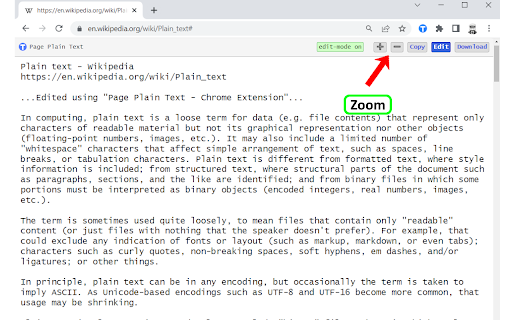
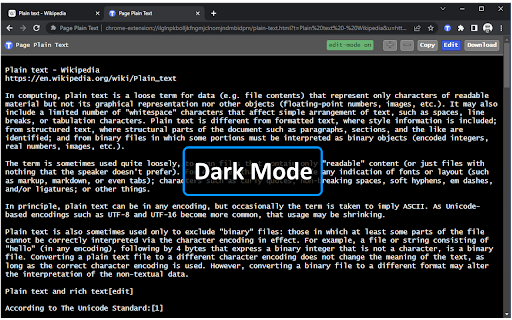
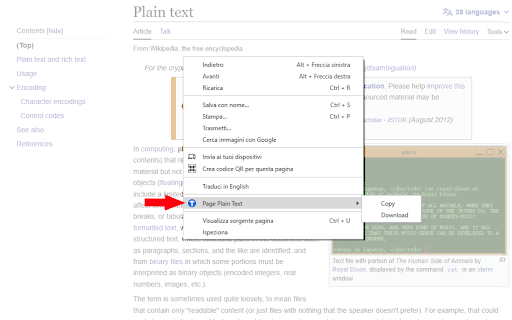
Chrome extension that shows page plain text and allows you to edit or download the text [Features] - Shows page plain text (keyboard shortcut: Ctrl + Shift + 1) - Extracts text from the selection on the page - Text editing - Download page plain text (keyboard shortcut: Ctrl + Shift + 2) - Removes all formatting from text - Removes all advertising to focus only on the content of the text - Copy text to use it in other documents (keyboard shortcut: Ctrl + Shift + 3) - Zoom In and Zoom Out text to improve legibility (keyboard shortcut: Ctrl + ➕ / Ctrl + ➖) - Contextual menu to quickly copy or download the plain text of the current page - Dark Mode color scheme [Keyboard Shortcuts] To change the keyboard shortcuts of the extensions you can go here: chrome://extensions/shortcuts [Links] - My Home page: https://www.vincenzodevivo.com/ - My GitHub: https://github.com/deltavi ... or you can buy my books on Amazon 📚 www.amazon.it/Vincenzo-De-Vivo/e/B09MPTBBFY

Text Zoom & Reader — enlarge text, hide images
Text zoom to 200%, distraction-free reader mode, and one-click hide images - improve readability in your browser now. Instantly enlarge text up to 200% • distraction-free reader • hide images Transform cluttered web pages into comfortable, readable articles — perfect for low-vision users, students, and anyone who wants to focus. Why install Text Zoom & Reader? • Text Zoom to 200% — enlarge fonts on any website instantly. • Distraction-Free Reader Mode — strips ads, sidebars and clutter for a clean reading view. • Hide Images & Media — one click removes unnecessary visuals to avoid distractions. • Works in Chrome & Chromium browsers — Chrome, Edge and other Chromium-based browsers supported. • Lightweight & Fast — minimal memory and CPU usage. Who it helps: • People with low vision or reading difficulties (dyslexia) • Students and researchers reading long articles or papers • Anyone wanting a focused reading environment on news sites, blogs, docs How it works (3 steps): 1."Install the extension." 2."Click the toolbar icon." 3."Pick zoom level or reader mode — enjoy comfortable reading." Privacy & Security We respect your privacy: Text Zoom & Reader does not collect your browsing content. Permissions are limited to what’s necessary to change page appearance locally. Trusted by users: Rated ★★★★☆ by thousands of users — “The simplest, most effective reader mode for Chrome.” Get started Install Text Zoom & Reader now and make web pages readable in seconds.

View webpage as TXT
Chrome Extension to open web pages with w3.org html2txt Simple open source extension to view the current web-page or the selected link rendered as text using the w3.org html2txt webpage. This enables you to quickly view a web-page rendered as text along with a list of the urls from the web-page. This saves manually going to https://www.w3.org/services/html2txt and manually entering the url you want to view as text. Three ways to use: - Open link in the w3.org html2txt web-page: Right hand click on a link and select "View link as txt". - Open the URL of the current tab in the w3.org html2txt web-page: Right hand click on a blank area of the current web-page and select "View page as txt". - Open the URL of the current tab in the w3.org html2txt web-page: Click on the "View webpage as TXT" icon in the extension toolbar.

Copy Plain Text
Allows to copy plain text to clipboard with context menu or by toolbar icon. Extension allows to copy to clipboard just plain text without styling and formatting. Has 3 copy methods. Has 'force plain text copy' option.

Web Page Text Extractor
This extension extracts and saves the text from a web page. [Overview] This extension extracts all text parts of a web page and automatically downloads them as text files. [Benefits] 1. easy to save the information you need. 2.Longer text can be read or edited at a later time. Only the text can be saved, with images, advertisements and other superfluous information removed. [How to use] 1.Make sure the page you want to extract is displayed. 2.Click the extension icon. 3. A text file containing the extracted text will be downloaded.
